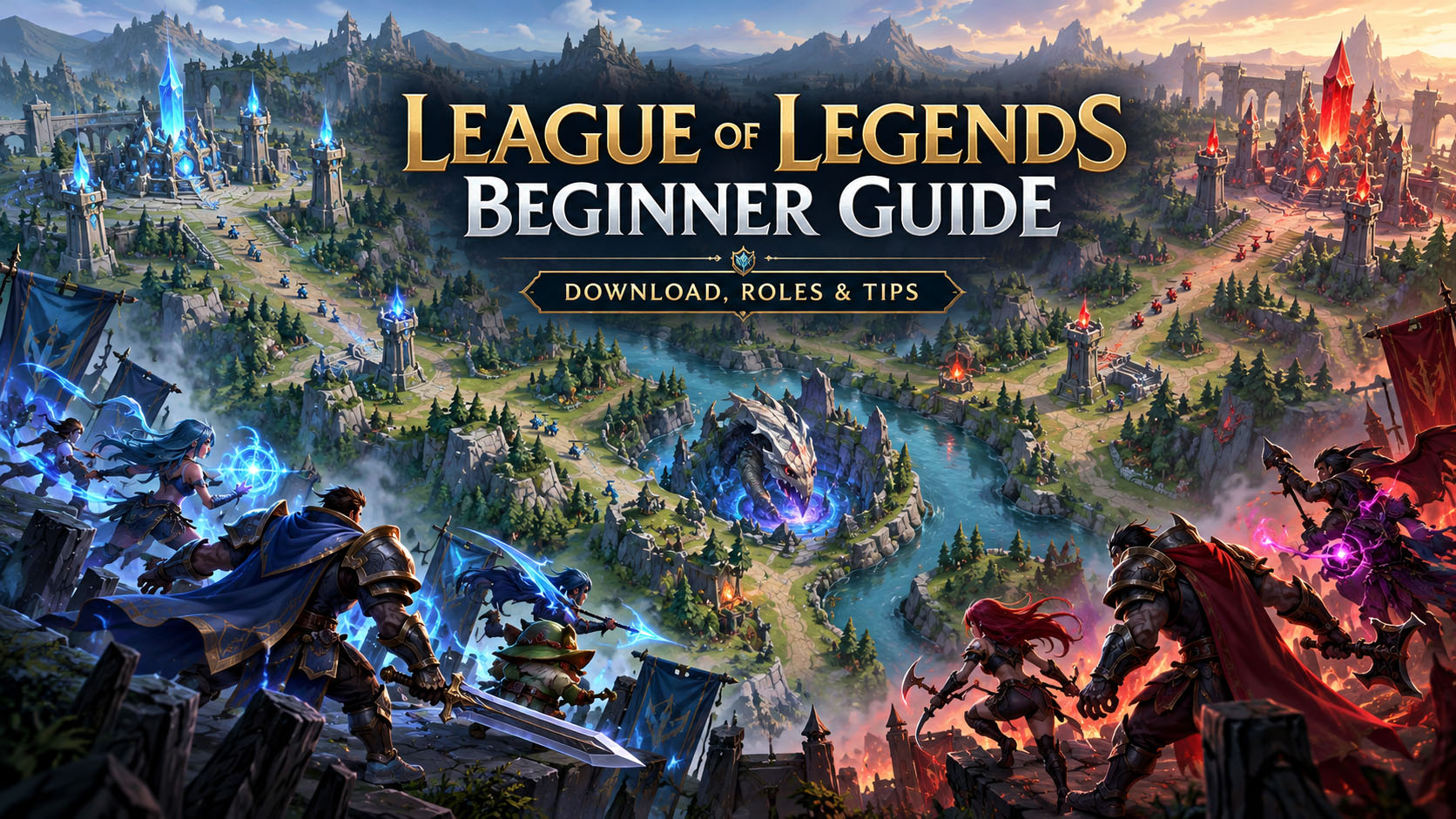
League of Legends has been around for years, but starting today can still feel overwhelming. There are more than 170 champions, several roles, dozens of items, different game modes, and a vocabulary that can sound like another language when you are new.
The good news is that you do not need to understand everything before your first match.
League of Legends is a free-to-play team strategy game from Riot Games. In its main mode, two teams of five players fight across a map called Summoner’s Rift. Your ultimate goal is simple: push into the enemy base and destroy its Nexus before the other team destroys yours.
This guide covers the basics, the current League of Legends download process, PC and Mac requirements, roles, game modes, and a few things that make the early learning curve much easier.
You can find the game, current news, champions, and official download options on the official League of Legends website.
What Is League of Legends?
League of Legends is a multiplayer online battle arena game, usually shortened to MOBA.
The standard match places five players on each team. Every player controls one champion with unique abilities, strengths, weaknesses, and preferred positions.
You begin each match relatively weak. By defeating minions, enemy champions, jungle monsters, and other objectives, you earn gold and experience. Experience increases your champion’s level, while gold lets you purchase items that make the champion stronger.
A typical match becomes a constant balance between improving your own character and helping your team control the map.
The basic objective does not change: reach the enemy Nexus and destroy it.
Between your team and that Nexus are lanes, turrets, inhibitors, enemy champions, neutral objectives, and plenty of opportunities to make mistakes. Riot’s beginner guide explains that each lane contains defensive turrets and an inhibitor that teams must work through on their way toward the opposing base.
League of Legends at a Glance
| Feature | Details |
|---|---|
| Developer | Riot Games |
| Main genre | MOBA / team strategy |
| Standard team size | 5 vs. 5 |
| Main map | Summoner’s Rift |
| Main objective | Destroy the enemy Nexus |
| Champions | More than 170 |
| Price | Free to play |
| Supported desktop systems | Windows and macOS |
| Main competitive mode | Summoner’s Rift |
The game is free to start, although Riot sells optional cosmetic content and other account items.
How to Download League of Legends Safely
For a League of Legends download, the safest approach is to get the installer directly from Riot rather than from third-party download websites.
Go to the official League of Legends site, choose Play Now or the download option, sign in or create a Riot account, and download the installer for your operating system.
Once the installer starts, Riot’s client handles the remaining game files and updates.
A normal installation looks roughly like this:
- Visit Riot’s official League of Legends website.
- Create or sign in to a Riot account.
- Choose the Windows or Mac download.
- Run the official installer.
- Allow the Riot Client to download the required files.
- Sign in and let the game finish patching.
- Complete any required security setup.
- Launch League and begin the tutorial.
Avoid websites advertising modified installers, “premium unlocked” clients, free skins through downloads, or unofficial launchers. None of those are necessary to play the game.

What Does “League of Legends Descargar” Mean?
If you found this guide after searching “League of Legends descargar,” you are simply looking for the Spanish-language download.
“Descargar” means “download” in Spanish.
Riot provides official Spanish download pages for both Spain and Latin American players. The current official pages offer Windows and Mac downloads.
Spanish-speaking players can use the official Latin America League of Legends download page rather than downloading the game from an unrelated software site.
The game client, account region, and language choices may depend on where you play, so starting from Riot’s regional website is usually the easiest option.
League of Legends System Requirements
League is not among the most demanding modern PC games, but its requirements have changed over the years.
Riot currently requires DirectX 11 feature level 11_0 on Windows. Windows 10 users need Build 19041 or newer, while Windows 11 requires TPM 2.0 to be enabled.
Windows Requirements
| Component | Minimum | Recommended |
|---|---|---|
| CPU | Intel Core i3-530 / AMD A6-3650 | Intel Core i5-8250 / Ryzen 3 1200 |
| RAM | 2 GB | 4 GB |
| VRAM | 1 GB | 2 GB |
| Storage | 16 GB free | 16 GB on SSD |
| Graphics | DirectX 11 capable | DirectX 11 capable |
| OS | Windows 10 Build 19041+ or Windows 11 | Windows 11 |
| Architecture | 64-bit | 64-bit |
Riot lists 1920×1080 as its recommended Windows resolution and recommends an SSD for the better configuration.
Mac Requirements
Riot’s current system-requirements page lists an Apple M1 processor, Metal-capable graphics, macOS 12, 8 GB of unified memory, and around 40 GB of available storage.
League is officially supported on Windows and macOS. Riot does not officially support Linux, SteamOS, Bazzite, or similar operating systems.
What Is Riot Vanguard?
Windows players should also be aware of Riot Vanguard.
Vanguard is Riot Games’ security and anti-cheat software. Riot describes it as a combination of a client that runs with its games and a kernel-mode driver designed to protect competitive integrity.
If you install League on a compatible Windows PC, do not be surprised if Riot’s security software becomes part of the setup.
On Windows 11, TPM 2.0 is also part of League’s current operating-system requirements.
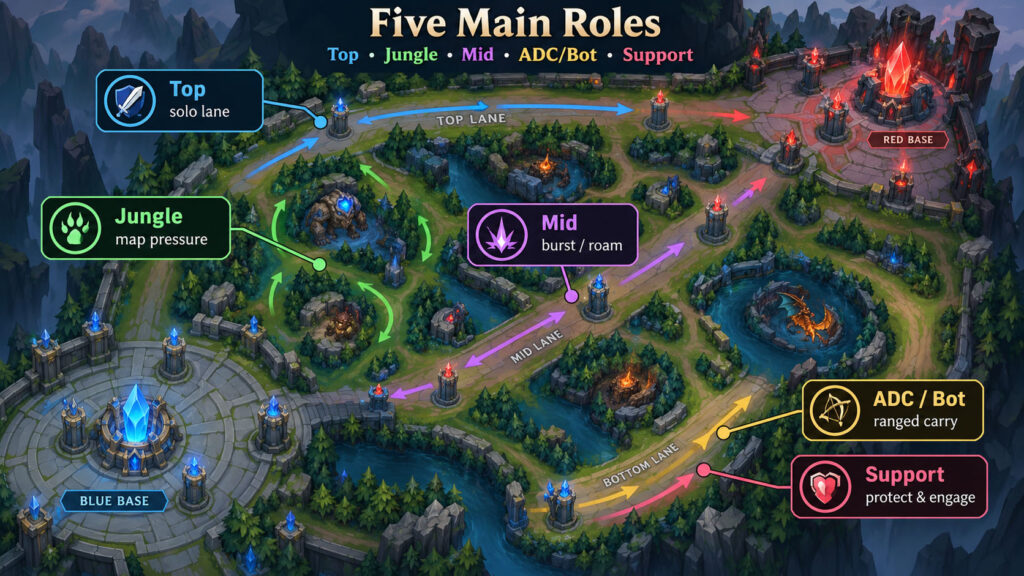
Understanding the Five Main Roles
Summoner’s Rift is divided into several areas, and most players specialize in a particular role.
| Role | Main Area | Basic Job |
|---|---|---|
| Top | Top lane | Solo lane, often fighters or tanks |
| Jungle | Between lanes | Farm monsters, help lanes, secure objectives |
| Mid | Middle lane | Damage, roaming and map pressure |
| ADC / Bot | Bottom lane | Ranged damage, usually scales with items |
| Support | Bottom lane | Protect allies, control vision and create opportunities |
Top Lane
Top is often one of the more isolated roles. Fighters, tanks, and duelists are common here.
You spend a lot of time learning one-on-one matchups, controlling minion waves, and deciding when it is safe to leave your lane.
Jungle
The jungler does not spend most of the match farming a normal lane. Instead, the player defeats neutral monsters between lanes.
The jungler can appear unexpectedly to help teammates, pressure enemies, and secure major objectives.
It is one of the most influential roles, but it also requires more map awareness than many beginners expect.
Mid Lane
Mid is positioned near the center of the map.
Mages, assassins, and other damage-focused champions frequently appear here. Because the lane is central, mid players can move toward either side of the map relatively quickly.
ADC or Bot Carry
The bot carry is usually a ranged champion built around sustained damage.
These champions can become extremely powerful after buying enough items, but many are vulnerable when caught alone.
Support
The support normally shares bottom lane with the ADC.
Instead of concentrating only on personal damage, supports often protect teammates, engage fights, heal or shield allies, and establish vision around the map.
Which Role Is Best for a Beginner?
There is no universal answer, but beginners usually learn faster when they choose one or two roles instead of trying all five every evening.
Top lane can help you learn basic laning because you often have fewer players around you.
Mid teaches positioning, trading, and awareness.
ADC teaches farming and teamfight positioning.
Support is good for players who enjoy enabling teammates, although good support play requires more map knowledge than it first appears.
Jungle is perfectly playable for a beginner, but it introduces extra responsibilities immediately. You need to understand jungle routes, objectives, lane states, and where the enemy jungler might be.
Whatever you choose, play a small group of champions at first.
Learning five champions reasonably well is more useful than playing fifty champions once.
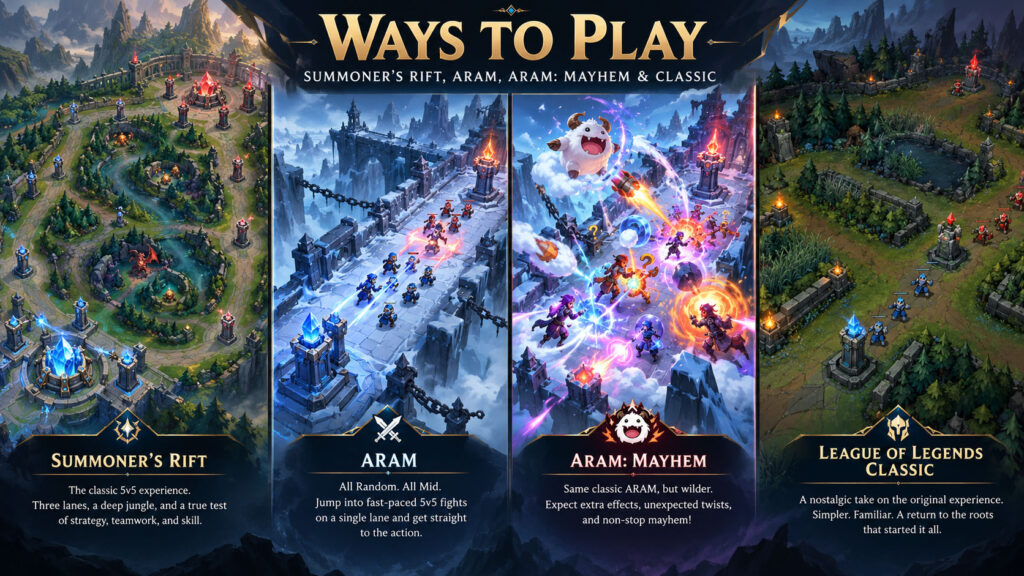
Current Ways to Play League of Legends
League is not limited to standard Summoner’s Rift.
Riot’s current official homepage highlights several ways to play, including Summoner’s Rift, ARAM, ARAM: Mayhem, and Teamfight Tactics.
Summoner’s Rift
This is the traditional League experience and the main competitive map.
Two teams of five battle through three lanes and a jungle while contesting objectives and trying to destroy the enemy Nexus.
ARAM
ARAM stands for All Random, All Mid.
Both teams fight on a single-lane map, and champions are assigned randomly. Matches tend to involve more frequent team fights and less of the slow laning found on Summoner’s Rift.
ARAM can be a fun way to encounter champions you would not normally choose.
ARAM: Mayhem
Riot’s current game lineup also includes ARAM: Mayhem, a modified ARAM experience built around additional gameplay twists.
League of Legends Classic
One of the biggest 2026 additions is League of Legends Classic.
Riot launched Classic as a way to revisit an earlier era of League with older champions, items, systems, and the classic Summoner’s Rift experience. It is currently available and has continued receiving additional returning champions through 2026.
For veteran players, it offers nostalgia. For newer players, it is an unusual chance to see how different League used to feel.
What Should a New Player Learn First?
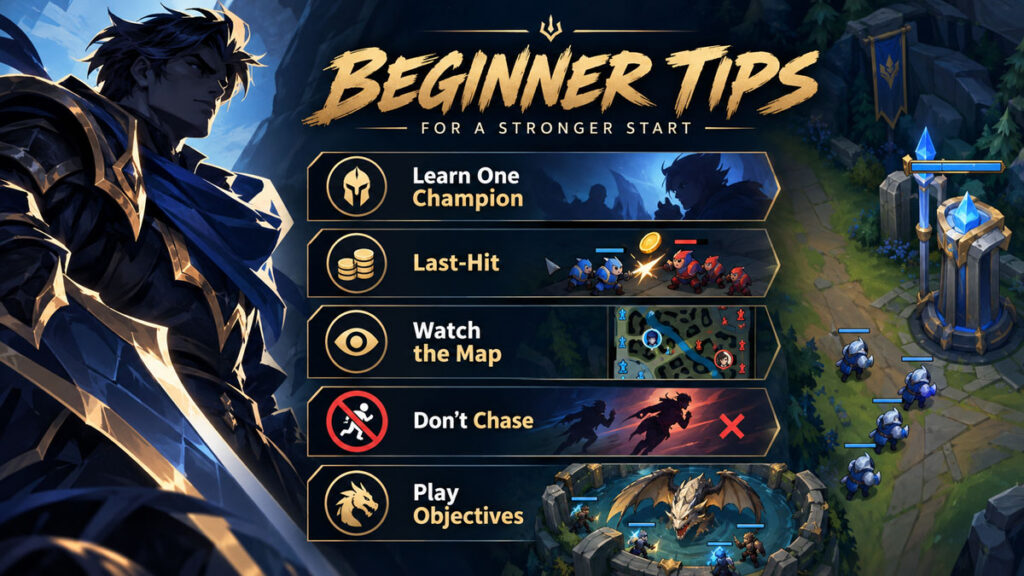
Do not begin by memorizing every item, champion ability, rune, jungle timer, and matchup.
Concentrate on a few fundamentals.
Learn One Champion
Choose a champion you genuinely enjoy.
Play enough matches that using the abilities becomes automatic. Once you stop thinking about which button does what, you can pay more attention to the actual match.
Get Comfortable With Last-Hitting
Minions provide gold when you land the killing blow.
Missing a few minions does not ruin the game, but consistent farming adds up dramatically over time.
Watch the Minimap
The minimap is one of the most important parts of the screen.
Checking it frequently can tell you whether teammates are nearby, opponents have disappeared, or a fight is starting somewhere else.
Don’t Chase Every Kill
A low-health enemy running away can be tempting.
Following someone blindly through an area without vision is also one of the easiest ways to walk into an ambush.
Objectives Matter More Than the Scoreboard
League is not won simply by having the most kills.
Turrets, inhibitors, neutral objectives, map control, and ultimately the Nexus decide the match.
A team with fewer kills can still win if it uses its advantages more effectively.
Is League of Legends Difficult?
Yes, but not because the basic controls are especially complicated.
Moving and casting abilities can be learned fairly quickly.
The difficulty comes from everything happening around those controls.
There are more than 170 champions in the current game, each with their own abilities and interactions.
Then add items, runes, objectives, champion matchups, vision, positioning, team compositions, patches, and decisions about when to fight or retreat.
You will make mistakes for a long time.
That is normal for a game with this much depth.
The easiest way to improve is to reduce how many things you are trying to learn simultaneously.
Do You Need to Spend Money?
No.
League of Legends can be played without buying the game itself. Riot promotes it as free to play on the official site.
Players can spend money on cosmetics and other optional content, but spending money does not replace the need to learn champions, positioning, farming, and teamwork.
For a new player, there is no reason to buy a large amount of content immediately.
Play first.
Find champions you actually enjoy.
Then decide whether cosmetic purchases matter to you.
League of Legends Download Problems
If the installer downloads but the game will not start, check the basics before reinstalling everything.
Make sure your operating system meets Riot’s current requirements and that Windows is fully updated. Windows 10 must be Build 19041 or newer, and the game now requires DirectX 11-level hardware.
Other useful checks include:
- Restart the computer after installing Riot components.
- Confirm that enough storage space is available.
- Allow the Riot Client to finish updating.
- Check your firewall or security software if downloads are blocked.
- Update graphics drivers.
- Make sure TPM 2.0 is enabled if you use Windows 11.
- Use Riot’s official support pages rather than downloading replacement game files from unknown websites.
Riot also provides troubleshooting resources for patching problems through its support site.
Frequently Asked Questions
Is League of Legends free?
Yes. The core game is free to play, with optional purchases available.
Where should I download League of Legends?
Use Riot’s official League of Legends website. Avoid third-party installers.
Is League of Legends available for Windows 11?
Yes. Riot currently supports Windows 11, with TPM 2.0 required.
Can I play League on Windows 10?
Yes, provided you have a supported retail 64-bit Windows 10 installation at Build 19041 or newer and meet the remaining hardware requirements.
Can you play League of Legends on Mac?
Yes. Riot officially supports macOS, although its current requirements have changed from older versions of the game. Check Riot’s latest system-requirements page before downloading.
Can you play League of Legends on Linux?
League is not officially supported on Linux, SteamOS, or Bazzite.
How many champions are in League of Legends?
Riot’s current beginner guide says there are more than 170 champions.
What is League of Legends Classic?
League of Legends Classic is Riot’s official experience built around an earlier era of the game, bringing back older champions, items, systems, and classic gameplay. It went live in 2026 and continues to receive updates.
What does League of Legends descargar mean?
It means “download League of Legends” in Spanish. Riot offers official Spanish-language download pages for Windows and Mac.
Final Thoughts
League of Legends is easy to describe and difficult to master.
Two teams enter the map. Each player controls a champion. You gain gold, buy items, take objectives, destroy structures, and eventually try to break the enemy Nexus.
What makes the game complicated is everything between those steps.
If you are completely new, don’t approach League as something you need to study before you are allowed to enjoy it. Complete the tutorials, choose a role that sounds interesting, find a champion you like, and start playing.
You will miss minions. You will walk into bad fights. You will buy questionable items and occasionally realize that the enemy champion has an ability you did not know existed.
Every longtime League player started somewhere.
For the safest League of Legends download, current champions, news, and official game information, use the official League of Legends website. If you are searching for League of Legends descargar, Riot also provides an official Spanish-language download page.
🔥 Related Posts

Minecraft Schematics: The Complete Guide to Building and Sharing

Project Zomboid Map Guide: Locations, Interactive Map and Build 42 Tips

Shell Shockers Unblocked – Play the Ultimate Egg Shooter Game Anywhere (Complete 2025 Guide)

The Ultimate Guide to Friday Night Funkin Mods: New Songs, New Battles, New Worlds

Epic Games Launcher — The Complete, Bing-Friendly Guide