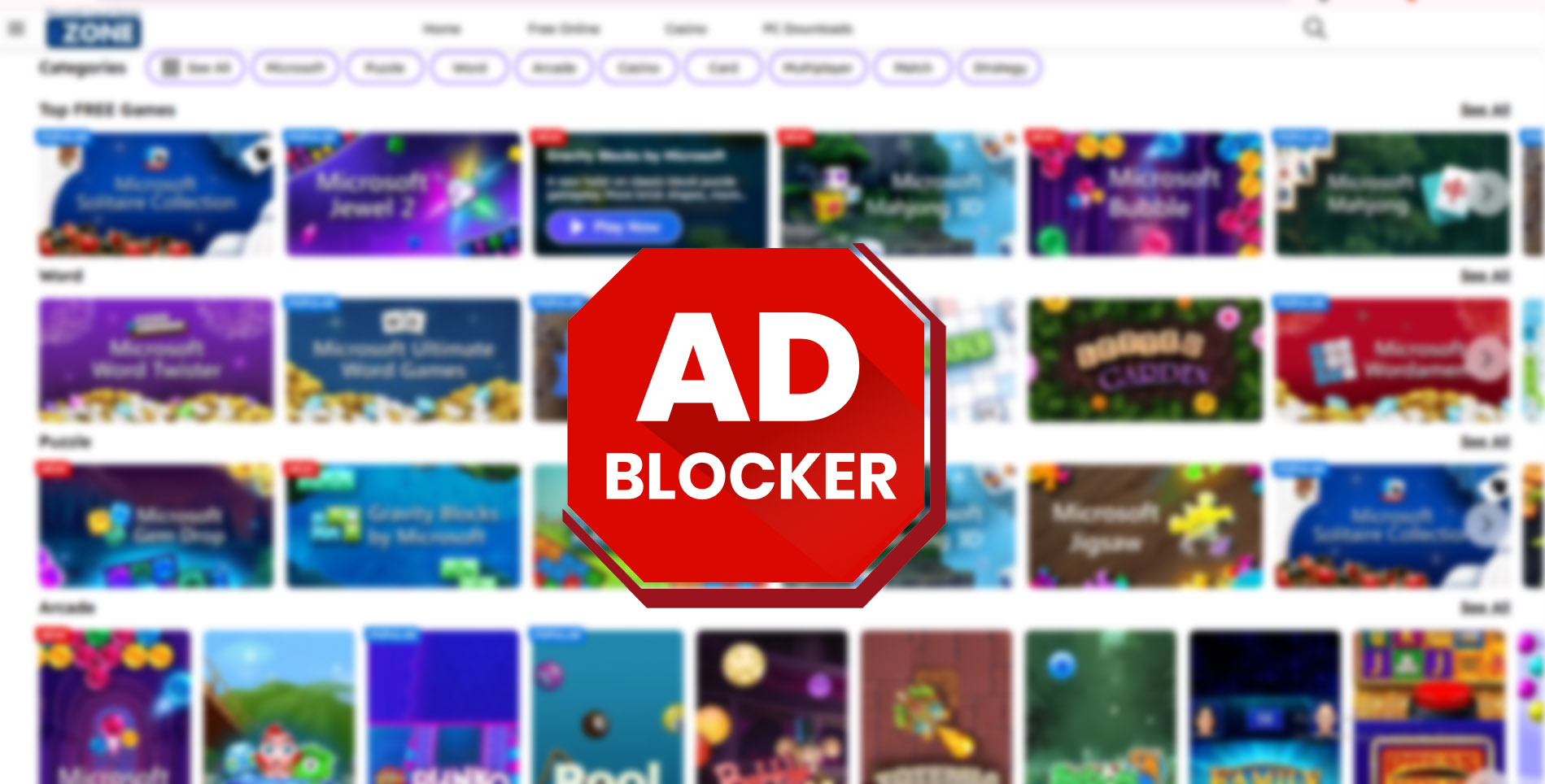
MSN Games is a popular destination for casual browser games like Mahjong, Solitaire, Sudoku, and many classic puzzle titles. However, a growing number of players face a frustrating issue where MSN Games refuse to load, freeze on a blank screen, or display endless loading animations. In many cases, the root cause is an ad-block conflict issue.
In 2026, ad blockers are more aggressive than ever. While they help remove intrusive ads, they often block essential scripts that MSN Games relies on to load gameplay elements. This results in broken pages, missing buttons, or games that never start. Most users don’t realize their ad blocker is the problem because no clear error message is shown.
What Is the MSN Games Ad-Block Conflict Issue
The MSN Games ad-block conflict issue occurs when browser extensions designed to block ads also block scripts required for game loading. MSN Games integrates ads and gameplay into the same framework. When an ad blocker blocks one part of that framework, the game itself may fail to load.
This issue often appears as a grey screen, a stuck loading bar, or a message asking users to disable ad blockers. In some cases, the page loads but clicking “Play” does nothing. Because MSN Games does not always clearly explain the cause, users often assume the website is broken.
🧩 Beginner Explanation: Why Ad Blockers Affect MSN Games
Ad blockers work by scanning webpages and stopping elements they identify as ads or trackers. MSN Games uses scripts that load both advertisements and game assets together.
When an ad blocker stops these scripts, it doesn’t just remove ads. It can also prevent the game engine from starting. This is why even trusted ad blockers can accidentally break MSN Games, especially after browser or extension updates.
Common Signs of an Ad-Block Conflict
One common sign is when MSN Games works in one browser but not another. Another clue is when the game loads in private or incognito mode, where extensions are usually disabled.
Players may also notice that menus appear but the game board never loads, or that clicking buttons has no effect. These symptoms almost always point to an ad-block or privacy extension conflict.
🔧 Step-by-Step Fix for MSN Games Ad-Block Conflict
First, refresh the MSN Games page and wait for at least 20 seconds. If nothing loads, open your browser’s extension menu and temporarily disable your ad blocker. Reload the page and check if the game starts working.
If disabling the ad blocker fixes the issue, the best solution is to whitelist MSN Games instead of turning the blocker off completely. Whitelisting allows the site to load necessary scripts while keeping ad blocking active elsewhere.
Next, check for multiple blocking extensions. Some users unknowingly have more than one ad or privacy blocker installed. Disable all blockers, reload the game, then re-enable them one by one to identify the conflict.
Updating the ad blocker extension is also important. Older versions may incorrectly block MSN Games scripts. Make sure both your browser and extensions are fully updated.
🛠️ Additional Fixes If the Problem Continues
Try opening MSN Games in an incognito window. If it loads there, the issue is almost certainly caused by an extension.
You can also reset site permissions for MSN Games in browser settings. Allow cookies, scripts, and pop-ups for the site, then reload the page.
If you use strict privacy or antivirus web protection features, temporarily disable them to test if they are blocking game scripts. Always re-enable protection after testing.
⭐ Why This Issue Is So Common in 2026
Modern browsers focus heavily on privacy and tracking prevention. Combined with advanced ad blockers, this creates frequent conflicts with older web-based gaming platforms. MSN Games relies on a hybrid system that hasn’t fully separated ads from gameplay, making it especially vulnerable to blocking issues.
For casual players and seniors, this problem is confusing because it appears suddenly without any change in behavior. Understanding the cause makes it much easier to fix.
⚠️ Mistakes Players Should Avoid
Some users install unofficial “MSN Games fix” tools or download third-party software claiming to solve loading problems. These tools are unnecessary and can be unsafe.
Avoid permanently disabling all security features just to play a game. The correct solution is controlled whitelisting, not removing protection entirely.
🔐 Safety and Legality Clarification
MSN Games is a legitimate, browser-based platform. Fixing ad-block conflicts does not require downloads, account changes, or unofficial tools. Adjusting browser settings and extensions is safe, legal, and AdSense-friendly.
✅ Pros and Cons of MSN Games With Ad Blockers
Pros:
Ad blockers improve browsing comfort and reduce intrusive ads across most websites.
Cons:
They can interfere with MSN Games loading, cause blank screens, and prevent gameplay unless properly configured.
Frequently Asked Questions
Why do MSN Games stop working when ad blockers are enabled?
Because some game scripts are bundled with ad delivery systems.
Is it safe to whitelist MSN Games?
Yes, whitelisting is safe and recommended instead of disabling blockers entirely.
Will switching browsers help?
Sometimes, but the issue usually follows the same extensions.
Does MSN Games require ads to load games?
Some ads are tied to the loading framework, which can affect gameplay.
Can antivirus software cause similar issues?
Yes, web protection features may block scripts.
Is this problem permanent?
No, it can usually be fixed in minutes with proper settings.
The MSN Games ad-block conflict issue is one of the most common reasons games fail to load in 2026. While ad blockers are useful, they can unintentionally break browser-based games when scripts are blocked.
By understanding how MSN Games works and adjusting extension settings correctly, players can restore full functionality without sacrificing safety or privacy. A simple whitelist or extension update is often all it takes to get back to enjoying classic games smoothly.
🔥 Related Posts

A Complete Guide to AARP Free Games: Play, Learn, Relax & Boost Your Brain
MSN Free Games — The Complete 2025 Guide: Play, Find, and Get the Most Out of Microsoft’s Game Hub
Top 10 Mobile Horror Games That Will Keep You Awake
Xbox Game Pass: The Ultimate Guide for Gamers in 2025 (Full Review + Benefits + Best Games)

5 Best Modded Social Media APKs You Can Use Safely