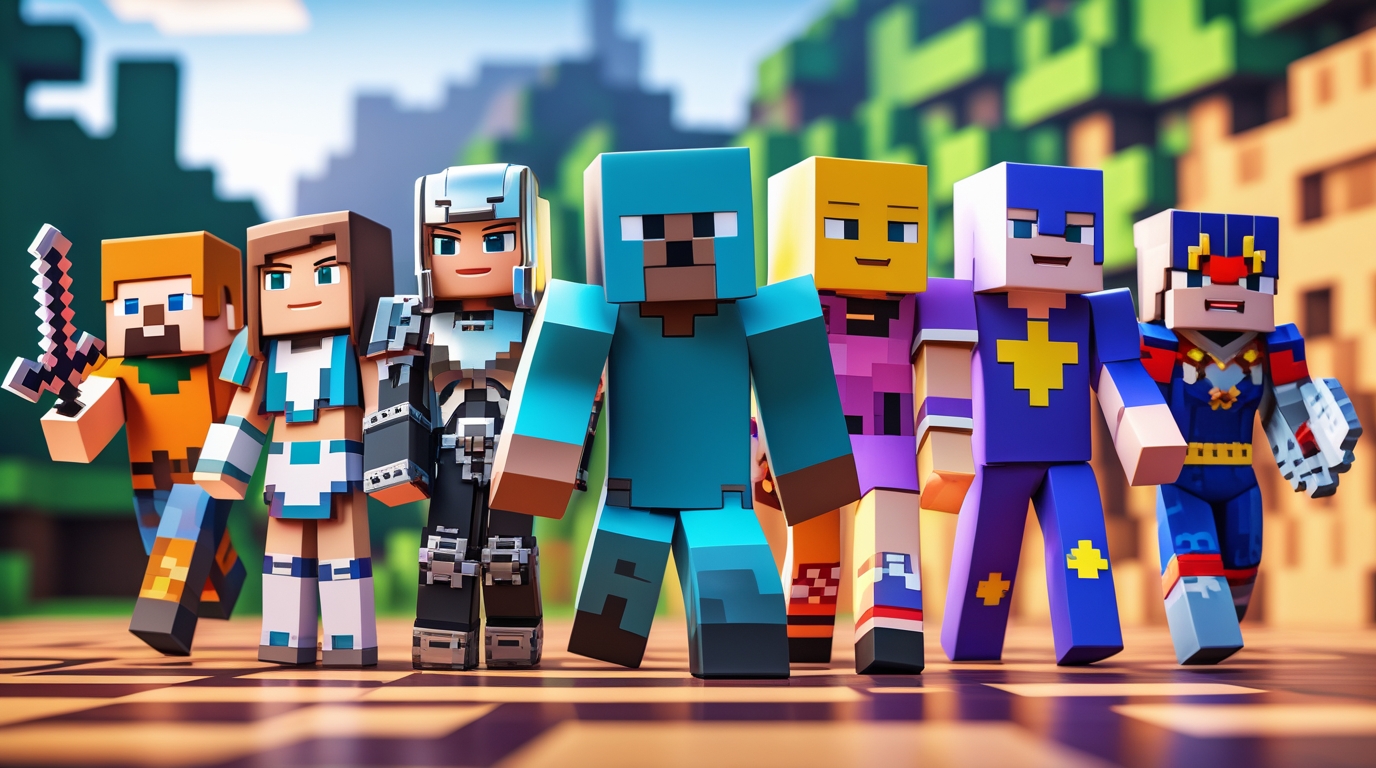
If you are a Minecraft player who loves personalizing your character, then understanding minecraft skins is one of the most exciting parts of the game. The world of minecraft skins has evolved from simple pixel art into a massive creative marketplace full of unique styles, characters, creators, tools, and community-made designs. Whether you want superhero skins, anime-inspired skins, pro gamer outfits, roleplay-themed skins, or even your real-life lookalike, the universe of minecraft skins offers unlimited freedom to express your identity inside the game.
This guide covers everything players in the United States are looking for online, including how to get minecraft skins, how to upload skins, trusted sources, skin creators, trending styles, how marketplace skins work, free vs paid options, risks you should avoid, and recommended devices and platforms.
📌 Table of Contents
- What Are Minecraft Skins?
- Why Minecraft Skins Are So Popular
- Types of Minecraft Skins (Most Searched Categories)
- How to Download Minecraft Skins (PC, Mobile, Console)
- How to Change Minecraft Skins on All Platforms
- Best Places to Get Minecraft Skins (Free & Paid)
- Minecraft Skin Editors & Custom Creation Tools
- Trending Skin Themes in the U.S.
- Safety Tips When Downloading Skins
- Minecraft Skins for Education & Roleplay
- FAQ Section
- Final Thoughts
1. What Are Minecraft Skins?
Minecraft skins are custom graphic textures that change how your in-game character looks. Instead of using the default Steve or Alex model, you can download or create a new skin that represents your personality, roleplay character, or gaming style.
A skin only changes appearance and does not provide special abilities or gameplay advantages, which is why players love them—they are pure creativity and identity expression.
2. Why Minecraft Skins Are So Popular
Players use minecraft skins for multiple reasons:
- To look unique in multiplayer worlds
- To match a gaming theme or roleplay environment
- To resemble famous streamers or YouTubers
- To cosplay characters from movies, anime, shows, or games
- To express creativity and emotion
- To stand out in servers like Hypixel, Lifeboat, CubeCraft, or roleplay servers
Customization is one of Minecraft’s strongest pillars, and skins make the world feel more personal and social.
3. Types of Minecraft Skins (Most Searched Themes)
Here are the most popular skin styles U.S players search for:
| Category | Example Themes |
|---|---|
| Gaming Characters | Fortnite, GTA, FNAF, Halo |
| Superheroes | Marvel, DC, anime heroes |
| Streamers & YouTubers | Dream, Technoblade, TommyInnit |
| Aesthetic Skins | Cottagecore, pastel girl, emo, VSCO |
| Horror & Creepy | Herobrine, Slenderman, SCP |
| Holiday Themes | Halloween, Christmas, Easter |
| Realistic Human | School uniforms, casual outfits |
| Animals & Creatures | Wolf, dragon, fox, cat girl |
| Meme & Funny | Emoji skins, troll face, potato |
4. How to Download Minecraft Skins
💻 For PC (Java Edition)
- Download the skin file (.PNG format).
- Visit minecraft.net/profile.
- Log in using your Microsoft account.
- Upload your skin.
- Restart game if required.
🟦 For Windows Bedrock Edition
- Launch Minecraft.
- Go to Profile > Edit Character.
- Choose Owned > Import.
- Upload your downloaded skin file.
📱 For Mobile (Android or iOS)
- Download skin from a trusted website.
- Open Minecraft app.
- Tap Profile > Edit Character > Import.
- Upload skin image and crop if required.
🎮 For Xbox, PlayStation, and Nintendo Switch
Console players mainly rely on Minecraft Marketplace skins, which means:
- Purchase or redeem free skins using Minecoins
- Download skins via official store
- Limited uploading depending on version and region
5. How to Change Minecraft Skins
Changing minecraft skins depends on your platform, but usually it follows these steps:
- Go to Profile
- Select Edit Character
- Choose Classic Skin or Custom Skin
- Import or equip purchased/imported skin
- Restart game if it doesn’t instantly apply
6. Best Places to Get Minecraft Skins
Below are well-known, trusted, long-standing community sites. (No third-party claims or endorsements implied, just widely known among players.)
- Official Minecraft Marketplace (in-game)
- Skin Maker apps available in Google Play or Apple App Store
- Trusted Minecraft community platforms
- Educational & safe school-approved resources (for Minecraft Education Edition)
7. Minecraft Skin Editors & Tools
Here are common ways players create skins:
- Online skin maker tools
- Mobile creative apps
- Photo editing software
- Pixel art programs
- Skin overlays & presets
Tips for better skin designing:
✔ Match color palettes
✔ Use shading to add depth
✔ Focus on personality, not complexity
✔ Test visibility on both light and dark maps
8. Trending Minecraft Skins in the United States
These styles continue to trend on search engines:
- E-girl & e-boy aesthetic skins
- Glow-in-the-dark neon skins
- Anime-inspired skins
- Fortnite-style tactical skins
- Realistic hoodie & streetwear skins
- Medieval fantasy (knights, elves, sorcerers)
- Robot & cyberpunk skins
9. Safety Tips When Downloading Skins
Not every website is safe. Here are smart protection rules:
🚫 Avoid suspicious pop-ups
🚫 Do not download .exe files labeled as skins
🚫 Don’t share personal information
🚫 Use official or known community platforms
10. Minecraft Skins for Education & Roleplay
Minecraft Education Edition allows students to use minecraft skins that:
- Represent historical characters
- Display lab coats, uniforms, scientist outfits
- Help with role-playing projects
- Support teamwork and character identity
Teachers often assign skins to help students immerse into lessons like:
- Space missions
- Ancient civilizations
- Environmental science
- Coding & STEM labs
11. Frequently Asked Questions
Q: Are minecraft skins free?
Many are free, but some premium marketplace skins cost money.
Q: Can skins give gameplay advantages?
No. They are purely cosmetic.
Q: Can I use copyrighted character skins?
Only for personal fun, not for commercial resale.
🔥 Related Posts

The Ultimate Guide to the Super Mario Galaxy Movie: Story, Worlds, Characters & Everything Fans Are Talking About
Minecraft Shaders — The Complete Guide (Install, Best Packs, Performance & FAQ)

Minecraft APK: Complete Guide, Safety Tips, Download Sources & Real Facts
Minecraft Bedrock: The Complete USA Guide for Players, Parents & Creators
Dinosaur Game — the complete fan’s guide (2025)