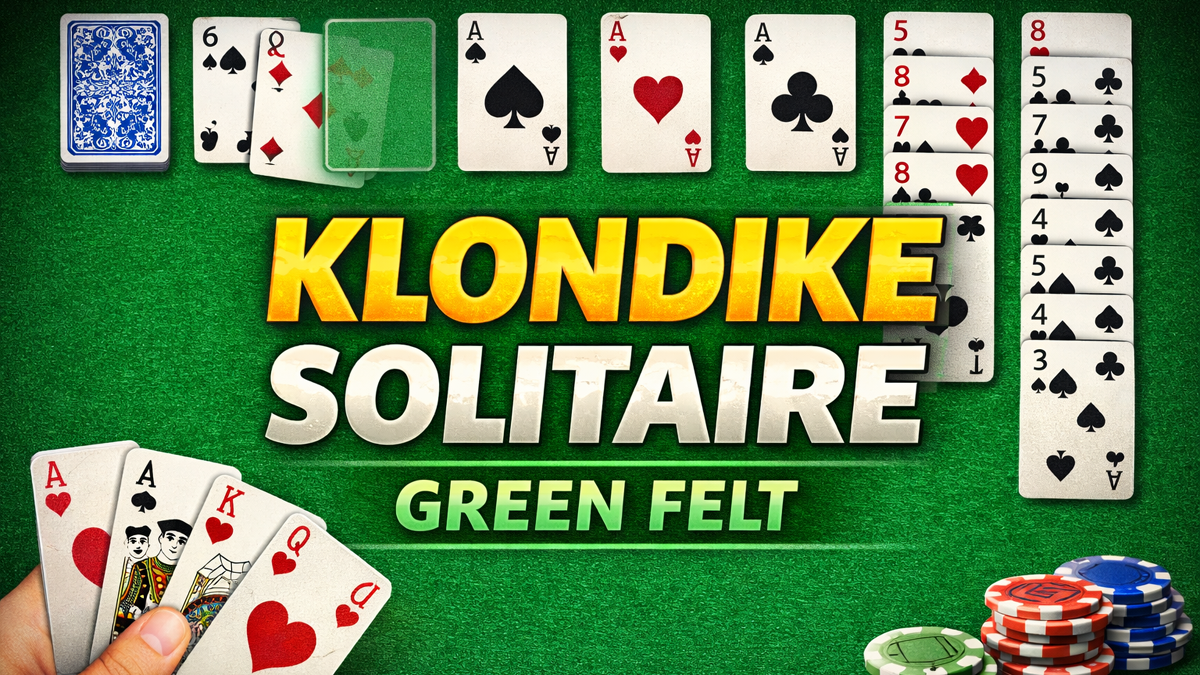
Klondike Solitaire (often just called “Solitaire”) remains a timeless classic in 2026, beloved by millions of US players for quick brain-teasing sessions during breaks or evenings. Green Felt’s version stands out as one of the best free online Klondike Solitaire sites — no downloads, no sign-up, and a clean, ad-light experience. With innovative features like leaderboards, undo, and a friendly community, it’s perfect for casual gamers on PC or mobile browsers. In this guide, we’ll cover how to play, expert tips, common issues with fixes, and why Green Felt beats competitors. Let’s deal the cards! ♠️♥️
Why Green Felt Klondike Solitaire Rules in 2026
Green Felt has been a go-to for solitaire fans since the early 2010s, boasting millions of plays and a dedicated forum. Its Klondike version is praised for:
- Zero clutter: Instant play right in your browser — no pop-ups or heavy ads.
- Competitive edge: Leaderboards for fastest times, daily challenges, and stats tracking.
- Custom options: Choose card backs, backgrounds, and sound effects.
- Accessibility: Works seamlessly on desktops, tablets, and phones.
Pros & Cons Table
| Pros ✅ | Cons ⚠️ |
|---|---|
| Free, no registration needed | No offline mode (browser-based) |
| Clean interface, minimal ads | Some auto-move bugs in rare cases |
| Undo, hints, and stats | Leaderboards favor speed over skill |
| Community forum for tips | Fewer variants than some sites |
| Mobile-friendly | No Microsoft integration |
Compared to other sites like Microsoft Solitaire Collection (more ads), World of Solitaire (great but busier), or 247 Solitaire (more pop-ups), Green Felt wins for simplicity and speed — ideal for US players wanting a quick, distraction-free game.
How to Play Klondike Solitaire on Green Felt (Step-by-Step Guide)
Head to greenfelt.net/klondike to start instantly.
Setup & Rules
- Deck: Standard 52-card deck (no Jokers).
- Tableau: 7 columns — first has 1 face-up card, second has 2 (1 up, 1 down), up to seventh with 7 cards (1 up, 6 down).
- Stock: Remaining 24 cards face-down.
- Foundations: 4 empty piles at top — build up by suit from Ace to King.
- Goal: Move all cards to foundations.
Basic Moves
- Build tableau down in alternating colors (e.g., black 7 on red 8).
- Move groups of cards if in sequence and alternating colors.
- Empty columns can only start with Kings.
- Flip stock cards (Turn 1: 1 at a time; Turn 3: 3 at a time — toggle in settings).
- Move Aces to foundations first, then build up (2 on Ace, 3 on 2, etc.).
Win Rate Tip: Turn 1 is easier (~33% win rate) vs. Turn 3 (~10-15%). Green Felt defaults to Turn 1.
Keyboard Shortcuts (Pro Feature)
- U → Undo
- H → Hint
- N → New game
- Space → Draw from stock
Expert Tips & Strategies to Win More Games ✅
Green Felt’s version rewards smart play — here are proven tips from top players and community forums:
- Prioritize uncovering hidden cards — Always choose moves that flip face-down cards in the tableau (especially taller columns).
- Move Aces & Deuces early — Get them to foundations ASAP to free space.
- Don’t rush to foundations — Hold off on moving cards up if it blocks tableau sequences.
- Use Kings wisely — Only start new columns with Kings; avoid blocking low cards.
- Stock management — Draw only when no tableau moves left; plan ahead.
- Undo smartly — Green Felt has unlimited undo — experiment without fear!
- Expose big stacks first — Focus on columns with most hidden cards for more options.
- Avoid unnecessary moves — Don’t move cards just because you can — think 2-3 steps ahead.
Pro Stat: Top players win 40-50% on Turn 1 with these habits. Practice daily challenges for leaderboard glory!
Common Issues & Fixes for Green Felt Players ⚠️
US users report these glitches on forums — quick fixes:
- Cards slow or lag → Clear browser cache (Chrome: Settings > Privacy > Clear browsing data). Use latest Chrome/Edge.
- Auto-moves too aggressive → Turn off auto-complete in settings (or report on forum).
- Game freezes → Refresh page or switch tabs. Rare server hiccups — try later.
- High score not saving → Ensure you’re logged in (optional feature) or check internet.
- Mobile touch issues → Zoom out or use desktop mode for precision.
- “Game Restored” annoyance → Forum request to disable — play new game manually.
These fixes work for 90%+ of issues based on community reports.
Green Felt vs. Other Klondike Sites: Quick Comparison Table
| Site | Ads | Undo/Hints | Leaderboards | Mobile | Win Rate Tracker |
|---|---|---|---|---|---|
| Green Felt | Minimal | Unlimited | Yes (fast times) | Excellent | Stats only |
| Microsoft Solitaire | Heavy | Limited | Yes | Good | Detailed |
| World of Solitaire | Moderate | Unlimited | No | Good | Yes |
| Solitaire Bliss | Some | Unlimited | Yes | Excellent | Yes |
| 247 Solitaire | Heavy | Unlimited | No | Good | No |
Green Felt shines for clean, competitive play without distractions.
Final Thoughts: Why Play Klondike on Green Felt in 2026?
In a world of flashy mobile games, Green Felt’s Klondike Solitaire offers pure, relaxing fun with depth. It’s free, fast-loading, and perfect for US casual gamers seeking brain training or a nostalgic break. With a thriving community and regular updates, it’s still topping browser solitaire lists.
Jump in at greenfelt.net/klondike — what’s your best time? Share in comments! Happy dealing ♣️♦️
🔥 Related Posts

MSN Games Layout Changes Confusing Users in 2026

WSOP Free Poker — The Ultimate 2025 Guide for Players in the USA

Solitaire gratuit — le guide complet pour jouer en ligne

Solitaire Grand Harvest Free Coins February 2025

Free Spider Solitaire Online: Best Sites, Tips & How to Play (2025 Guide)