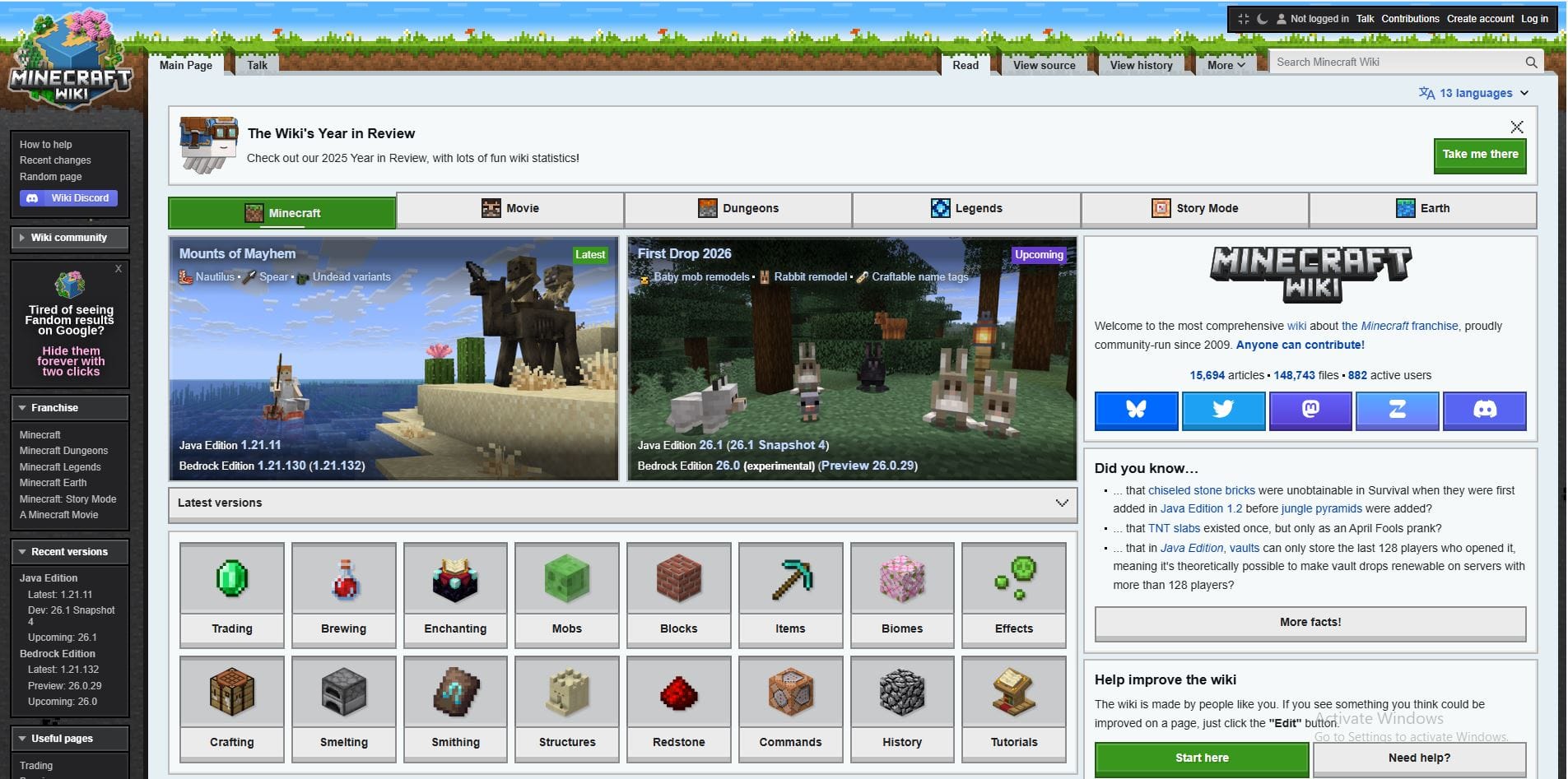
Hunting for the latest on Minecraft’s 26.1 “First Drop” baby mob remodels or craftable name tags? The Minecraft Wiki at minecraft.wiki is your one-stop, community-powered encyclopedia—now in its 16th year with 15,693+ articles covering Java, Bedrock, and Education Editions. In 2026, it shines brighter with the new year-based versioning (26.x snapshots rolling!), MediaWiki 1.43 upgrades, and deep dives into experimental toggles like closed captions and parties. Perfect for US builders decoding 26.1 Snapshots, realm hosts troubleshooting Bedrock 26.0 Previews, or creators planning Temple Update mods (fanon hype for 1.26). This guide tours navigation, 2026 highlights, contributing, and fixes. Block by block—let’s explore! 🟫📖
What Makes Minecraft Wiki the Go-To Resource in 2026?
Launched in 2009 as a fan effort, the wiki’s now a beast: Editable by anyone, policed by 884 active users, and boasting 148,722 files. Covers three editions:
- Java Edition (1.21.11 stable; 26.1 Snapshots live).
- Bedrock Edition (1.21.132; 26.0 Previews with First Drop experiments).
- Education Edition + China variant.
Key Strengths:
- Comprehensive: Commands, mobs, blocks, redstone—everything.
- Visuals: Screenshots, models, animations.
- Community-Driven: Guidelines ensure accuracy.
2026 Highlights: New Version Format & First Drop Coverage
Minecraft’s 2026+ numbering simplifies: Year.Drop.Patch (e.g., Java 26.1 Snapshot 2). Wiki pages explode with First Drop 2026 details: Retextured baby mobs (cats, horses, pigs, wolves), remodeled rabbits (idle animations!), craftable name tags.
2026 Update Table:
| Update/Drop | Edition | Key Features | Status |
|---|---|---|---|
| First Drop 2026 | Java/Bedrock | Baby mob remodels, rabbit animations, name tags craftable | Snapshots/Previews |
| 26.1 Snapshot 2 | Java | Baby textures, rabbit models | Released Jan 7 |
| 26.0 Preview 26.0.27 | Bedrock | First Drop experiments, closed captions/parties | Active |
| 1.21.132 Hotfix | Bedrock | Stability post-24H2 | Jan 15 |
Wiki’s Edge: Guides like “Java Edition guides/First Drop 2026” simplify snapshots.
Navigating Minecraft Wiki: Pro Tips for 2026
Homepage (minecraft.wiki): Featured articles, search bar, edition toggles (Java/Bedrock tabs), stats sidebar.
Search Mastery:
- “26.1 rabbit” → Instant model/texture pages.
- Advanced: “site:minecraft.wiki 26.0 preview” in Google.
Must-Bookmark Pages:
- Planned Versions (26.10 teased).
- Version Format (2026+).
Mobile Optimized: Responsive, dark mode, offline caching.
Community & Contributing: Join the 884 Editors
Wiki thrives on volunteers: Edit via “Edit” button, follow style guide/notability. Chat: Zulip/Discord/Mastodon.
2026 Milestones: 16th anniversary collage (June 2025), Block & Quill elections.
Fixes: Troubleshooting Wiki Access & Accuracy
“Page 404?” Snapshot names change—search instead.
- Slow Load: Incognito/offline mode.
- Edit Blocked? Create account, follow rules.
| Issue | Fix |
|---|---|
| Snapshot Missing | Check “Planned versions” |
| Edition Confusion | Toggle Java/Bedrock tabs |
| Mobile Crashes | Desktop site |
Pros & Cons: Wiki’s 2026 Power
Pros ⭐:
- Exhaustive, visual, community-vetted.
- Real-time snapshots.
Cons ❌:
- Fan-run (rare vandalism).
- Overwhelm for newbies.
Minecraft Wiki = 2026’s block bible. Dive in—which page first? Comment below!
🔥 Related Posts

New York Times Sudoku: Your Ultimate Guide to the Daily Number Puzzle

How to Play Clash of Clans on PC: A Complete Guide for Gamers

Unblocked Games G+: The Ultimate Guide for Gamers in the U.S.

Best Video Editing Mod APKs for Android in 2025

Call of Duty: The Evolution of a Gaming Legend in America