Creating a Roblox account is the first step to joining one of the largest online gaming platforms in the world. Millions of players in the United States use Roblox every day to play games, create their own experiences, and connect with friends. If you are new to Roblox or helping a child get started, this step-by-step guide will walk you through the entire process in a clear and simple way. By the end of this guide, you will know exactly how to create a Roblox account, set it up safely, and start playing without confusion.
Roblox is free to use and works on PC, mobile devices, tablets, and consoles. You do not need any technical knowledge to create an account, but it is important to follow the correct steps and use official sources to keep your account secure. Many beginners make mistakes by using fake websites or skipping important settings. This guide helps you avoid those problems.
What Is Roblox and Why Do You Need an Account?
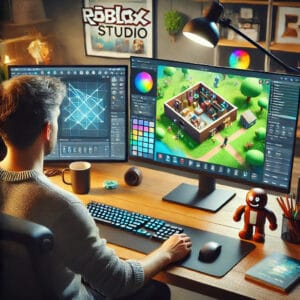
Roblox is an online platform where users can play millions of games created by other players and developers. These games range from simple obstacle courses to complex role-playing games, simulators, and competitive experiences. Roblox also allows users to create their own games using Roblox Studio, which is why it is popular with both gamers and aspiring developers.
To play games, save progress, customize your avatar, chat with friends, and access Roblox features, you must create a Roblox account. Without an account, you cannot fully use the platform. Creating an account is free and only takes a few minutes if you follow the correct steps.
Things You Need Before Creating a Roblox Account
Before starting the account creation process, make sure you have a few basic things ready. You will need a device such as a PC, laptop, smartphone, or tablet with an internet connection. You should also have a valid email address, which is important for account security and password recovery. If the account is for a child, a parent or guardian should help with the setup.
You do not need a credit card or payment information to create a Roblox account. Roblox is free, and purchases are optional.
Step 1: Go to the Official Roblox Website or App
The first step is to visit the official Roblox website or install the official Roblox app. Always use the official site to avoid scams or fake pages.
Here are two safe links:
Roblox Official Website (PC & Mobile):
https://www.roblox.com
Roblox Official Download Page:
https://www.roblox.com/download
You can open the website directly in your browser or download the Roblox app for your device. On mobile, Roblox is available on the Apple App Store and Google Play Store. On PC, you can play directly from the website or install the Roblox player.
Step 2: Find the Sign-Up Section
Once you are on the Roblox homepage, you will see a sign-up form on the front page. This form is usually visible immediately without scrolling. If you are using the mobile app, you will see a “Sign Up” button.
Click or tap on the sign-up area to begin creating your account.
Step 3: Enter Your Birthday
Roblox will ask you to enter your birthday. This step is important because Roblox uses age information to apply appropriate safety and privacy settings. Enter your real date of birth. Using a fake birthday can cause problems later, especially if you need account support or want to change settings.
For younger users, Roblox automatically applies stricter privacy and chat settings to improve safety.
Step 4: Choose a Unique Username
Next, you will need to choose a username. Your username is how other players will see you in games, chats, and friend lists. Roblox usernames must be unique, so if the name you want is already taken, Roblox will suggest alternatives.
When choosing a username, avoid using your real name, email address, phone number, or personal information. A creative or fun username is always a safer option. Once a username is chosen, it cannot be changed for free later, so take a moment to pick one you like.
Step 5: Create a Strong Password
After choosing a username, you will need to create a password. A strong password helps protect your account from being hacked. Use a mix of uppercase letters, lowercase letters, numbers, and symbols if possible. Avoid simple passwords like “123456” or “password.”
Write your password down somewhere safe or use a password manager. If you forget your password and do not have a verified email, recovering your account can be difficult.
Step 6: Select Your Gender (Optional)
Roblox may ask you to select a gender. This step is optional and does not affect gameplay. It is mainly used for avatar customization and personalization. You can skip this step if you prefer.
Step 7: Click Sign Up and Complete Verification
After filling out all the required information, click the “Sign Up” button. Roblox may ask you to complete a verification step, such as a captcha, to confirm that you are a real person. Follow the instructions on the screen.
Once verification is complete, your Roblox account will be created instantly.
Step 8: Verify Your Email Address
After creating your account, Roblox strongly recommends verifying your email address. Go to the account settings and add your email if you have not already done so. Roblox will send a verification email to your inbox. Click the verification link to confirm your email.
Verifying your email helps with password recovery, account security, and customer support. It also protects your account if you ever forget your login details.
Step 9: Set Up Account Security
Roblox offers several security options that you should enable as soon as possible. Two-step verification adds an extra layer of protection by requiring a code when logging in from a new device. You can enable this in the security settings.
Parents setting up accounts for children should also explore parental controls, which allow you to manage chat settings, spending limits, and privacy options.
Step 10: Customize Your Avatar
Once your account is ready, you can customize your Roblox avatar. Go to the avatar section and choose clothes, accessories, and body styles. Roblox provides many free items, so you do not need Robux to get started.
Customizing your avatar makes the experience more fun and personal, especially when playing social games.
Step 11: Start Playing Games
After completing setup, you can start playing games right away. Use the search bar or browse popular categories to find games you like. Click on a game and press the play button. On PC, Roblox may prompt you to install the Roblox Player if you haven’t already.
Games load quickly, and progress is saved automatically to your account.
Common Problems When Creating a Roblox Account
Some users face issues during account creation. Common problems include username already taken, weak password warnings, or verification errors. These issues are usually easy to fix by choosing a different username, creating a stronger password, or refreshing the page.
If you do not receive the email verification message, check your spam folder or resend the email from account settings.
Creating a Roblox Account for a Child
Parents often create Roblox accounts for children. Roblox provides parental controls that allow parents to manage privacy, communication, and spending. Make sure to use a parent’s email address and review all settings carefully.
Roblox also offers account PINs to prevent children from changing important settings without permission.
Is Roblox Free to Use?
Yes, creating a Roblox account is completely free. You can play thousands of games without spending any money. Roblox does offer in-game purchases using Robux, but these are optional. Many players enjoy Roblox without ever buying Robux.
Staying Safe on Roblox
Always keep your login details private. Never share your password with anyone, even friends. Avoid clicking on suspicious links claiming to offer free Robux or special items. Roblox staff will never ask for your password.
Using official downloads and keeping your email verified are the best ways to stay safe.
Also Check: Now.gg Roblox: Play Roblox Online Without Downloads in 2025
Frequently Asked Questions
Can I create more than one Roblox account?
Yes, you can create multiple accounts, but each account must have a unique username.
Do I need an email to create a Roblox account?
An email is not required to sign up, but it is highly recommended for security and recovery.
Can I change my username later?
Yes, but Roblox charges Robux to change usernames, so choose carefully at sign-up.
Is Roblox safe for kids?
Roblox includes safety features and parental controls, but parents should still monitor activity.
Can I delete my Roblox account?
Roblox does not offer instant deletion, but you can contact support to request account removal.
Creating a Roblox account is simple, free, and quick when you follow the correct steps. By using the official Roblox website, choosing a strong password, verifying your email, and setting up security features, you can enjoy Roblox safely and confidently. Whether you are a new player or a parent helping a child get started, following this step-by-step guide ensures a smooth and secure beginning on Roblox.
🔥 Related Posts

Roblox News: The Ultimate 2025 Update Hub for Players, Creators & Developers
Roblox Online: The Ultimate Guide to Playing and Enjoying the Virtual World
Roblox PC: How to Download, Play, and Maximize Your Experience
RBLX Stock – Roblox Stock Price, Quote, News & History

Roblox Hacks — What You Should Know (Safe Guide for 2026, USA)