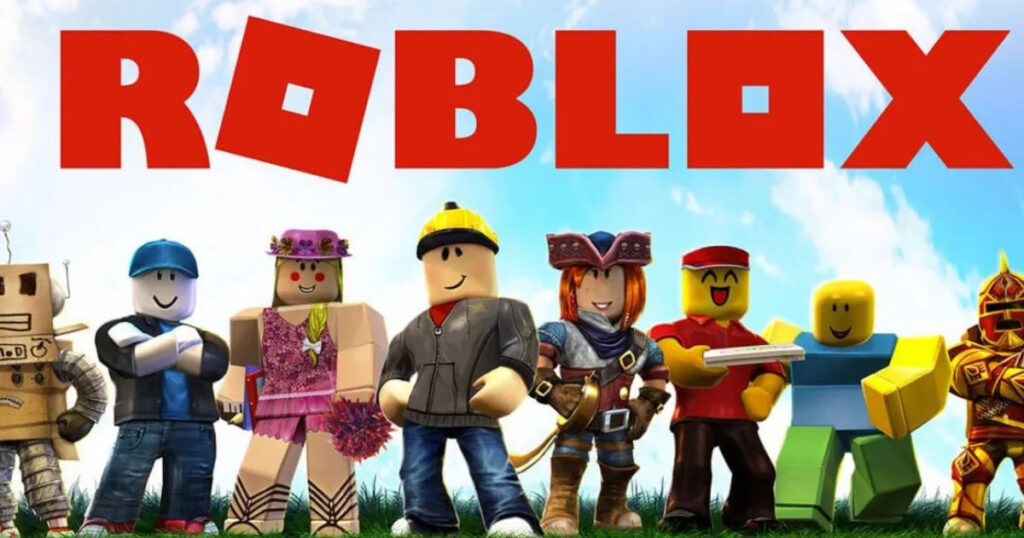
🎮 Ready to jump into the endless worlds of Roblox? Head straight to roblox.com — the official and safest place to download Roblox for PC in 2026. With millions of user-created experiences ranging from Adopt Me and Brookhaven to obbies and simulators, the desktop client delivers the best experience: bigger screens, precise keyboard & mouse controls, higher graphics, and smoother performance. Completely free, constantly updated, and optimized for Windows 10/11 — perfect for US families, teens, and casual gamers who want the full Roblox experience. This complete guide covers the official roblox.com download process, system requirements, real-user install fixes, and why PC beats mobile every time. Let’s get you playing! 🚀
Why Download Roblox PC Client in 2026?
Browser play works, but the PC app unlocks full features: higher graphics, custom keybinds, and seamless updates. Roblox hit record players post-2025 holidays, with 2026 bringing AI moderation and immersive careers experiences. US trends favor PC for roleplay and obbies—less lag than phones.
Quick Wins:
- Free: No Robux needed to start.
- Cross-Play: Join friends on any device.
- Studio Access: Create your own games (free download).
⚠️ Safety First: Always grab from roblox.com—third-party sites push malware.
Roblox PC System Requirements 2026 (Official Specs)
Most modern rigs fly; even 2015 laptops handle it. From Roblox support:
| Requirement | Minimum | Recommended |
|---|---|---|
| OS | Windows 10/11 (64-bit) | Windows 11 |
| Processor | 1.6 GHz+ (2005+ CPU) | Intel i5/Ryzen 5+ |
| RAM | 1 GB | 8 GB+ |
| Graphics | DirectX 10+ | Dedicated GPU (GTX 1050+) |
| Storage | 300 MB+ | 1 GB SSD |
| Internet | 4-8 Mbps | 20+ Mbps (multiplayer) |
Test Yours: Run CanYouRunIt.com scanner—90% US PCs qualify. ChromeOS? Use web version.
Step-by-Step: Download & Install Roblox PC 2026 (5 Minutes)
Official method—zero hassle.
1. Head to Official Site
- Open browser → roblox.com/download.
2. Download Player
- Click Download for Windows → RobloxPlayerLauncher.exe (auto-detects OS).
- Alt: Microsoft Store (search “Roblox”) for auto-updates.
3. Run Installer
- Double-click exe → “Run Anyway” if Windows SmartScreen pops (safe).
- Follow prompts: Install → Finish.
4. Launch & Login
- Roblox app opens → Sign up/login (email or Google/Microsoft).
- Verify age (13+ for full access).
Pro Tip: Pin to taskbar; auto-updates to latest (e.g., post-Jan 2026 patches).
✅ Success Check: Green play button on homepage → Jump into a game!
Verify Safe Download & Avoid Fakes
- SHA-256 Hash: Matches official (check via Properties).
- Antivirus: Whitelist Roblox—false positives common.
- No Cracks: Premium features? Buy Robux legit.
Troubleshooting: Fix Real 2026 Install Issues
From forums/YouTube: 80% solved here.
- “Download Stuck/0 KB” ✅ Clear browser cache; try Edge.
- Antivirus Blocks ✅ Add exception for Roblox folder (C:\Users[You]\AppData\Local\Roblox).
- “Outdated Graphics” Crash ✅ Update GPU drivers (NVIDIA/AMD app).
- Black Screen on Launch ✅ Run as admin; reinstall via Store.
- Windows 11 ARM? ❌ Not supported—use web.
Fix Table:
| Error | Cause | Solution |
|---|---|---|
| SmartScreen Block | Security feature | Click “More info > Run anyway” |
| Install Fails (Code 0x80070005) | Permissions | Right-click > Run as Admin |
| Lag Post-Install | Low Specs | Lower graphics in Settings |
| Won’t Update | Firewall | Allow Roblox through Windows Defender |
User story: “Antivirus nuked it—added exception, smooth 60 FPS now!”
PC vs. Mobile vs. Browser: 2026 Comparison
| Platform | FPS/Graphics | Controls | Storage | Best For |
|---|---|---|---|---|
| PC | ⭐⭐⭐⭐⭐ High | Keyboard/Mouse | 300 MB | Building/Obbies |
| Mobile | ⭐⭐⭐ Medium | Touch | 200 MB | On-the-go |
| Browser | ⭐⭐ Low | Mouse | None | Quick tests |
Pros of PC Roblox:
- Superior performance.
- Full Studio for creators.
Cons:
- Download required.
2026 Roblox PC Updates: What’s New
- Studio UI Revamp: Flexible layouts (Jan rollout).
- Age Tools: Better safety for families.
- Performance Boosts: Smoother on Windows 11.
Download today—explore infinite worlds! Glitchy install? Comment details. Happy Robloxing!
🔥 Related Posts
Roblox Gift Card: How to Buy, Redeem, and Use It for Exclusive Rewards
Roblox Support: How to Contact, Get Help, and Fix Common Issues (Full Guide 2025)
Is Roblox Shutting Down? Here’s the Truth
How to Create a Roblox Account Step by Step (Complete Beginner Guide)
How to Play Roblox on Your Browser on now.gg (2025 Complete Guide)