If you typed How to download Roblox into Bing, you want a clear, trustworthy walkthrough that gets you playing fast — not a dozen half-answers. This guide covers everything U.S. players search for: step-by-step downloads for Windows, Mac, iPhone, Android and Xbox, Chromebook/web options, account setup, common errors and fixes, safety tips for parents, system requirements, updating and uninstalling — plus a Q&A at the end. Read through the platform section you need, follow the steps, and you’ll be in a Roblox world in minutes.
Quick checklist (what you’ll need before you start)
- A stable internet connection (broadband recommended).
- A free Roblox account (you can create one during install).
- Sufficient disk space (small installer but games use extra).
- Device that meets minimum requirements (see next section).
- If under 13, parent email or supervision for account creation.
Minimum & recommended system requirements (so installation runs smoothly)
Windows (minimum)
- OS: Windows 7, 8, 10, or 11
- CPU: 1.6 GHz or better
- RAM: 2 GB (4 GB recommended)
- GPU: DirectX 10 capable
- Storage: ~20–25 MB installer + game cache
- Browser: Latest Chrome, Edge, or Firefox
macOS (minimum)
- macOS 10.11 (El Capitan) or later
- 64-bit processor
- 4 GB RAM recommended
Mobile
- iOS 12.0+ (iPhone/iPad)
- Android 5.0+ (varies by device)
Xbox
- Xbox One / Series S / Series X running latest system software
Chromebook / Web
- Modern Chrome browser with WebGL support; performance varies by model.
Pro tip: For best experience in fast-paced or graphically intense Roblox games, use a modern laptop or desktop with a dedicated GPU and 8+ GB RAM.
How to download Roblox on Windows (step-by-step)
- Open your web browser (Chrome or Edge recommended).
- Go to
roblox.com— type that in the address bar (don’t click random search results). - Sign in or create an account
- Click Sign Up if you don’t have an account. Provide birthdate, username, password, and gender (optional).
- If you’re under 13, follow parent guidance for email verification.
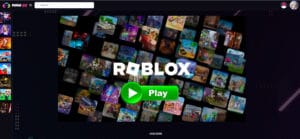
- Pick any game on the Roblox homepage and click the Play green button.
- When you click Play for the first time, Roblox will prompt you to download the installer.
- Download the Roblox installer
- A small file (RobloxPlayerLauncher.exe) will appear in your browser’s downloads bar. Click it.
- Run the installer
- Windows may ask for permission — click Yes. The installer will download the game engine and finish setup.
- Launch Roblox
- The game you clicked will now open in the Roblox Player. You can also launch games from the website while signed in.
- Pin Roblox to Start or Taskbar (optional)
- For quick access, right-click the Roblox shortcut and choose Pin to Taskbar or Pin to Start.
Troubleshooting (Windows)
- Installer not starting: Right-click the
.exe> Run as administrator. - Error codes (e.g., 268, 279): Check firewall, temporarily disable antivirus, ensure TCP/UDP ports are not blocked, clear browser cache.
- Black screen or crash: Update GPU drivers, enable DirectX, disable overlays (Discord/GeForce Experience).
How to download Roblox on macOS (step-by-step)
- Open Safari or Chrome and visit
roblox.com. - Sign in or create an account if you haven’t already.
- Click any game and press the Play button.
- Download the Mac installer when prompted — it will be a
.dmgfile. - Open the .dmg, then drag the Roblox icon into the Applications folder (standard macOS install).
- Run Roblox from Applications; your browser should hand off the game to the Roblox Player.
- Grant permissions if macOS asks for security access (System Preferences > Security & Privacy) to allow the app to run.
Troubleshooting (Mac)
- “App can’t be opened” message: Go to System Preferences > Security & Privacy > General and allow the app from an identified developer.
- Crashes or poor performance: Close other apps, update macOS, and avoid running high-graphics titles on older Macs.
How to download Roblox on iPhone / iPad (iOS)
- Open the App Store on your iPhone or iPad.
- Search for Roblox. Make sure developer is “Roblox Corporation.”
- Tap Get / Install and authenticate with Face ID / Touch ID or Apple ID password.
- Open Roblox, sign in or create an account, and browse games. Tap Play on any game.
- Adjust in-app settings for graphics and controls (Settings > Roblox in the app) to optimize battery or performance.
iOS tips
- Some games require more memory; newer iPads provide the best experience.
- For longer sessions, plug into power and enable Low Power Mode off.
How to download Roblox on Android
- Open Google Play Store on your Android device.
- Search for “Roblox” by Roblox Corporation.
- Tap Install, then open the app after installation.
- Sign in or create an account. You can start playing immediately.
- Adjust settings (in-game) for graphics, control sensitivity, and battery usage.
Android tips
- On some older Android versions, you may need more free RAM; close background apps.
- If Play Store is unavailable, avoid third-party APKs — those can contain malware.
How to download Roblox on Xbox One / Series X|S
- Power on your Xbox and sign in with your Microsoft account.
- Go to the Microsoft Store from the home screen.
- Search for Roblox and select the official app.
- Install — the Xbox will download the Roblox client.
- Open Roblox, sign in with your Roblox account or create one. Xbox supports cross-play with PC and mobile.
- Use a controller to navigate games — many experiences are controller-ready, but some are keyboard/mouse or touch-preferenced.
Xbox notes
- Some Roblox games may be limited or optimized differently for console.
- Ensure your Xbox is updated to the latest firmware for best compatibility.
How to play Roblox on Chromebook (no installer) — best options
Chromebooks vary, but most modern models support Roblox through two approaches:
Option A — Play in Browser (Web Client / Cloud)
Roblox offers a web experience through the official site for some titles, but compatibility varies. The easiest way is to open Chrome, go to roblox.com, sign in, and click Play — many Chromebooks will prompt to install the Roblox Player from the Chrome Web Store or use a web runtime.
Option B — Android App (Google Play)
Many Chromebooks support Android apps:
- Open the Google Play Store on your Chromebook.
- Search for Roblox and Install the Android app.
- Open the app and play as on Android.
Chromebook tips
- Use a newer Chromebook with Intel or ARM processors for better performance.
- Some education-managed Chromebooks block game installs — check school policy.
How to download Roblox on Linux (community methods)
Roblox does not officially support Linux, but many users run Roblox via Wine or a Windows VM. This is advanced and not officially supported — expect quirks. If you try, follow community guides carefully and understand permissions and security risks.
How to create a Roblox account (step-by-step — important to play)
- Go to
roblox.comand click Sign Up. - Enter your birthday (used to apply parental settings), username, password, and gender (optional).
- Click Sign Up.
- Verify email: From Settings > Account > Email, add and confirm an email to secure account recovery.
- Set a strong password and enable 2-Step Verification (Settings > Security).
Parent & privacy note
- If you’re under 13, chat and privacy settings are automatically more restricted. Parents can link accounts to supervise.
How to update Roblox (keeping client current)
Roblox updates automatically in most platforms when you launch a game. If you suspect a broken version:
- Windows/Mac: Close Roblox and your browser, run the installer again by launching a game from the website — it will auto download updates.
- Mobile: Update through App Store / Play Store.
- Xbox: Updates are handled via the Xbox system; check My games & apps > Updates.
- Chromebook: Update the Android app or browser.
How to uninstall Roblox (Windows, Mac, Mobile, Xbox)
Windows
- Start > Settings > Apps > find Roblox > Uninstall.
- Remove leftover folders in
%localappdata%if needed.
macOS
- Trash the Roblox.app from Applications, then empty Trash.
iOS/Android
- Long press the app icon and choose Uninstall / Remove App.
Xbox
- My games & apps > Find Roblox > Press Menu > Uninstall.
Safety and parental controls (what parents need to know)
Roblox is a huge platform for kids; parents should be proactive:
Account & Communication Controls
- Under-13 accounts default to stricter privacy.
- Turn Account PIN on (Settings > Security) to prevent kids changing settings.
- Disable chat or restrict who can contact your child (Settings > Privacy).
Spending Controls
- Don’t store payment info on the account. Use Roblox Gift Cards or supervise purchases.
- Enable purchase notifications.
Reporting & Blocking
- Block or report players who harass or send inappropriate messages (right-click player > Block or Report).
Safety Tips for Parents
- Teach kids not to share personal info.
- Set session time limits.
- Use the Parent Guide on Roblox Help for age-appropriate settings.
Optimizing Roblox performance (quick actionable tips)
- Close all unnecessary programs (especially Chrome tabs and streaming).
- Use Ethernet for stable ping during competitive play.
- Lower in-game graphics: Settings > Graphics Mode > Manual, then reduce quality.
- Update GPU drivers (NVIDIA/AMD/Intel).
- Set Roblox to high priority in Task Manager (Windows) only if you know what you’re doing.
- Disable overlays (Discord, GeForce Experience) if crashing occurs.
Common errors and how to fix them (practical fixes)
Error 267 (You left the game/teleported) — usually in-game kick due to client-server mismatch or exploit detection. Rejoin or restart client.
Error 524 (Game blocked by the creator) — You’re trying to join a private or prioritized server.
Error 610 / 900 / 517 — connection / web socket issues. Restart router, check Roblox status page, or try another network.
Roblox installer fails — run as admin, disable antivirus temporarily (re-enable after), remove previous Roblox folders, reinstall.
Useful Roblox settings to check after installation
- Account > Security: enable 2-Step Verification.
- Privacy: who can message or join you (set to Friends or No one for kids).
- Billing Settings: manage payment methods.
- App Settings > Graphics: set to
Manualand lower quality if lagging. - Notifications: optional — control email or push alerts.
Tips for creators: installing Roblox Studio
Roblox Studio is the developer tool for making games.
- From
roblox.com, sign in and click Develop (or go to Create). - Click Start Creating or Download Studio link.
- Run the Studio installer and log in.
- Follow the tutorials and open templates to start building.
Studio updates frequently — keep it current via the built-in updater.
How to play private servers and join friends
- Joining friends: From the Friends list on the Roblox website or in the app, click play on the game they’re in. Some games require the friend to be in a public server.
- Private servers (VIP servers): Some games have paid private servers you can buy or owners can set invites. Look for a Create Private Server or Servers tab on the game page.
How to get Robux safely
- Buy Robux via the official website, app stores, or Roblox Gift Cards sold at retailers.
- Subscribe to Roblox Premium for monthly Robux.
- Earn Robux by creating and monetizing experiences or selling avatar items (you must meet developer/exchange criteria).
Avoid sites promising “free Robux” — those are scams.
Etiquette, community & staying up to date
- Join official Roblox social channels, the Roblox Blog, and trusted creator Discords for updates.
- Respect creators’ rules in each game (no cheating, no exploiting).
- Report bugs and bad behavior through the Report Abuse function.
Full Q&A — answers to the most-searched questions about “How to download Roblox”
Q1 — How do I download Roblox for free?
Roblox is free. Visit roblox.com and click Play on a game — the site prompts the free installer for Windows or Mac. Mobile versions are free in the App Store and Play Store.
Q2 — Can I play Roblox without downloading?
Some Chromebook and web versions let you play without a traditional install, but most desktop experiences require the Roblox Player download. Mobile apps don’t need separate installation beyond the store app.
Q3 — Is Roblox safe to download?
Yes, if you download from official sources: roblox.com, Apple App Store, Google Play, or Microsoft Store for Xbox. Avoid third-party sites and APKs.
Q4 — How much disk space does Roblox use?
The installer is tiny, but games cache assets. Expect a few hundred MB over time; save at least 1–2 GB free to avoid hiccups.
Q5 — Why won’t Roblox install?
Possible causes: antivirus blocking, lack of admin rights, corrupted previous install. Run installer as admin, temporarily disable antivirus, clear old Roblox files, and try again.
Q6 — Can I run Roblox on older PCs?
Yes, on the low graphics settings it runs well on older machines. But performance-heavy games may lag.
Q7 — How do I update Roblox Player?
Updates are automatic when you launch a game. If needed, reinstall by launching a game from the website.
Q8 — How do I uninstall Roblox Studio only?
Use the same OS uninstall path: Windows Settings > Apps > Roblox Studio > Uninstall. On Mac, remove Studio from Applications.
Q9 — What parental controls are available?
Roblox offers chat filtering, privacy controls, account PINs, and spending restrictions. Set them in Settings > Privacy & Security.
Q10 — Can I use my Xbox account to sign in?
Yes, you can link accounts but you’ll still need a Roblox account to store progress and friends. Some games behave differently on consoles due to control schemes.
Final notes — best practices before you play
- Always download from official sites.
- Keep your device and drivers updated.
- Use strong passwords and enable 2-Step Verification.
- Supervise younger players and set privacy limits.
- If mobile, use Wi-Fi to avoid data charges on heavy downloads.
- Bookmark the official Roblox Support page — it’s the fastest place for status updates and known issues.
🔥 Related Posts

When Was Roblox Made? The History and Evolution of Roblox
How to Create a Roblox Account Step by Step (Complete Beginner Guide)
Roblox Chat Safety Issues Explained
Devil Hunter Roblox Game Guide: Gameplay, Tips & Download
Roblox Download: The Ultimate Guide to Playing Roblox Games in 2025