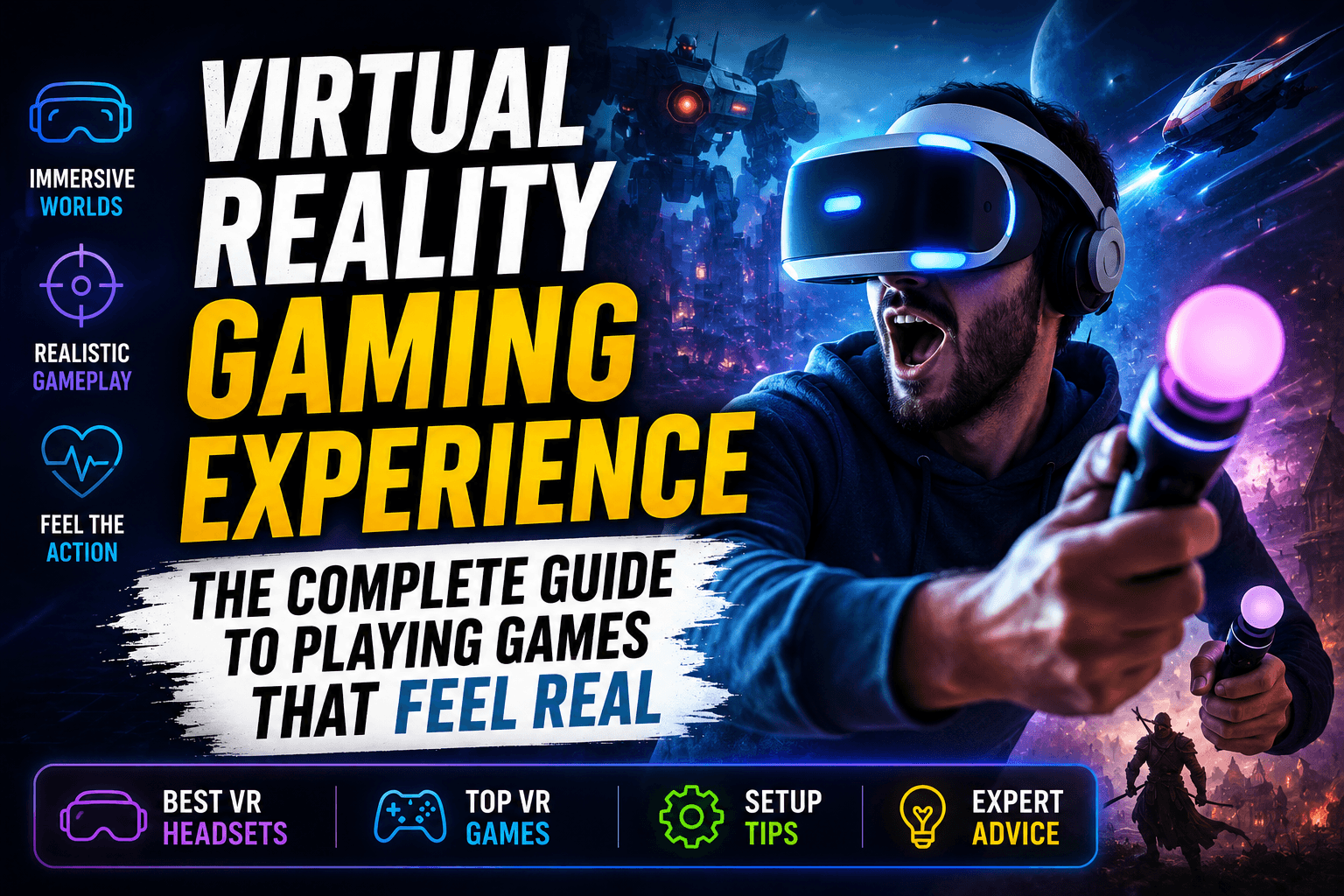
The first time you put on a VR headset, gaming stops feeling like something happening on a screen.
You are not just controlling a character. You are standing inside the world. You turn your head and the room moves with you. You look down and see virtual hands. You reach forward, grab an object, swing a sword, aim a bow, dodge an attack, or step away from danger like your body actually belongs inside the game.
That is the real power of a virtual reality gaming experience.
Traditional gaming is still fun, of course. A good console or PC game can pull you into a story for hours. But VR gaming changes the relationship between player and game. Instead of watching the action, you feel surrounded by it.
For U.S. gamers who want something more active, more immersive, and more personal, virtual reality gaming has become one of the most exciting ways to play.
What Is a Virtual Reality Gaming Experience?
A virtual reality gaming experience is a form of gaming where a player uses a VR headset and motion controllers to enter a computer-generated 3D environment.
Instead of playing on a flat TV or monitor, the player sees the game world through a headset. The system tracks head movement, hand movement, and sometimes body position. This makes the game respond naturally when the player looks around, moves, reaches, ducks, turns, or interacts with objects.
In simple words:
VR gaming makes the game feel like a place you visit, not just a screen you watch.
Main Parts of a VR Gaming Experience
| VR Element | What It Does | Why It Matters |
|---|---|---|
| VR headset | Shows the 3D game world around your eyes | Creates the feeling of being inside the game |
| Motion controllers | Track your hand movements | Lets you grab, aim, punch, throw, and interact |
| Sensors/cameras | Track your position and movement | Helps the game respond to your body |
| Spatial audio | Places sound around you | Makes footsteps, voices, and action feel nearby |
| Game software | Builds the virtual world | Controls the story, gameplay, physics, and visuals |
The better these parts work together, the more convincing the experience feels.
Why Virtual Reality Gaming Feels More Immersive Than Normal Gaming
The reason VR gaming feels different is not just the headset. It is the combination of sight, sound, movement, and physical presence.
When you play a regular game, your brain knows you are looking at a screen. You can still hear the room around you. You can see your desk, your wall, your phone, or your couch.
With VR, the headset blocks the outside world and replaces it with a virtual one. Your brain starts paying attention to the digital space as if it is real enough to react to.
That is why people often lean away from virtual cliffs, flinch when something flies toward them, or physically duck during a fight.
What Makes VR So Immersive?
- 360-degree vision: You can look around naturally instead of moving a camera with a joystick.
- Depth perception: Objects feel near or far because the headset creates a 3D view.
- Body movement: Your real movement affects what happens in the game.
- Hand interaction: You can pick up, point, reload, throw, and swing using your hands.
- Spatial sound: Audio comes from different directions, making the world feel alive.
- Scale: Large monsters, tall buildings, deep spaces, and wide landscapes feel bigger in VR.
This is why a simple VR game can feel more intense than a visually beautiful flat-screen game.
How VR Gaming Works
VR gaming works by tracking your movements and updating the virtual world fast enough that your brain accepts it as responsive.
When you turn your head, the headset instantly changes what you see. When you move your controller, your virtual hand moves too. When you step forward, crouch, or lean, the game reacts if your system supports positional tracking.
Basic VR Gaming Process
| Step | What Happens |
| 1. You wear the headset | The headset displays two slightly different images, one for each eye |
| 2. The system tracks movement | Cameras or sensors detect your head and hand position |
| 3. The game updates instantly | The virtual world changes based on your movement |
| 4. Audio surrounds you | Sound direction helps you understand where things are |
| 5. You interact physically | You use your hands and body instead of only buttons |
Good VR depends on speed. If the headset or game responds too slowly, the experience can feel uncomfortable. That is why frame rate, tracking quality, headset comfort, and game optimization matter so much.
Types of Virtual Reality Gaming Experiences
Not all VR games feel the same. Some are relaxing. Some are intense. Some are social. Some are built for fitness. Some are designed for deep story-driven exploration.
Here are the most common types of VR gaming experiences.
1. Action and Shooter VR Games
These games put you directly inside combat. You aim with your hands, reload weapons, take cover, and react quickly.
Best for: Players who enjoy fast gameplay, precision, and adrenaline.
Common features include:
- Manual aiming
- Physical reloading
- Cover-based movement
- Enemy waves
- Tactical missions
- Co-op multiplayer
2. Adventure and Exploration VR Games
These games focus on worlds, stories, puzzles, and discovery. You may explore ruins, space stations, fantasy lands, mysterious rooms, or realistic environments.
Best for: Players who want atmosphere, story, and immersion.
3. Fitness and Rhythm VR Games
VR fitness games are popular because they make exercise feel less boring. Instead of counting reps, you are slicing blocks, boxing, dancing, dodging, or moving to music.
Best for: People who want fun movement at home.
Benefits may include:
- Light cardio
- Better coordination
- Full-body movement
- Short workout sessions
- More motivation than regular exercise
4. Simulation VR Games
Simulation games are one of the strongest categories for VR. Flying, driving, racing, fishing, sports, and job-based simulations feel more realistic when you are surrounded by the environment.
Best for: Players who enjoy realism and skill-based gameplay.
5. Horror VR Games
Horror becomes much more intense in VR. A dark hallway feels different when you are standing inside it. A sound behind you can make you turn around in real panic.
Best for: Brave players who want a strong emotional reaction.
Not recommended for everyone.
6. Social VR Games
Social VR lets you meet other players in virtual rooms, worlds, arenas, and hangout spaces. Instead of chatting through a screen, you interact through avatars.
Best for: Players who enjoy community, multiplayer events, and shared experiences.
VR Gaming vs Traditional Gaming
Both VR and traditional gaming have value. The better choice depends on what kind of experience you want.
| Feature | Traditional Gaming | VR Gaming |
| Screen type | TV, monitor, handheld screen | Headset with 3D virtual view |
| Player role | Controls character from outside | Feels present inside the game |
| Movement | Controller, keyboard, mouse | Head, hands, body, controllers |
| Immersion | Strong, but screen-based | Very high and physical |
| Comfort | Easy for long sessions | Better in shorter sessions |
| Space needed | Little space | Some clear space recommended |
| Fitness value | Usually low | Can be moderate to high |
| Best for | Long campaigns, competitive gaming, casual play | Immersion, interaction, fitness, simulation, social play |
VR does not replace regular gaming. It adds a different kind of experience.
A console game is great when you want to sit back and relax. VR is better when you want to feel active and involved.
What You Need for the Best VR Gaming Setup
A good VR gaming setup does not have to be complicated, but it does need to be safe, comfortable, and practical.
Basic VR Gaming Setup Checklist
| Setup Item | Recommended Setup |
| Play area | Clear floor space with no sharp edges nearby |
| Lighting | Moderate room lighting for tracking |
| Internet | Strong Wi-Fi for downloads and online play |
| Headset fit | Secure but not too tight |
| Controller charge | Fully charged before playing |
| Audio | Built-in headset audio or comfortable headphones |
| Safety boundary | Set up guardian/boundary system before playing |
| Breaks | Take short breaks during longer sessions |
Important Setup Tips
- Move chairs, tables, cables, and fragile items away before playing.
- Keep pets and small children out of the play space.
- Use wrist straps on controllers.
- Start with shorter sessions if you are new to VR.
- Adjust the headset until text looks clear.
- Do not ignore dizziness, eye strain, or discomfort.
- Keep the lenses clean with a microfiber cloth.
A comfortable setup can make the difference between “VR is amazing” and “VR gives me a headache.”
Standalone VR vs PC VR vs Console VR
Before buying a headset, it helps to understand the main VR gaming options.
Standalone VR
Standalone VR headsets work without a gaming PC or console. The headset has its own processor, storage, tracking, and app store.
Good for:
- Beginners
- Families
- Casual gamers
- Fitness games
- Wireless play
- Easy setup
Possible downsides:
- Graphics may not match high-end PC VR
- Battery life can limit long sessions
- Storage space may matter
PC VR
PC VR uses a gaming computer to run more demanding VR games. This can offer better graphics, more advanced simulations, and a larger game library depending on the headset and platform.
Good for:
- Serious gamers
- Simulation fans
- High-end graphics
- Modding communities
- Advanced VR experiences
Possible downsides:
- More expensive
- Needs a powerful PC
- Setup can be more technical
- Cables or wireless streaming may require tuning
Console VR
Console VR connects to a gaming console. It is usually easier than PC VR but more powerful than many mobile-style experiences.
Good for:
- Console gamers
- Living room setups
- Exclusive titles
- Players who do not want a gaming PC
Possible downsides:
- Limited to console ecosystem
- Requires compatible hardware
- Game library depends on platform support
Quick Comparison
| VR Type | Best For | Difficulty | Cost Level |
| Standalone VR | Beginners and casual users | Easy | Low to medium |
| PC VR | Advanced and graphics-focused users | Medium to hard | Medium to high |
| Console VR | Console players | Medium | Medium to high |
For most beginners in the USA, standalone VR is usually the easiest starting point. For players who already own a strong gaming PC, PC VR may offer the deepest experience.
What Does VR Gaming Actually Feel Like?
A good VR gaming experience feels physical, personal, and surprisingly emotional.
In a racing game, you do not just see the road. You feel like you are sitting in the car. In a boxing game, your shoulders work. In a climbing game, looking down can make your stomach react. In a music rhythm game, you can lose track of time because your body is moving with the beat.
That feeling of “being there” is called presence.
Presence is the magic behind VR gaming. It is the moment your brain stops treating the game as a flat image and starts treating it like a space.
Common First-Time VR Reactions
- “I feel like I’m actually inside the game.”
- “The scale is bigger than I expected.”
- “I reached for something without thinking.”
- “I forgot I was standing in my room.”
- “This is more tiring than normal gaming.”
- “I need a minute after that horror game.”
VR is not just visual. It changes how your body responds to gameplay.
Benefits of a Virtual Reality Gaming Experience
VR gaming is not only about entertainment. It can also offer movement, learning, social connection, and skill-building.
1. Stronger Immersion
VR gives players a sense of presence that normal screens cannot match. This is especially powerful in adventure, simulation, horror, and exploration games.
2. More Physical Activity
Many VR games require standing, turning, reaching, dodging, swinging, or stepping. Even casual games can get your body moving.
3. Better Hand-Eye Coordination
VR games often require fast reactions and accurate hand movements. Over time, players may improve timing, coordination, and spatial awareness.
4. Social Interaction
Multiplayer VR can feel more personal than regular voice chat because players use avatars, gestures, and shared virtual spaces.
5. Better Training and Simulation
VR is useful for racing, flying, sports practice, rhythm, aim training, and other skill-based activities because it gives players a more realistic sense of space.
6. Fresh Gaming Motivation
Many gamers feel burned out after years of similar screen-based experiences. VR can make gaming feel new again.
Possible Downsides of VR Gaming
VR is exciting, but it is not perfect. A balanced article should be honest about the downsides too.
Common VR Gaming Problems
| Problem | Why It Happens | How to Reduce It |
| Motion sickness | Artificial movement does not match body movement | Start with comfort-friendly games |
| Eye strain | Long sessions or poor headset adjustment | Take breaks and adjust fit |
| Neck pressure | Headset weight or poor strap balance | Use a better strap or adjust position |
| Sweating | Active games can get intense | Use wipeable face covers |
| Limited battery | Standalone headsets need charging | Charge before play or use battery strap |
| Space issues | Room may be too small | Use seated or stationary mode |
| Cost | Headsets and accessories can add up | Start with essentials only |
VR is best when you build up slowly. Do not jump into intense flying, racing, or fast-motion games on your first day.
Best VR Gaming Genres for Beginners
If you are new to VR, start with games that are comfortable, simple, and easy to understand.
Beginner-Friendly VR Game Types
| Genre | Why It’s Good for Beginners |
| Rhythm games | Easy to learn, active, low motion sickness risk |
| Puzzle games | Slow pace and comfortable movement |
| Mini golf | Relaxing, social, and simple |
| Boxing fitness | Physical but easy to understand |
| Escape room games | Good for thinking and exploration |
| Tabletop-style games | Comfortable seated experience |
| Social hangout games | Good for learning VR controls |
Genres Beginners Should Approach Carefully
- Fast racing games
- Flying games
- Intense roller coaster experiences
- Horror games
- Smooth-locomotion shooters
- Games with rapid spinning or falling
These can be fun later, but they may be too intense for a first session.
How to Avoid Motion Sickness in VR Gaming
Motion sickness is one of the biggest concerns for new VR players. The good news is that many players adjust over time, especially if they start with the right games.
Simple Tips to Reduce VR Motion Sickness
- Start with short sessions of 10–15 minutes.
- Choose games with teleport movement at first.
- Avoid fast artificial movement early on.
- Use comfort settings like snap turning.
- Stop immediately if you feel dizzy.
- Keep the room cool.
- Do not play when tired or dehydrated.
- Build your VR tolerance slowly.
Never force yourself to continue when you feel sick. Taking a break is better than making your brain associate VR with nausea.
How to Make VR Gaming More Comfortable
Comfort matters because VR sits directly on your face and head. Even a great game can feel annoying if the headset is uncomfortable.
Comfort Checklist
| Comfort Area | What to Check |
| Head strap | Weight should feel balanced, not front-heavy |
| Lens clarity | Text should look sharp in the center |
| Face pressure | No painful pressure on cheeks or forehead |
| Controller grip | Hands should stay relaxed |
| Room temperature | Cooler rooms are better for active games |
| Session length | Short breaks help prevent fatigue |
| Cable management | For PC VR, keep cables away from feet |
A few small upgrades, like a better head strap, controller grips, or a wipeable facial interface, can make VR much easier to enjoy.
Is VR Gaming Good for Kids and Families?
VR can be fun for families, but parents should be careful. Not every headset, game, or online space is suitable for children.
Parents should check:
- Age guidance from the headset maker
- Game ratings
- Privacy settings
- Online voice chat settings
- Play area safety
- Session length
- In-app purchases
- Multiplayer behavior
For families, the safest starting point is usually simple, non-scary, non-toxic, comfort-friendly games. Parents should also supervise younger players and make sure the headset fits properly.
Best Room Setup for a Better Virtual Reality Gaming Experience
You do not need a huge room, but you do need a safe one.
Ideal VR Play Space
- Clear area with enough room to stretch your arms
- No sharp furniture nearby
- No glass tables or fragile decor
- Good lighting for tracking
- Dry floor with no loose rugs
- Strong Wi-Fi signal
- Enough ventilation for active games
Small Room VR Tips
If you live in an apartment or have limited space, choose:
- Seated VR games
- Stationary mode
- Puzzle games
- Tabletop games
- Social VR
- Fitness games with limited side movement
A small room does not stop you from enjoying VR. You just need to choose games that match your space.
What Internet Speed Do You Need for VR Gaming?
For offline VR games, internet speed is mostly needed for downloads, updates, and online features. For multiplayer VR, cloud gaming, or wireless PC VR streaming, a stronger connection matters more.
Internet Tips for VR Gaming
| Use Case | What Matters Most |
| Downloading games | Fast download speed |
| Multiplayer VR | Stable connection and low latency |
| Wireless PC VR | Strong local Wi-Fi quality |
| Social VR | Stable upload and download |
| Cloud-based VR | Low latency and strong bandwidth |
For the best experience, play close to your router or use a strong home Wi-Fi setup. A weak connection can cause lag, stutter, or poor streaming quality.
Is VR Gaming Worth It?
VR gaming is worth it if you want gaming to feel more physical, immersive, and interactive.
It may not be worth it if you only enjoy long couch gaming sessions, dislike wearing headsets, have very limited space, or get motion sick easily.
VR Gaming Is Best For People Who Want:
- A more immersive gaming experience
- Active gameplay at home
- Fitness games that feel fun
- Realistic simulations
- Social gaming in virtual worlds
- Horror and adventure with stronger atmosphere
- A fresh way to enjoy games
VR Gaming May Not Be Best For People Who Want:
- Long play sessions with no breaks
- Zero physical movement
- The cheapest possible gaming setup
- No headset or face pressure
- Only competitive flat-screen gaming
The best answer is simple: try VR before buying if you can. A short demo can tell you more than any review.
Virtual Reality Gaming Experience Buying Guide
Before buying your first VR headset, ask yourself a few practical questions.
Questions to Ask Before Buying
- Do I want standalone, PC, or console VR?
- How much space do I have?
- Will I mostly play fitness, action, simulation, or social games?
- Do I already own a gaming PC or console?
- Do I wear glasses?
- How important is wireless play?
- Will other family members use it?
- Am I sensitive to motion sickness?
- How much am I willing to spend on accessories?
- Do I want casual fun or high-end graphics?
Beginner Buying Recommendation
For most new players, the best first VR setup is:
- A comfortable standalone headset
- Two motion controllers
- A clear play area
- A few beginner-friendly games
- A microfiber cloth
- Optional comfort strap
- Optional protective case
Start simple. You can always upgrade later.
Common Mistakes New VR Gamers Make
Many beginners have a bad first experience because they rush into the wrong setup or wrong game.
Avoid These Mistakes
- Playing intense games on day one
- Ignoring headset fit
- Playing too long without breaks
- Standing too close to furniture
- Forgetting controller wrist straps
- Buying too many accessories before knowing what you need
- Letting the headset battery die mid-session
- Skipping comfort settings
- Playing horror VR first
- Expecting every VR game to look like a high-end PC game
VR is better when you ease into it.
How VR Gaming Is Changing the Future of Games
VR gaming is still growing, but it has already changed what players expect from immersive entertainment.
Game developers are learning how to design worlds where players use their whole body, not just their thumbs. Fitness companies are turning workouts into games. Social platforms are building virtual spaces where people can meet, talk, and play. Simulation games are becoming more realistic because players can sit inside the cockpit, car, stadium, or battlefield.
The future of VR gaming will likely focus on:
- Lighter headsets
- Better lenses
- Longer battery life
- More realistic hand tracking
- Mixed reality gaming
- Better multiplayer worlds
- More fitness and sports games
- Improved comfort for longer sessions
- More realistic graphics
- Easier setup for beginners
The goal is not just better graphics. The goal is better presence.
When VR works well, the player stops thinking about the technology and starts reacting to the world.
Final Thoughts: The Real Appeal of VR Gaming
A great virtual reality gaming experience is not only about sharper visuals or expensive hardware. It is about the feeling of presence.
It is the moment you reach for an object that is not really there.
It is the moment you duck because something flies over your head.
It is the moment a game world feels large, close, loud, quiet, scary, beautiful, or alive.
That is why VR gaming keeps attracting new players.
It gives people something traditional gaming cannot fully copy: the feeling of stepping through the screen.
For beginners, the best approach is simple. Start with comfortable games, set up a safe play space, take breaks, and choose a headset that matches your budget and gaming style.
VR gaming is not perfect, and it is not for everyone. But when it clicks, it delivers one of the most memorable experiences in modern gaming.
FAQs About Virtual Reality Gaming Experience
What is a virtual reality gaming experience?
A virtual reality gaming experience is a type of gaming where you wear a VR headset and interact with a 3D game world using head movement, hand controllers, and sometimes body tracking. It makes the game feel like a place you are inside rather than a screen you are watching.
Is VR gaming good for beginners?
Yes, VR gaming can be good for beginners if they start with comfortable games such as rhythm games, puzzle games, mini golf, social games, or seated experiences. Beginners should avoid fast-motion games at first.
Do you need a PC for VR gaming?
Not always. Standalone VR headsets can run games without a PC or console. PC VR is mainly for players who want higher-end graphics, advanced simulations, or access to certain PC-based VR games.
Can VR gaming make you dizzy?
Yes, some players may feel dizzy or motion sick, especially in fast-moving games. Starting with short sessions, using teleport movement, and taking breaks can help reduce discomfort.
Is VR gaming a workout?
Some VR games can feel like a workout, especially boxing, rhythm, dancing, sports, and fitness games. Not all VR games are physically intense, but many encourage more movement than traditional gaming.
How much space do you need for VR gaming?
You do not need a huge room, but you should have enough clear space to move your arms safely. Many VR games also offer seated or stationary modes for smaller rooms.
Is VR gaming safe?
VR gaming is generally safe when used responsibly. Players should clear the play area, use safety boundaries, take breaks, follow headset guidelines, and stop playing if they feel discomfort.
What is the best VR gaming experience for first-time players?
The best first-time VR experience is usually a comfortable, easy-to-learn game with simple controls and limited artificial movement. Rhythm games, puzzle games, mini golf, and short adventure experiences are good starting points.
🔥 Related Posts

Top 10 Android Games for US Players in 2026: Best Free & Paid Hits with Guides, Tips & Fixes 🎮⭐

Epic Games Store (2026 Guide): Free Games, Features, and How It Compares

Clash of Clans Bases: The Ultimate Guide for Beginners and Pros

Xbox Game Pass New Games February 2026: Indika, Final Fantasy II, MENACE & Full Lineup Guide

Word Wipe USA Today – Complete Guide, How to Play, Strategy, Scoring & Tips for U.S. Players