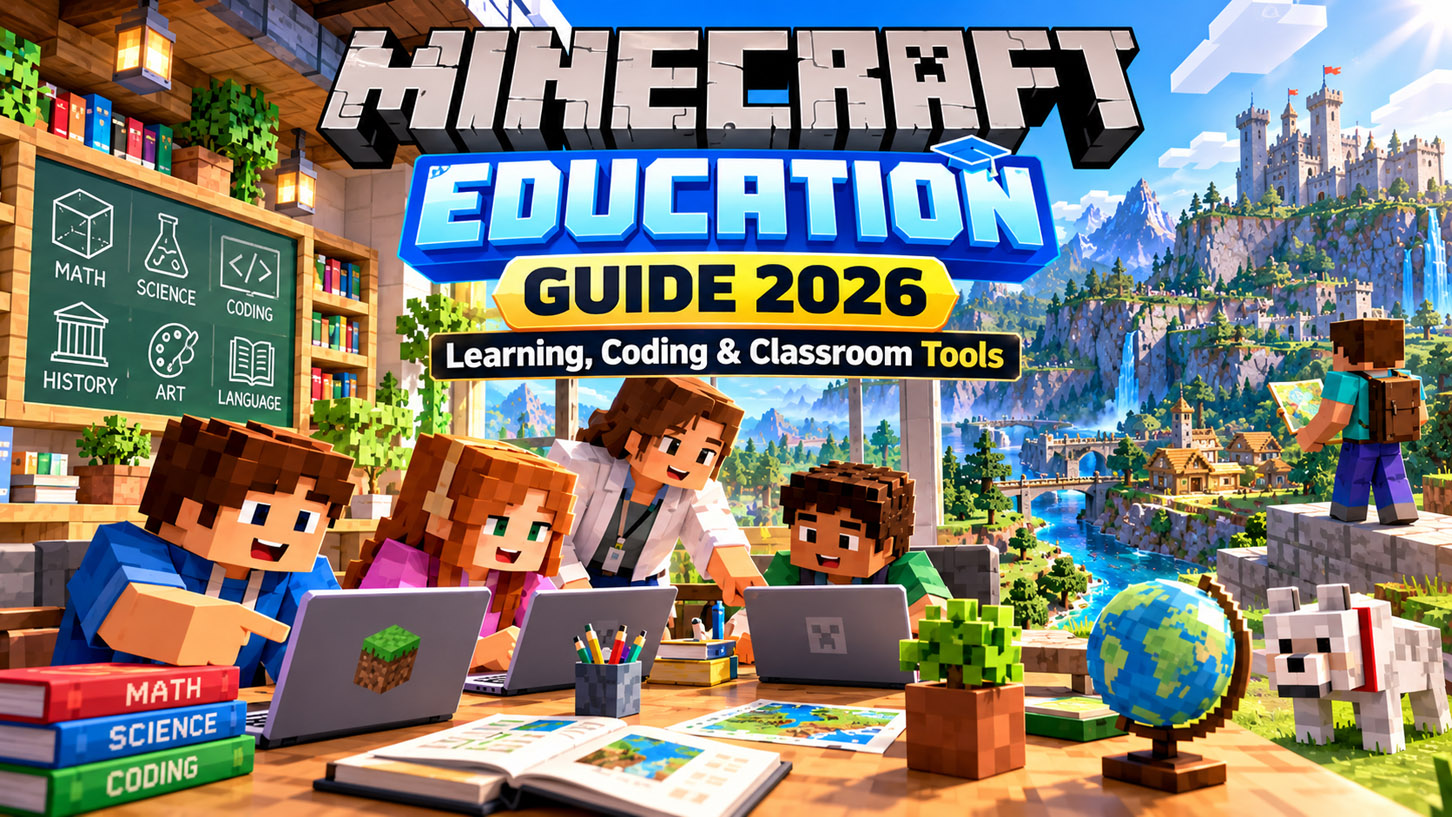
Minecraft was already good at making people learn things without realizing they were learning.
Building a house involves planning. Redstone encourages logical thinking. Surviving with friends requires communication. Even a simple farm can turn into a lesson about resources, efficiency, and problem-solving.
Minecraft Education takes that natural learning potential and builds classroom tools around it.
It is a separate version of Minecraft designed for schools, teachers, students, camps, clubs, homeschool organizations, and other learning environments. Instead of simply dropping students into a normal survival world, it adds lesson libraries, coding tools, classroom controls, assessment features, accessibility options, secure sign-in, and multiplayer systems created specifically for education.
For downloads, lesson resources, training, and official information, visit the official Minecraft Education website.
What Is Minecraft Education?
Minecraft Education is the learning-focused edition of Minecraft.
The basic experience still feels familiar. Players walk through block-based worlds, gather materials, build structures, interact with objects, and work together.
The difference is what teachers can do with those mechanics.
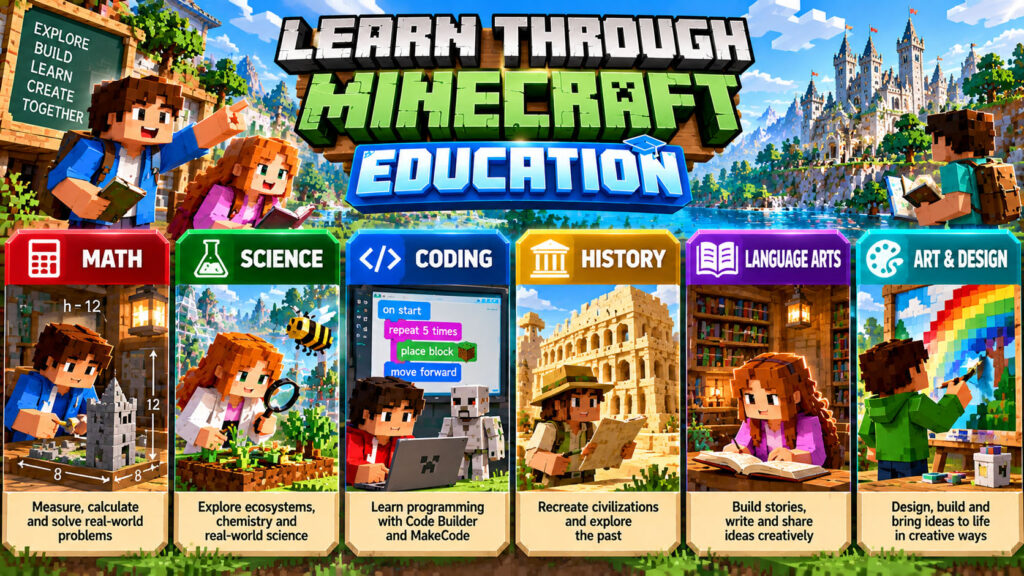
Microsoft and Mojang provide more than 600 standards-aligned lessons covering areas such as mathematics, science, computer science, history, language arts, social-emotional learning, AI literacy, art, and design.
A class might use Minecraft to recreate an ancient civilization one day and write code the next.
That flexibility is probably the biggest reason Minecraft works so well as an educational platform.
Minecraft Education at a Glance
| Feature | Minecraft Education |
|---|---|
| Main purpose | Teaching and learning |
| Current download version | 1.26.32 |
| Lesson library | 600+ standards-aligned lessons |
| Coding | Code Builder, MakeCode and supported coding activities |
| Multiplayer | Yes |
| Dedicated Servers | Yes |
| Microsoft 365 sign-in | Yes |
| Classroom tools | Yes |
| Immersive Reader | Yes |
| Platforms | Windows, Mac, Chromebook, iPhone/iPad and Android |
| Trial/demo | Available |
| Typical users | Schools, teachers, students, camps, clubs and homeschool organizations |
The current download page lists version 1.26.32 and supports Windows alongside other education platforms.
What Can Students Actually Learn With It?
Minecraft Education works best when Minecraft is the environment for a lesson rather than the entire lesson itself.
A teacher could ask students to calculate the area and volume of buildings for math.
In science, students might model ecosystems, explore sustainability, or recreate scientific processes.
History classes can use building projects to study architecture and civilizations. Language arts lessons can ask students to construct scenes from books and explain their choices.
Coding is another major part of the platform.
Microsoft’s Code Builder tools let students work with programming concepts inside the game, including block-based coding and other supported coding workflows. Microsoft’s education documentation also highlights JavaScript and Python learning opportunities.
The official GameCode curriculum, for example, has students design arcade-style games while learning programming and game-development concepts.
What’s New in Minecraft Education in 2026?
Minecraft Education has received several meaningful changes rather than simply adding new blocks.
The Copper, Collaborate, and Compete update introduced Dedicated Servers, improvements to Code Builder, and newer mobs, blocks, and items inspired by recent Minecraft Bedrock updates.
Dedicated Servers are particularly useful for larger programs because worlds no longer have to disappear whenever the original classroom host leaves.
Schools can create persistent multiplayer environments that students and educators return to across lessons. The current server system also supports centralized management and cross-tenant collaboration when configured appropriately.
Minecraft Education has also expanded its AI-related learning resources.
Teachers can use Minecraft Education’s Lesson Crafter or Microsoft 365 Copilot’s Teach tools to help design age-appropriate Minecraft lesson plans. The Lesson Crafter is intended to assist educators, not replace teacher judgment or formal assessment.
Minecraft Education vs. Regular Minecraft
This is where many parents and new teachers get confused.
Minecraft Education looks like Minecraft because it is Minecraft, but the product is designed around a very different type of user account and multiplayer environment.
| Feature | Minecraft Education | Regular Minecraft |
|---|---|---|
| Primary audience | Schools and learning organizations | General players |
| Classroom lesson library | Yes | No built-in equivalent |
| Code Builder | Yes | Not standard gameplay |
| Classroom management tools | Yes | No |
| Secure school sign-in | Microsoft 365 education account | Personal Microsoft account |
| Public servers | Education-focused environment | Available in consumer editions |
| Marketplace | Different education experience | Main Bedrock Marketplace |
| Multiplayer focus | Classroom collaboration | General gaming |
| Licensing | Education subscription/license | Consumer purchase/subscription |
Minecraft Education uses school-managed Microsoft 365 accounts, while regular consumer Minecraft uses personal Minecraft/Microsoft account systems.
That separation is useful because a student does not need to connect their personal gaming identity to classroom work.
Is Minecraft Education the Same as Minecraft Bedrock?
Not exactly.
This is another common misunderstanding.
Minecraft Education uses the Bedrock engine, which is why many underlying world and add-on concepts feel familiar to Bedrock players. Minecraft Education can use Bedrock-style Resource Packs, Behavior Packs, .mcpack, .mcaddon, and .mcworld content.
But Minecraft Education and Minecraft Bedrock are separate editions.
Education receives features selected and adapted for classroom use rather than automatically mirroring every consumer Bedrock update immediately.
For example, the 2026 Education update specifically described newer mobs, blocks, and items as being inspired by recent Bedrock releases while adding education-specific collaboration and coding improvements at the same time.
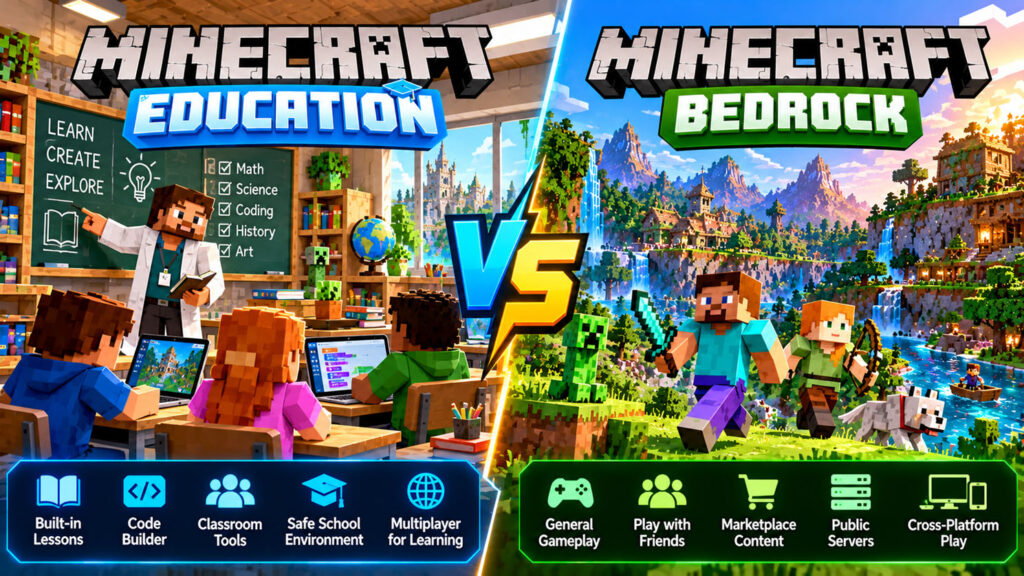
Education vs. Bedrock
| Area | Minecraft Education | Minecraft Bedrock |
|---|---|---|
| Engine family | Bedrock-based | Bedrock |
| Public consumer servers | No standard Bedrock server experience | Yes |
| Marketplace | Education resources | Full Minecraft Marketplace |
| Classroom tools | Yes | No |
| Code Builder | Yes | No built-in equivalent |
| Cross-device support | Yes, supported Education devices | Broad console, PC and mobile support |
| Add-ons | Bedrock-compatible system | Bedrock add-ons |
| Main goal | Learning | General gameplay |
This also means you should not assume a regular Bedrock player can simply join a Minecraft Education classroom world. They are different products with different multiplayer systems and account requirements.
Do You Use the Minecraft Launcher for Minecraft Education?
Normally, no.
The standard Minecraft Launcher on PC is primarily where players access consumer versions such as Minecraft: Java Edition and Minecraft for Windows/Bedrock.
Minecraft Education is distributed separately through the official Minecraft Education download system and supported app stores. Microsoft’s current edition guide lists Education separately from Java and Bedrock.
That distinction is useful if a student says:
“I installed the Minecraft Launcher, but I can’t find Minecraft Education.”
They probably installed the consumer launcher rather than the Education app.
For Education, use the official Minecraft Education download page.
For normal Minecraft Java and Bedrock on PC, the unified Minecraft Launcher is appropriate. Minecraft’s consumer website says Windows PC owners can switch between Java and Bedrock through that launcher.
Where Does Minecraft Education Fit Into the Minecraft Franchise?
The Minecraft Franchise is much bigger than one survival game now.
There is the main consumer Minecraft experience, educational software, Marketplace content, creator tools, community servers, media projects, and related Minecraft games and experiences.
Minecraft Education occupies a very specific part of that ecosystem: structured game-based learning.
It does not try to replace the normal survival game students might play at home.
Instead, it takes familiar Minecraft mechanics and turns them into tools educators can use for communication, coding, problem-solving, creativity, collaboration, and project-based learning.
That is why a student who already understands crafting and building can often start an Education activity without having to learn an entirely new interface.
What About Minecraft Skins?
Minecraft Skins are one of the most recognizable parts of regular Minecraft.
A skin changes how your character looks.
In Java Edition, players can upload compatible custom skin files through the Minecraft Launcher. In Bedrock, players can use the Dressing Room, Character Creator, Marketplace skins, and other available cosmetic content.
Minecraft Education is more restricted.
Current Minecraft Education guidance says third-party custom skins and Java Edition-style mods are not officially supported. Education users should generally stick with supported Bedrock-compatible educational content and add-ons.
That matters in schools.
A random “Minecraft skin installer” downloaded from an unknown website may create unnecessary security and support problems.
For classroom devices, use whatever customization options the school and Education environment officially provide rather than trying to force consumer-edition skin tools into the Education app.
Minecraft Education and Add-Ons
Add-ons are more relevant to Education than traditional Java mods.
Because Education uses the Bedrock engine, supported add-ons can change things such as textures, sounds, entity behavior, recipes, and world mechanics.
That gives teachers interesting options.
A history activity might use a custom texture pack.
A science lesson could use specialized behaviors or the built-in Chemistry resources.
A teacher might import a complete .mcworld file containing an activity that students can immediately begin.
The key is testing.
Never introduce an unfamiliar add-on into a live class for the first time five minutes before students arrive.
How Multiplayer Works in Minecraft Education
Collaboration has always been one of the strongest parts of Minecraft in the classroom.
Students can share worlds and work on group projects rather than building everything individually.
The newer Dedicated Server system makes this considerably more flexible.
A server can remain available between sessions instead of depending on one player’s device staying online. Schools can also manage access centrally and support more ambitious collaborative projects.
Microsoft’s 2026 esports guidance also describes multiplayer using school Microsoft 365 credentials and organization-managed environments.
For teachers, that means Minecraft can support anything from a five-student group project to a larger cross-class building challenge.
How Do Schools Get Minecraft Education?
The app itself can be downloaded freely, but continued full use generally requires proper licensing.
Many schools may already have access through qualifying Microsoft 365 Education plans. In that case, the important step is often getting the school’s IT administrator to assign the Minecraft Education license to teachers and students.
Microsoft also provides trial access.
For verified academic organizations, Microsoft currently documents trial login allowances before a paid license is needed.
If you are a teacher and your school uses Microsoft 365, it is worth asking IT before purchasing anything yourself.
Your organization may already be entitled to Minecraft Education.
Can Homeschool Students Use Minecraft Education?
Yes, but access works differently depending on how the homeschool program is structured.
Minecraft Education explicitly supports homeschool organizations, camps, clubs, libraries, nonprofits, and similar learning environments in addition to conventional schools.
Parents should check the official licensing options rather than assuming their normal consumer Minecraft purchase automatically includes Education.
Buying regular Minecraft Bedrock or Java does not replace an Education license.
What Devices Support Minecraft Education?
Minecraft Education currently supports a broad range of devices commonly found in schools.
Official pages list Windows, macOS, Chromebook, iPhone/iPad, and Android phones and tablets.
That flexibility is important because not every school has a room full of gaming PCs.
A Chromebook classroom can still participate.
So can a school using iPads.
Just remember that the quality of the multiplayer experience depends partly on the hardware and network being used.
Practical Tips Before Using Minecraft Education With a Class
A little preparation makes a huge difference:
- Test the world yourself before class.
- Confirm every student can sign in before the lesson begins.
- Update all devices to compatible versions.
- Decide what students are supposed to learn before deciding what they should build.
- Use small multiplayer groups first if the class is new to Minecraft.
- Give experienced Minecraft players classroom jobs instead of letting them dominate the activity.
- Set a clear time limit and success criteria.
- Test add-ons in a separate world before deploying them widely.
- Have a non-Minecraft backup activity in case your network decides to have a bad day.
Minecraft can create a very engaging lesson, but it still needs the same planning as any other classroom tool.
Also Read: Minecraft Franchise: A Complete Breakdown of History, Growth, Games & Global Impact
Is Minecraft Education Good for Students Who Don’t Play Minecraft?
Yes.
In some cases, those students may even approach an activity more thoughtfully because they are not rushing to show everyone how fast they can build a Nether portal.
Minecraft Education provides tutorials and training resources that cover basic movement and gameplay. The Education site updated its introductory movement tutorial in June 2026.
Teachers should still allow some practice time before starting an assessed activity.
Learning the controls and learning the academic concept at the same time can be frustrating.
🔥 Related Posts
Xbox Controller: The Complete Guide to Features, Compatibility, Setup, and Buying Tips
Spades Card Game: Rules, Scoring, Strategy, and How to Play Like You Know What You’re Doing
YouTube Music Premium Mod APK – The Ultimate Music Streaming Hack
Most Downloaded App on Play Store: A Deep Dive into America’s Favorite App
Ultimate Sodium Mod Guide for Minecraft 2026: Boost FPS Like Crazy on Fabric