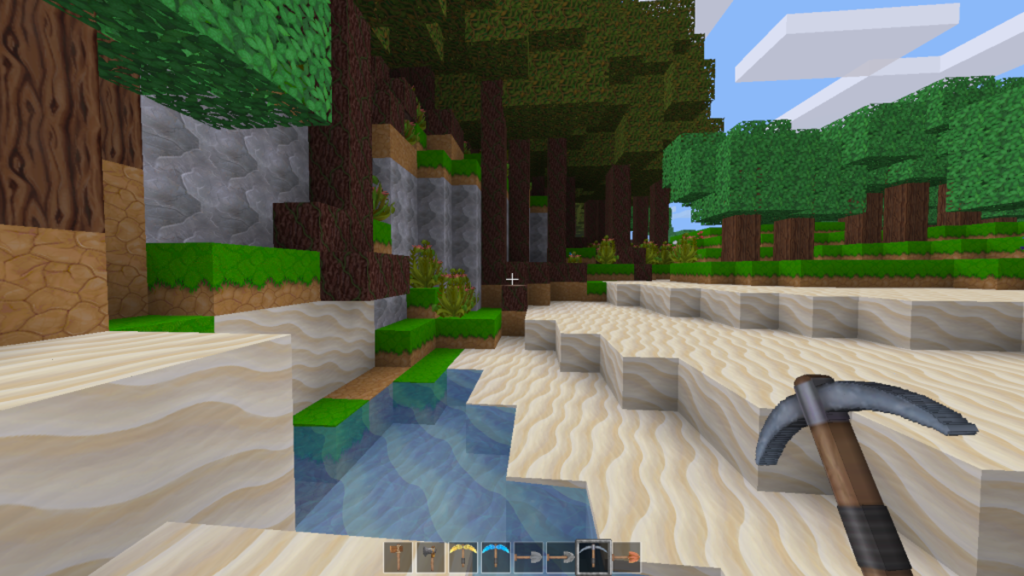
— Minecraft texture packs (now “resource packs”) swap vanilla visuals for stunning HD, realistic, or stylized overhauls, boosting immersion without mods. In 2026, trends lean toward PBR (physically based rendering) for ray-tracing shine, Faithful variants for vanilla fidelity, and performance-optimized packs for low-end PCs. With 1.21+ supporting higher-res (up to 512x) and Marketplace DLCs like Dark Fantasy Visuals exploding in popularity, here’s the ultimate guide: top packs, easy installs for Java/Bedrock, and pro tips.
What Are Minecraft Texture Packs in 2026?
Resource packs replace textures, sounds, models, and UI — no code changes needed. Java/Bedrock compatible, they stack with shaders for next-gen looks. 2026 highlights: Marketplace growth (Vibrant Realism PBR, TrueRealism HD) and CurseForge/Planet Minecraft freebies.
Top 10 Best Minecraft Texture Packs 2026
Curated from YouTube showcases and community favorites:
| Rank | Pack Name | Resolution | Style/Key Feature | Download/Source |
|---|---|---|---|---|
| 1 | Faithful 64x | 64x | Vanilla HD — crisp, faithful upscale | CurseForge/PlanetMC |
| 2 | Bare Bones | 8x | Minimalist, cartoonish performance king | Texture-Packs.com |
| 3 | PureBDCraft | 128x–512x | Cartoon BDCraft — vibrant, detailed | Official Site |
| 4 | Vibrant Realism PBR | PBR | Realistic lighting/shadows (RT-ready) | Marketplace |
| 5 | Modern HD Pack | 128x | Sleek, contemporary blocks | PlanetMC |
| 6 | Tooniverse | 16x | Cartoon/anime vibes | CurseForge |
| 7 | Alacrity | 32x | Clean, performance-optimized | YouTube showcases |
| 8 | Dark Fantasy Visuals | PBR | Gothic, moody atmospheres | Marketplace |
| 9 | TrueRealism HD | HD PBR | Photorealistic overhaul | Marketplace |
| 10 | Vanilla Tweaks | 16x | Custom vanilla tweaks (cows eat grass, etc.) | VanillaTweaks.net |
2026 Trends:
- : Physically Based Rendering for shaders/RT (Vibrant Realism leads).
- : 64x–512x for 4K monitors.
- : Bare Bones for 60+fps on laptops.
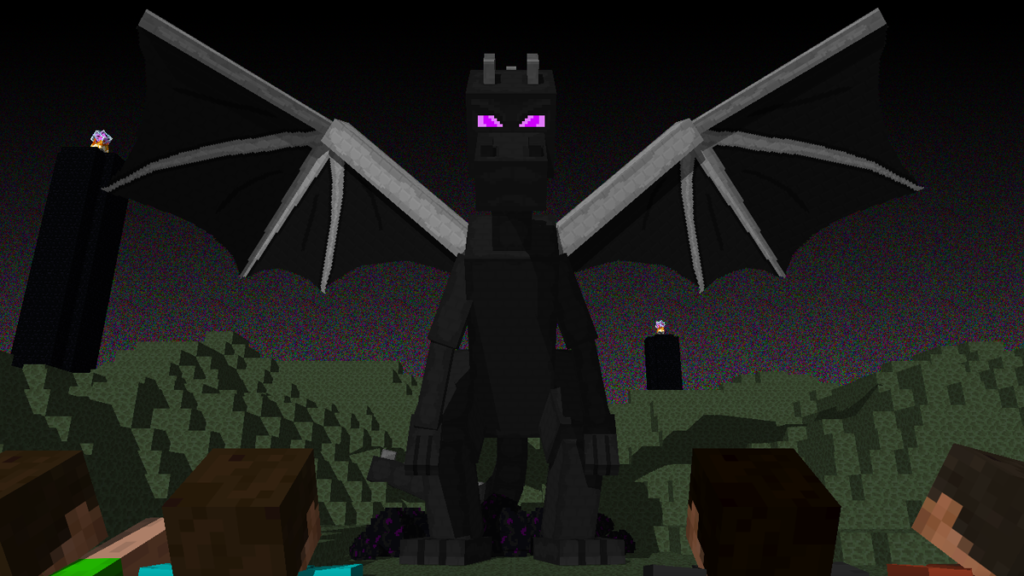
How to Install Minecraft Texture Packs 2026 (Java vs Bedrock)
:
- Download ZIP from CurseForge/PlanetMC (no unzip!).
- Minecraft → Options → Resource Packs → Open Pack Folder.
- Drag ZIP in → Activate in list → Done! (Reload if needed).
:
- Download .mcpack from MCPEDL/Marketplace.
- Double-click → Imports to Global Resources.
- Settings → Global Resources → Activate → Restart world.
: Auto-installs Java/Bedrock packs + mods/shaders.
Pro Tip: Stack packs (e.g., Faithful + Vanilla Tweaks) for custom looks.
Performance & Compatibility Tips
- Low-End PCs: Bare Bones or 8x–16x packs (60+fps).
- : 128x+ PBR with shaders (Complementary Reimagined).
- 1.21+ OptiFine/Embeddium: Required for some advanced packs.
- RT Support: PBR packs shine with path-traced shaders.
Minecraft texture packs = infinite customization. Download your fave from the table and share yours below — what’s your go-to pack? 🟫🖼️
🔥 Related Posts

Join My Quiz: How to Enter a Quiz Code and Start Playing in Seconds

50+ Epic Family Game Night Ideas for All Ages in 2026: Laughs, Bonds & Zero Boredom! 🎉🃏
Arc Raiders Interactive Map 2026: Best Tools for Loot, Quests & Extracts
NBA 2K26 Best Builds for MyCareer and Park Mode: Top Guard, Lock, Wing and Center Builds
Backrooms Game: Best Games, Gameplay, Levels, Tips, and Why Players Love This Creepy Internet Horror