There was a time when buying a gaming console was easy.
You picked the machine your friends had, bought two controllers, grabbed a few discs, and called it a day.
Now? Things are different.
Modern consoles are not just game machines. They are 4K entertainment hubs, cloud gaming devices, social platforms, streaming boxes, handheld PCs, digital libraries, subscription gateways, and sometimes even portable mini-computers.
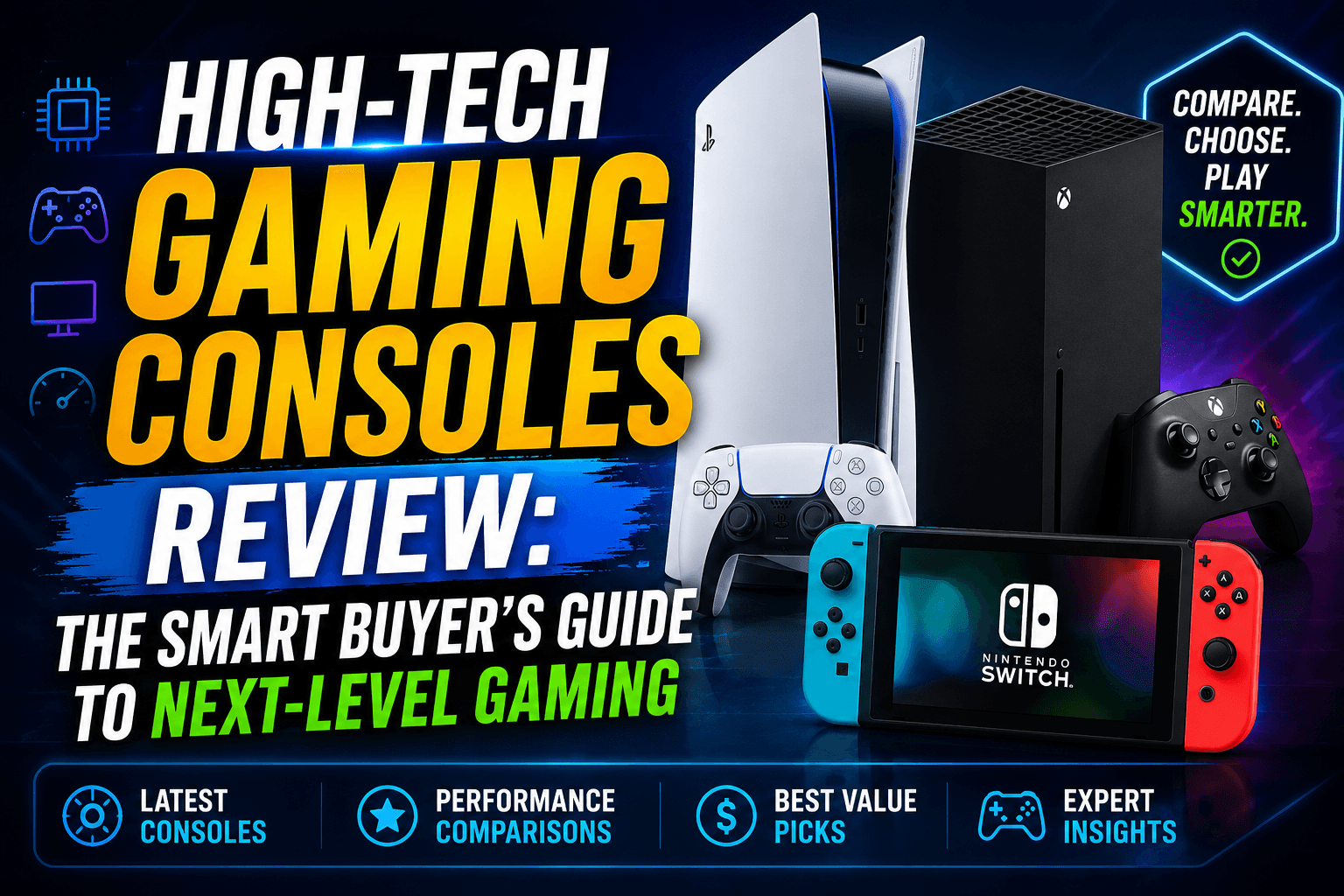
That is why a proper high-tech gaming consoles review needs to look beyond graphics.
The real question is not only:
“Which console is the most powerful?”
The better question is:
“Which console gives you the best gaming experience for the way you actually play?”
Some players want cinematic 4K games on a big TV.
Some want portable gaming on the couch.
Some want family-friendly multiplayer.
Some want Game Pass value.
Some want the best exclusive titles.
Some want a handheld that plays PC games.
This guide breaks everything down in plain English.
Quick Verdict: Best High-Tech Gaming Consoles by Player Type
| Player Type | Best Console Choice | Why It Makes Sense |
|---|---|---|
| Best overall premium console | PlayStation 5 Pro | Strong visual upgrades, 4K gaming focus, premium performance |
| Best Xbox ecosystem console | Xbox Series X | Powerful hardware, Game Pass, strong backward compatibility |
| Best family and hybrid console | Nintendo Switch 2 | Portable + TV play, Nintendo exclusives, social gaming |
| Best handheld PC-style console | Steam Deck OLED | Portable PC gaming, Steam library access, OLED screen |
| Best budget-friendly console | Xbox Series S | Lower entry cost, digital gaming, compact design |
| Best for casual players | Nintendo Switch 2 or Xbox Series S | Simple, accessible, easy to enjoy |
| Best for competitive players | PS5 Pro or Xbox Series X | Higher performance and smoother gameplay options |
| Best for existing PC gamers | Steam Deck OLED | Plays many Steam games on the go |
What Makes a Gaming Console “High-Tech”?
A high-tech gaming console is not just a console with pretty graphics. It should bring modern technology into the gaming experience.
Look for features like:
- 4K gaming support
- High frame rate gameplay
- Ray tracing
- Fast SSD storage
- HDR display support
- Cloud gaming access
- Backward compatibility
- AI-enhanced image quality
- Strong controller features
- Fast wireless connectivity
- Digital game libraries
- Subscription gaming options
- Portable or hybrid play modes
The best consoles now compete on comfort, speed, ecosystem, exclusives, and long-term value.
High-Tech Gaming Consoles Comparison Table
| Console | Best For | Display/Performance Focus | Storage | Main Strength |
| PlayStation 5 Pro | Premium 4K gaming | 4K output, ray tracing, high frame rates | 2TB SSD | Best visual-focused PlayStation experience |
| PlayStation 5 Slim | Mainstream PlayStation gaming | 4K gaming, fast SSD | 1TB or digital model options | Great game library and exclusives |
| Xbox Series X | Power + Game Pass | Native 4K focus, high frame rates | 1TB or 2TB options | Xbox ecosystem and performance |
| Xbox Series S | Budget digital gaming | 1440p target with 4K upscaling | 512GB or 1TB options | Affordable entry into Xbox |
| Nintendo Switch 2 | Hybrid family gaming | 7.9-inch handheld screen, TV play | 256GB internal storage | Portability and Nintendo exclusives |
| Steam Deck OLED | Handheld PC gaming | 7.4-inch OLED, up to 90Hz | 512GB or 1TB options | Steam library on the go |
1. PlayStation 5 Pro Review: The Premium 4K Console
The PlayStation 5 Pro is built for gamers who care about visuals.
This is the console for players who notice better shadows, sharper image quality, smoother frame rates, and more polished graphics. It is not just about playing games. It is about making big-budget games look and feel more impressive on a modern 4K TV.
Best features:
- 2TB built-in SSD storage
- 4K gaming focus
- Ray tracing support
- AI-enhanced image quality through PlayStation Spectral Super Resolution
- High frame rate support on compatible games
- Backward compatibility with PS5 and supported PS4 games
- Strong PlayStation exclusive library
Pros
- Excellent for cinematic single-player games
- Strong visual upgrades over standard PS5 models
- More storage for large modern games
- Great controller experience with DualSense
- Ideal for large 4K TVs
Cons
- More expensive than standard consoles
- Disc drive may require separate purchase depending on bundle
- Not every game will fully use Pro-level features
- Overkill for casual players
Best for:
- Players with a 4K TV
- Story-driven game fans
- PlayStation exclusive lovers
- Gamers who want premium visuals
- Buyers who want the strongest PlayStation model
Not ideal for:
- Budget buyers
- Casual family gaming
- Players who mostly play older or lightweight games
Verdict:
The PS5 Pro is the luxury sports car of console gaming. You do not need it to enjoy PlayStation games, but if you want the best-looking PlayStation experience, it makes sense.
2. Xbox Series X Review: The Power Console for Game Pass Fans
The Xbox Series X is still one of the strongest choices for gamers who want performance, flexibility, and a huge digital gaming ecosystem.
The biggest reason to buy Xbox is not only the hardware. It is the ecosystem.
Xbox Game Pass, backward compatibility, cloud gaming, cross-platform saves, and a clean digital library make the Series X feel practical for serious players.
Best features:
- Native 4K gaming focus
- Powerful GPU and CPU
- Fast SSD storage
- Backward compatibility
- Xbox Game Pass support
- UHD Blu-ray Disc drive on standard model
- Smooth integration with Xbox and PC ecosystem
Pros
- Excellent performance
- Great for Game Pass users
- Strong backward compatibility
- Good for both new and older games
- Clean, simple design
- Works well for digital libraries
Cons
- Fewer must-have exclusives compared with PlayStation for some players
- Storage expansion can be expensive
- Best value depends heavily on Game Pass usage
- Interface can feel less exciting than the hardware
Best for:
- Game Pass subscribers
- Players with big digital libraries
- Fans of racing, shooters, sports, and multiplayer games
- Gamers who want strong performance without building a PC
- Households that already use Xbox accounts
Not ideal for:
- Players buying mainly for exclusive cinematic games
- People who do not want subscriptions
- Buyers who only play Nintendo-style family games
Verdict:
The Xbox Series X is a powerful, practical, high-tech console. It is not the loudest machine in the room, but it may be one of the smartest buys for players who love value and performance.
3. Xbox Series S Review: The Budget High-Tech Console
The Xbox Series S proves that a gaming console does not need to be huge, expensive, or ultra-premium to be useful.
It is smaller, cheaper, and fully digital. It targets lower resolution than the Series X, but it still gives players access to modern Xbox games, Game Pass, cloud gaming, and digital downloads.
Best features:
- Compact design
- Digital-only gaming
- Lower price than most major consoles
- Access to Xbox Game Pass
- Fast SSD loading
- 1440p target with 4K upscaling
Pros
- Affordable entry into modern console gaming
- Small and clean design
- Great for bedrooms, dorm rooms, and secondary setups
- Works well with Game Pass
- Simple digital experience
Cons
- No disc drive
- Less powerful than Xbox Series X
- Smaller storage options can fill quickly
- Not ideal for 4K-first gamers
- Some demanding games may perform better on stronger consoles
Best for:
- Budget buyers
- Casual gamers
- Kids and teens
- Dorm rooms
- Game Pass users
- Secondary gaming setup
Not ideal for:
- Physical disc collectors
- 4K gaming enthusiasts
- Players who want maximum graphics quality
Verdict:
The Xbox Series S is not the most powerful console, but it may be one of the easiest to recommend for budget gaming. If you want modern games without spending premium money, it is a smart pick.
4. Nintendo Switch 2 Review: The Hybrid Console for Everyone
Nintendo does not play the same game as Sony and Microsoft.
While PlayStation and Xbox focus heavily on power, Nintendo focuses on experience. The Nintendo Switch 2 continues that idea with hybrid play: handheld, tabletop, and TV mode.
It is the console for people who want flexibility. You can play on the couch, dock it to a TV, take it on a trip, hand a controller to a friend, or enjoy Nintendo exclusives that simply do not exist elsewhere.
Best features:
- Hybrid handheld and TV design
- Larger display than the original Switch
- HDR and high refresh support
- Docked 4K output support
- Nintendo exclusive games
- Family-friendly multiplayer
- Portable social gaming
Pros
- Best console for portable family fun
- Strong Nintendo exclusive library
- Great for kids, families, couples, and casual players
- Easy to pick up and play
- More flexible than traditional consoles
- Works well as both home and travel console
Cons
- Not as powerful as PS5 Pro or Xbox Series X
- Third-party game performance may vary
- Accessories and games can add cost
- Online features may not feel as advanced as Xbox or PlayStation
Best for:
- Families
- Nintendo fans
- Travelers
- Couch co-op players
- Casual gamers
- Kids and younger players
- Anyone who wants portable gaming
Not ideal for:
- Players chasing top-end graphics
- Competitive shooter fans who want maximum performance
- Gamers who mostly play heavy AAA games
Verdict:
The Nintendo Switch 2 is not trying to win the spec war. It wins by being fun, flexible, and social. For many homes, that matters more than raw power.
5. Steam Deck OLED Review: The Handheld for PC Gamers
The Steam Deck OLED is different from a normal console.
It is more like a portable gaming PC shaped like a handheld console. Instead of locking you into one traditional console ecosystem, it connects deeply with your Steam library.
That makes it especially attractive for PC gamers who already own dozens or hundreds of games.
Best features:
- OLED handheld display
- Steam library access
- Portable PC gaming
- Console-like interface
- 512GB and 1TB storage options
- Wi-Fi 6E
- Better screen and battery experience than the older LCD model
Pros
- Excellent for existing Steam users
- Beautiful OLED screen
- Great for indie games, RPGs, emulation-friendly setups, and portable play
- More open than traditional consoles
- Comfortable for couch and travel gaming
Cons
- Not every PC game runs perfectly
- Can require more tweaking than a console
- Less powerful than many gaming laptops
- Some anti-cheat multiplayer games may not work well
- Price and availability can change
Best for:
- PC gamers
- Steam library owners
- Indie game fans
- Travelers
- Tech-friendly users
- Players who want portable access to PC games
Not ideal for:
- People who want zero tweaking
- Console-only players
- Competitive multiplayer gamers who need full compatibility
- Buyers who want the simplest family console
Verdict:
The Steam Deck OLED is one of the most interesting high-tech gaming devices because it brings PC gaming into a handheld format. It is not as simple as a Nintendo Switch, but for the right player, it feels powerful and personal.
Best High-Tech Gaming Console for Graphics
| Rank | Console | Why It Stands Out |
| 1 | PlayStation 5 Pro | Best visual-focused PlayStation experience |
| 2 | Xbox Series X | Strong 4K performance and power |
| 3 | PlayStation 5 Slim | Great mainstream 4K console |
| 4 | Nintendo Switch 2 | Improved hybrid visuals, especially for Nintendo games |
| 5 | Steam Deck OLED | Excellent screen, but handheld performance limits apply |
| 6 | Xbox Series S | Good value, but not built for premium 4K gaming |
If graphics are your top priority, start with PS5 Pro or Xbox Series X.
Best High-Tech Gaming Console for Families
| Rank | Console | Why Families Like It |
| 1 | Nintendo Switch 2 | Portable, social, easy for all ages |
| 2 | Xbox Series S | Affordable and simple with Game Pass |
| 3 | PlayStation 5 Slim | Good for family entertainment and exclusive games |
| 4 | Xbox Series X | Powerful but more expensive |
| 5 | PS5 Pro | Premium option, not necessary for casual family play |
| 6 | Steam Deck OLED | Better for individual players than group play |
For families, Nintendo Switch 2 is the easiest recommendation.
Best High-Tech Gaming Console for Online Multiplayer
| Console | Multiplayer Strength |
| Xbox Series X | Great for Game Pass, shooters, sports, racing, and cross-platform play |
| PlayStation 5 Pro | Strong for major multiplayer games and PlayStation network users |
| Xbox Series S | Good low-cost multiplayer option |
| Nintendo Switch 2 | Excellent for local/social multiplayer, weaker for hardcore online play |
| Steam Deck OLED | Depends heavily on game compatibility |
For serious online play, Xbox Series X and PS5 Pro are the safer choices.
Best High-Tech Console for Game Libraries
| Ecosystem | Library Advantage |
| PlayStation | Strong exclusives and cinematic single-player titles |
| Xbox | Game Pass, backward compatibility, PC/Xbox ecosystem |
| Nintendo | Exclusive franchises and family-friendly classics |
| Steam Deck | Access to a large Steam PC library |
The best library depends on your taste.
Choose PlayStation if you love cinematic exclusives.
Choose Xbox if you love Game Pass and value.
Choose Nintendo if you love Mario, Zelda, Pokémon, and family games.
Choose Steam Deck if your Steam library is already stacked.
Console Buying Guide: Which One Should You Choose?
Choose PlayStation 5 Pro if:
- You want the best PlayStation graphics
- You own a 4K TV
- You love story-driven exclusives
- You want smoother visuals in supported games
- You are willing to pay more for premium performance
Choose Xbox Series X if:
- You want strong hardware
- You like Game Pass
- You play a mix of old and new games
- You want 4K performance
- You value backward compatibility
Choose Xbox Series S if:
- You want modern gaming for less money
- You do not need discs
- You mostly play digital games
- You are buying for a kid, teen, or casual player
- You want a compact console
Choose Nintendo Switch 2 if:
- You want handheld and TV gaming
- You love Nintendo exclusives
- You want family-friendly games
- You travel often
- You want easy local multiplayer
Choose Steam Deck OLED if:
- You already use Steam
- You want portable PC gaming
- You like indie games and flexible software
- You do not mind occasional settings tweaks
- You want something more open than a normal console
Important Features to Check Before Buying
Before you spend money on any console, check these details:
| Feature | Why It Matters |
| Storage size | Modern games are large |
| Disc drive | Important if you buy physical games |
| Backward compatibility | Helps you keep old games useful |
| Subscription cost | Game Pass, PS Plus, Nintendo Switch Online, etc. |
| Controller price | Extra controllers can be expensive |
| Exclusive games | Often the biggest reason to choose a console |
| TV/monitor support | 4K, HDR, refresh rate, HDMI compatibility |
| Online play fees | Multiplayer may require paid membership |
| Portability | Important for travel and shared homes |
| Family controls | Useful for parents |
Hidden Costs Most Buyers Forget
A console’s sticker price is not always the full cost.
You may also need:
- Extra controller
- Charging dock
- Online subscription
- Game subscription
- Larger storage
- Protective case
- Screen protector
- Headset
- HDMI 2.1 cable
- Physical games or digital downloads
- Warranty or protection plan
Example cost add-ons:
| Add-On | Typical Need |
| Extra controller | Local multiplayer |
| Storage expansion | Large game libraries |
| Online subscription | Multiplayer and monthly games |
| Headset | Voice chat |
| Carrying case | Handheld consoles |
| Charging dock | Convenience |
A “cheap” console can become expensive if you need several accessories right away.
Digital vs Physical Gaming Consoles
Modern consoles are moving toward digital games, but physical discs still matter for many players.
| Feature | Digital Games | Physical Games |
| Convenience | Excellent | Requires disc |
| Resale value | None | Can resell or trade |
| Storage use | Still uses storage | Still often installs data |
| Discounts | Frequent digital sales | Retail deals possible |
| Ownership feel | Account-based | Physical collection |
| Travel | Easier | Need to carry discs |
Choose digital if you want convenience.
Choose physical if you like collecting, trading, lending, or buying used games.
Console vs Gaming PC: Which Is Better?
A high-tech console gives you simplicity. A gaming PC gives you flexibility.
| Feature | Console | Gaming PC |
| Setup | Simple | More complex |
| Upgrades | Limited | Strong |
| Game prices | Varies | Often strong PC sales |
| Performance ceiling | Fixed | Higher if you spend more |
| Living room use | Excellent | Possible but less simple |
| Mods | Limited | Strong |
| Cost control | Easier | Can get expensive |
| Best for | Plug-and-play gaming | Custom performance |
If you want comfort and simplicity, buy a console.
If you want customization and maximum control, build or buy a gaming PC.
Best Overall Console Recommendation
If I had to simplify the entire review:
| Best Category | Winner |
| Best premium console | PlayStation 5 Pro |
| Best value-performance console | Xbox Series X |
| Best budget console | Xbox Series S |
| Best family console | Nintendo Switch 2 |
| Best handheld PC console | Steam Deck OLED |
| Best casual console | Nintendo Switch 2 |
| Best subscription gaming console | Xbox Series X or Series S |
| Best visual experience | PlayStation 5 Pro |
There is no single perfect console for everyone. The best choice depends on what you value most.
Final Verdict: Which High-Tech Gaming Console Is Worth Buying?
The best high-tech gaming console is the one that fits your lifestyle.
If you want premium 4K visuals, the PlayStation 5 Pro is the strongest PlayStation choice.
If you want power, value, and Game Pass, the Xbox Series X is one of the smartest living room consoles.
If you want an affordable digital setup, the Xbox Series S is still a strong budget pick.
If you want fun, family play, portability, and Nintendo exclusives, the Nintendo Switch 2 is the easiest console to enjoy.
If you already own a Steam library and want PC gaming in your hands, the Steam Deck OLED is the most flexible handheld option.
🔥 Related Posts

Xbox Cloud Gaming Fortnite: The Easiest Way to Play Fortnite Anywhere

How AI is Changing Mobile Gaming: The Future of Smart Gaming

New York Times Sudoku: Your Ultimate Guide to the Daily Number Puzzle

Arena of Valor—A Complete Guide for 2025
What is Xbox Live? Complete Guide, Features, Benefits & Tips (USA)