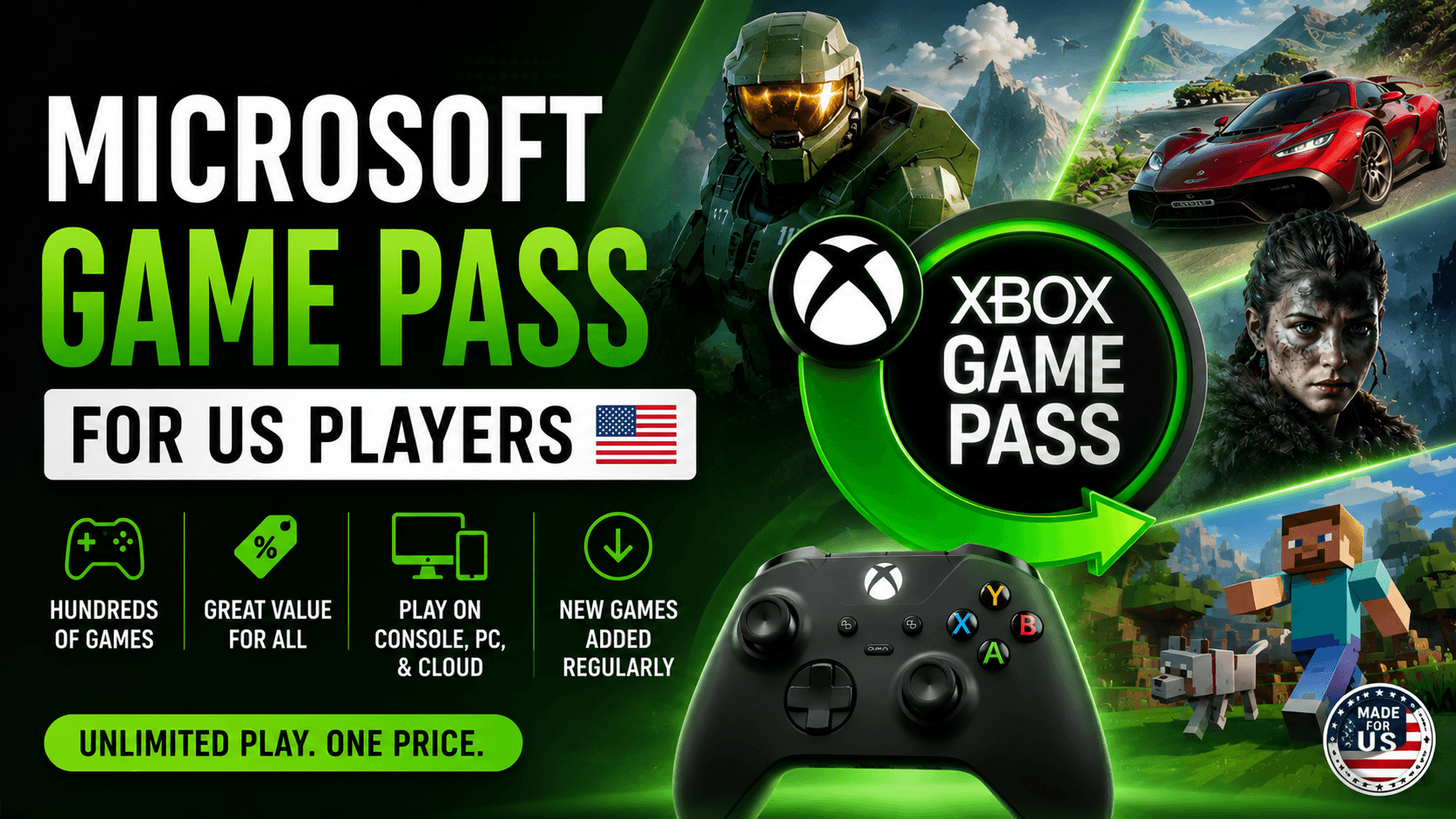
A lot of people search for Microsoft Game Pass, but the official product name is still Xbox Game Pass. That small naming difference matters because Microsoft owns Xbox, and Game Pass now reaches far beyond a traditional console subscription. It covers Xbox consoles, Windows PCs, cloud gaming, partner libraries, discounts, online multiplayer, and day-one releases depending on the plan.
For US players, Game Pass is not just a “cheap games library” anymore. It is more like Microsoft’s gaming membership system. The trick is knowing which plan actually fits how you play.
Some people should get Game Pass Ultimate without overthinking it. Some should pick PC Game Pass and save money. Some casual players may be fine with Essential or Premium. And some players should skip Game Pass completely and buy the few games they actually play.
This guide breaks it down in plain language.
Quick Answer: What Is Microsoft Game Pass?
Microsoft Game Pass, commonly known as Xbox Game Pass, is a monthly gaming subscription that gives players access to a rotating library of games across Xbox consoles, Windows PC, cloud-supported devices, or a mix of those platforms depending on the plan.
Xbox’s official Game Pass pages list current plan options such as Ultimate, Premium, Essential, and PC Game Pass. The service includes different benefits by tier, such as console games, PC games, cloud gaming, online console multiplayer, day-one games, EA Play, Ubisoft+ Classics, rewards, and member discounts.
The simplest way to understand it:
| You Search For | Official Name | What It Means |
|---|---|---|
| Microsoft Game Pass | Xbox Game Pass | Microsoft’s game subscription service |
| Microsoft Game Pass Ultimate | Xbox Game Pass Ultimate | Full plan for console, PC, cloud, online multiplayer, and day-one games |
| Microsoft PC Game Pass | PC Game Pass | Windows PC-focused Game Pass plan |
| Microsoft cloud gaming | Xbox Cloud Gaming | Game streaming through supported devices |
Microsoft Game Pass Plans in the US
Microsoft currently offers multiple Game Pass tiers. Each plan targets a different type of player.
| Plan | Best For | Main Idea |
|---|---|---|
| Game Pass Essential | Casual console players | Lower-cost access, online multiplayer, and a smaller library |
| Game Pass Premium | Console players who want more games but do not need day-one releases | Bigger library than Essential, but not the full Ultimate package |
| Game Pass Ultimate | Players who want the full Microsoft gaming subscription | Console, PC, cloud, day-one games, EA Play, Ubisoft+ Classics, and online multiplayer |
| PC Game Pass | Windows PC players | PC game library, day-one games, and EA Play for PC |
Xbox’s comparison page confirms that plan features vary by tier, region, platform, and availability.
Microsoft Game Pass Price in the US
Pricing changes over time, so it is worth checking Microsoft’s official Game Pass page before subscribing. The biggest recent update came in April 2026, when Microsoft lowered the US price of Game Pass Ultimate from $29.99 to $22.99 per month and PC Game Pass from $16.49 to $13.99 per month.
| Plan | Current US Price Mentioned by Xbox Sources | Best Value For |
|---|---|---|
| Game Pass Essential | Around $9.99/month | Casual Xbox users |
| Game Pass Premium | Around $14.99/month | Console players who want more games but not day-one releases |
| Game Pass Ultimate | $22.99/month | Console + PC + cloud + day-one players |
| PC Game Pass | $13.99/month | Windows PC players |
For many players, the price is not the main issue. The real question is whether you will actually use the library. If you only play one game for six months, Game Pass may feel expensive. If you try several games every month, it can become one of the better values in gaming.
What Do You Get With Microsoft Game Pass?
Game Pass is not one fixed package. The benefits depend heavily on the plan. That is where many people get confused.
Core benefits may include:
| Feature | What It Does | Usually Best In |
|---|---|---|
| Game library | Lets you play included games while they remain in the catalog | All plans |
| Day-one games | New releases available at launch | Ultimate and PC Game Pass |
| Online console multiplayer | Lets Xbox console players play online multiplayer | Essential, Premium, Ultimate |
| Xbox Cloud Gaming | Streams games to supported devices | Supported Game Pass plans |
| EA Play | Adds EA’s game library and benefits | Ultimate and PC Game Pass |
| Ubisoft+ Classics | Adds selected Ubisoft titles | Higher Game Pass tiers |
| Member discounts | Saves money on select games and add-ons | Game Pass plans |
| Rewards | Earn Microsoft Rewards points through eligible activity | Varies by plan |
Xbox states that day-one games are included only with Game Pass Ultimate and PC Game Pass, while Premium and Essential do not include day-one games. Premium users may get new Xbox-published games within one year of launch, excluding Call of Duty titles.
Game Pass Ultimate: The Full Microsoft Game Pass Experience
Game Pass Ultimate is the plan Microsoft pushes hardest because it includes the broadest set of benefits. It is built for players who use more than one device or want the fewest restrictions.
Ultimate is best if you:
- Own an Xbox console
- Also play on Windows PC
- Want cloud gaming
- Play online multiplayer
- Care about day-one games
- Want EA Play included
- Like trying different types of games every month
Xbox describes Ultimate as the top plan with broad access across console, PC, cloud-supported devices, day-one games, online console multiplayer, rewards, and partner benefits.
Game Pass Ultimate Feature Snapshot
| Feature | Included? |
|---|---|
| Xbox console games | Yes |
| PC games | Yes |
| Day-one games | Yes |
| Online console multiplayer | Yes |
| Xbox Cloud Gaming | Yes |
| EA Play | Yes |
| Ubisoft+ Classics | Yes |
| Member discounts | Yes |
| Rewards benefits | Yes |
Ultimate is the easiest recommendation for serious Xbox players. It costs more, but it also removes most of the usual limits.
PC Game Pass: Better for Windows-Only Players
PC Game Pass is the smarter choice if you do not own an Xbox console. It gives Windows players a strong game library at a lower price than Ultimate.
Microsoft’s April 2026 update lists PC Game Pass at $13.99 per month in the US.
PC Game Pass is a good fit if:
| Your Situation | PC Game Pass Makes Sense? |
|---|---|
| You only play on Windows PC | Yes |
| You want day-one games | Yes |
| You do not need Xbox console multiplayer | Yes |
| You do not use cloud gaming much | Usually yes |
| You want the cheapest plan with day-one access | Yes |
PC Game Pass also includes EA Play benefits for PC users. EA says Xbox Game Pass Ultimate and PC Game Pass subscribers get EA Play with their subscription.
For PC-only players, Ultimate may be too much unless you also want cloud gaming or console access.
Essential and Premium: Good, but Not for Everyone
Game Pass Essential and Premium are useful if you play on Xbox but do not care about day-one releases. They lower the monthly cost but also remove some of the headline benefits.
| Plan | Who Should Consider It | Main Limitation |
|---|---|---|
| Essential | Light Xbox users who want online multiplayer and basic access | Smaller library |
| Premium | Console players who want more games than Essential | No day-one games |
| Ultimate | Players who want everything | Higher monthly cost |
| PC Game Pass | PC-only users | No full console package |
The most important thing to remember: Essential and Premium are not the best choices if day-one games are your main reason for subscribing. Xbox clearly states day-one games are only included with Ultimate and PC Game Pass.
What Games Are Included With Microsoft Game Pass?
The Game Pass library changes all the time. New titles arrive, older games leave, and availability can vary by plan, platform, and region.
Xbox’s official library page lets users browse games by platform, genre, publisher, recently added titles, coming soon titles, and leaving-soon titles.
Typical categories include:
| Category | Why It Works Well on Game Pass |
|---|---|
| Action and adventure | Easy to try without buying full price |
| Racing | Great for casual sessions |
| RPGs | Good value if you play long games |
| Indie games | Best discovery category |
| Shooters | Useful for testing before buying |
| Sports games | Stronger with EA Play included |
| Simulation and strategy | Especially good for PC players |
| Family games | Good for households with mixed players |
The rotating catalog is both the best and worst part of Game Pass. You always have fresh games to explore, but you do not own them permanently unless you buy them.
Important Note About Day-One Games and Call of Duty
Day-one games are one of the biggest reasons people subscribe to Game Pass Ultimate or PC Game Pass. But there is an important exception.
Microsoft said future Call of Duty titles will not be added to Game Pass Ultimate or PC Game Pass at launch under its April 2026 update. Instead, new Call of Duty games are expected to come later, around the following holiday season, while existing Call of Duty titles already in the library remain available.
That matters if Call of Duty is your main reason for joining. For other day-one Xbox releases, Ultimate and PC Game Pass remain the plans to watch.
Xbox Cloud Gaming: The Most Underrated Part of Game Pass
Xbox Cloud Gaming lets players stream supported games instead of downloading them. It works through supported devices, Xbox consoles, the Xbox app, or xbox.com/play, depending on availability. Microsoft notes that cloud gaming requires a Game Pass subscription and a supported device, and that the game library varies.
Cloud gaming is useful when:
| Situation | Why Cloud Gaming Helps |
|---|---|
| Your Xbox storage is full | Try games without installing |
| You want to test a game quickly | No large download required |
| Someone else is using the TV | Play on another supported screen |
| You travel often | Continue games away from home |
| You play casual or slower-paced games | Latency matters less |
Cloud gaming is not perfect. Competitive shooters usually feel better when installed locally. But for RPGs, puzzle games, indie titles, turn-based games, and casual play, cloud gaming can be very convenient.
EA Play With Microsoft Game Pass
EA Play is one of the better partner benefits inside Game Pass. EA says users get EA Play with Xbox Game Pass Ultimate or PC Game Pass.
EA Play can include:
| EA Play Benefit | Why It Matters |
|---|---|
| EA game library | Access to selected EA titles |
| Trials of select new games | Try some new EA releases early or for limited time |
| Member rewards | In-game bonuses and extras |
| EA digital purchase discount | EA says EA Play offers a 10% discount on EA digital purchases |
For players who enjoy sports, racing, Star Wars, Battlefield, or older EA franchises, EA Play can make Ultimate or PC Game Pass feel more valuable.
Microsoft Game Pass Deals and Discounts
Game Pass is not only about renting access to games. It can also help you buy games for less.
Xbox says Game Pass Ultimate, Premium, and Essential members can save up to 50% on select Xbox Series X|S, Xbox One, backward compatible Xbox 360, and PC titles. Xbox also lists discounts for select Game Pass library games and add-ons.
| Discount Situation | Why It Helps |
|---|---|
| A game is leaving Game Pass | Buy it before you lose access |
| You finished a trial and liked it | Own the full game |
| DLC is on sale | Expand a game you already play |
| You want to cancel Game Pass | Buy your favorite titles first |
| You are building a digital library | Use discounts strategically |
This is the smart way to use Game Pass: try first, buy only what you truly want to keep.
Is Microsoft Game Pass Worth It?
Microsoft Game Pass is worth it if you actively play several games throughout the year. It is not worth it if you mostly stick to one or two games.
Let’s keep the math simple.
At $22.99 per month, Game Pass Ultimate costs about $275.88 per year before taxes. If you play four full-price $69.99 games through the service in a year, the value starts to make sense. If you play more than that, it can be a strong deal.
But if you only play one annual sports title, one shooter, or one free-to-play game, the subscription may not pay off.
Value by Player Type
| Player Type | Is Game Pass Worth It? | Best Plan |
|---|---|---|
| Plays many games monthly | Yes | Ultimate |
| Owns Xbox and PC | Yes | Ultimate |
| PC-only gamer | Yes | PC Game Pass |
| Casual Xbox player | Maybe | Essential or Premium |
| Only plays free-to-play games | Usually no | Skip or use Essential if needed |
| Plays one game all year | Usually no | Buy the game |
| Family household with varied tastes | Often yes | Ultimate or Premium |
Microsoft Game Pass vs Buying Games
Game Pass is not always better than buying games. It depends on how you play.
| Option | Best For | Weakness |
|---|---|---|
| Microsoft Game Pass | Players who like variety | You lose access when games leave |
| Buying games | Players who replay favorites | Higher upfront cost |
| Game Pass + buying favorites | Practical players | Requires attention to discounts |
The best strategy for many US players is a mix. Use Game Pass to discover games. Buy the games you know you will replay.
That approach keeps your costs lower while still giving you permanent access to your favorites.
Which Microsoft Game Pass Plan Should You Pick?
Here is the direct answer.
| Your Gaming Style | Recommended Plan |
|---|---|
| You want everything Microsoft offers | Game Pass Ultimate |
| You play on both Xbox and PC | Game Pass Ultimate |
| You only play on Windows PC | PC Game Pass |
| You want day-one releases | Ultimate or PC Game Pass |
| You only need casual console access | Essential |
| You want more than Essential but not Ultimate | Premium |
| You mostly play one game | Buy the game instead |
| You mostly play free-to-play titles | Skip Game Pass or choose the cheapest useful plan |
For most serious console players, Game Pass Ultimate is the cleanest option.
For PC-only players, PC Game Pass is the best value.
For casual players, Essential or Premium may be enough.
Pros and Cons of Microsoft Game Pass
| Pros | Cons |
|---|---|
| Large rotating game library | Games can leave the catalog |
| Strong value for active players | Monthly cost adds up |
| Day-one games on Ultimate and PC Game Pass | Not every major release launches day one |
| Cloud gaming support | Performance depends on internet quality |
| EA Play included with Ultimate and PC Game Pass | EA access may require account linking |
| Member discounts | You do not own games unless you buy them |
| Good for discovering new games | The library can feel overwhelming |
Smart Tips Before You Subscribe
1. Check the game library first
Do not subscribe blindly. Open the current Game Pass library and make sure there are at least three to five games you genuinely want to play. Xbox’s official library is the best place to check current availability.
2. Choose by device, not hype
If you only play on PC, get PC Game Pass. If you play on Xbox and PC, get Ultimate. Do not pay for features you will never use.
3. Watch the “Leaving Soon” section
Start with games that are leaving soon if you care about finishing them. Otherwise, you may lose access before you complete them.
4. Use cloud gaming as a test drive
Stream a game first when possible. If it feels worth your time, download it for better performance.
5. Cancel during slow months
Game Pass is not a lifetime commitment. If you are not playing, cancel and come back later.
Official Microsoft Game Pass Links
| Link Type | Use This For |
|---|---|
| Xbox Game Pass main page | See current plan offers and headline benefits. |
| Xbox Game Pass plan comparison | Compare Ultimate, Premium, Essential, and PC Game Pass. |
| Xbox Game Pass games library | Browse available games and leaving-soon titles. |
| Day-one Game Pass page | Confirm which plans include day-one games. |
| Game Pass deals page | Check member discounts and sale benefits. |
| Xbox Cloud Gaming page | Check cloud gaming requirements and supported access. |
| EA Play with Game Pass | Learn how EA Play works with Ultimate and PC Game Pass. |
Final Verdict
Microsoft Game Pass is best understood as a flexible gaming membership, not just a discount library. It works well for US players who like variety, play across multiple devices, or want access to new games without buying every title separately.
Game Pass Ultimate is the best overall plan if you play on Xbox, PC, and cloud-supported devices. It is also the strongest choice if you want day-one games, online console multiplayer, EA Play, Ubisoft+ Classics, and the broadest Microsoft gaming package.
PC Game Pass is the smarter pick if you only play on Windows PC.
Essential and Premium are better for casual Xbox players who want a lower monthly cost and do not care about day-one releases.
The service is worth it when you use it often. It is not worth it when you only play one game. That is the honest line.
FAQ
Is Microsoft Game Pass the same as Xbox Game Pass?
Yes. Most people who search for Microsoft Game Pass are referring to Xbox Game Pass, which is Microsoft’s official gaming subscription service under the Xbox brand.
How much is Microsoft Game Pass Ultimate in the US?
Game Pass Ultimate costs $22.99 per month in the US after Microsoft’s April 2026 price update.
How much is PC Game Pass in the US?
PC Game Pass costs $13.99 per month in the US after Microsoft’s April 2026 price update.
Does Microsoft Game Pass include day-one games?
Day-one games are included with Game Pass Ultimate and PC Game Pass. They are not included with Essential or Premium.
Does Microsoft Game Pass include EA Play?
EA says EA Play is included with Xbox Game Pass Ultimate and PC Game Pass.
Can I play Microsoft Game Pass games on PC?
Yes. PC Game Pass is designed for Windows PC users, and Game Pass Ultimate also includes PC access.
Does Microsoft Game Pass include cloud gaming?
Xbox Cloud Gaming is available through supported Game Pass subscriptions and supported devices. Microsoft says the game library varies and cloud gaming requires a Game Pass subscription plus a supported device.
Do I own games from Microsoft Game Pass?
No. You can play included games while your subscription is active and while the game remains in the Game Pass library. If a game leaves, you need to buy it to keep playing.
Which Microsoft Game Pass plan is best?
For most Xbox console players, Game Pass Ultimate is the best full-feature plan. For PC-only players, PC Game Pass is usually the better value.
🔥 Related Posts
Top Music Streaming Mod APKs with No Ads (2025 Edition)

Google Snake Doodle Game 2026: Play the Classic Lunar New Year Edition + Daily Challenges!

Top 20 Offline Mobile Games That Don’t Require Internet (2025 Edition)

Clair Obscur: Expedition 33 Gameplay Deep Dive: Reactive Combat & Surreal Wonders (2026)
The Impossible Quiz: A Complete Guide to the Internet’s Most Annoying Brain Game