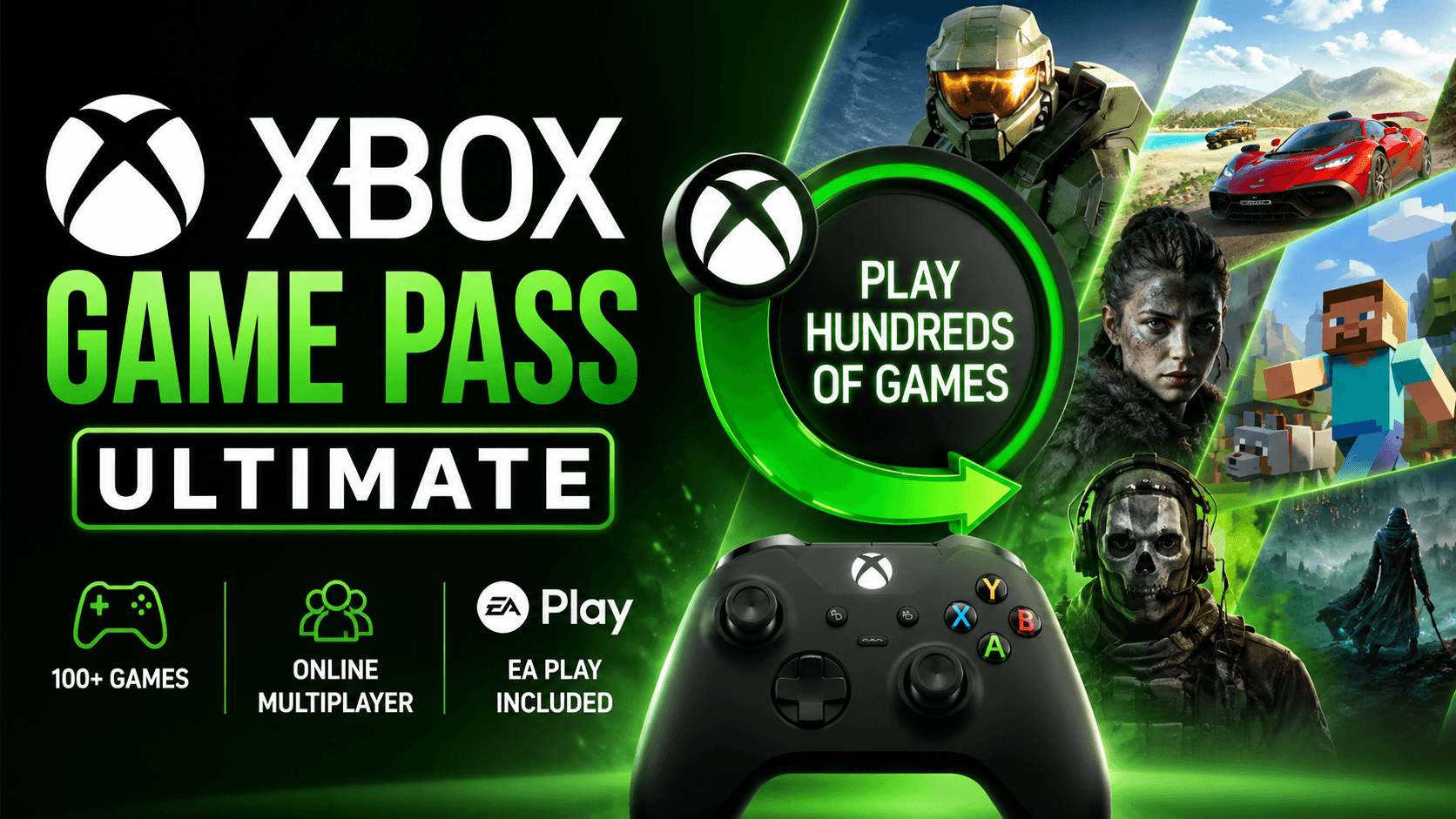
Xbox Game Pass Ultimate has become one of those subscriptions that sounds simple at first, then gets more interesting once you actually look at what is included. It is not just “Netflix for games.” That old comparison does not really explain it anymore.
For US players, Xbox Game Pass Ultimate is now the all-in Xbox subscription. It covers console, PC, online console multiplayer, cloud gaming, EA Play, Ubisoft+ Classics, selected perks, member discounts, and day-one access for many new releases. Microsoft also changed the price in 2026, dropping Xbox Game Pass Ultimate from $29.99 to $22.99 per month in the US starting April 21, 2026.
That price change matters because Game Pass Ultimate had started to feel expensive for casual players. At $22.99 per month, the question becomes more practical: do you play enough games, across enough devices, to get real value from it?
For many Xbox owners, the answer is yes. For others, PC Game Pass or buying games individually may still make more sense.
What Is Xbox Game Pass Ultimate?
Xbox Game Pass Ultimate is Microsoft’s top Game Pass plan. It combines access to a large rotating game library with premium benefits across Xbox consoles, Windows PC, cloud gaming, and online console multiplayer.
The official Xbox Game Pass library page lists key benefits such as day-one games, in-game benefits, multiplayer games, deals and discounts, Xbox PC app access, EA Play support, Ubisoft Connect support, Riot Games benefits, and Xbox Cloud Gaming.
In plain English, Ultimate is built for people who do not want to think too much about which Xbox subscription they need. It is the plan that covers the most devices and the most features.
You can use it on:
- Xbox Series X|S
- Xbox One
- Windows PC
- Supported handheld gaming PCs
- Supported phones, tablets, browsers, and smart TVs through cloud gaming
- Some Xbox Play Anywhere titles across console and PC
The best part is flexibility. You might download a big RPG on your Xbox, play a smaller indie game on PC, and test another title through cloud gaming before deciding whether it is worth installing.
Xbox Game Pass Ultimate Price in the US
As of Microsoft’s April 21, 2026 update, Xbox Game Pass Ultimate costs $22.99 per month in the United States. Microsoft stated that the plan dropped from $29.99 to $22.99 per month, while PC Game Pass dropped from $16.49 to $13.99 per month.
That puts Ultimate in a higher monthly price tier than most streaming services, but the comparison is not exactly fair. A single new Xbox game can cost $69.99. If you play even four or five full-price games from the service in a year, the subscription can start making sense.
Still, the value depends on behavior. Game Pass Ultimate is best for players who actually try new games often. If you only play one annual sports title, one shooter, or one free-to-play game, the monthly fee may not be worth it.
What Do You Get With Xbox Game Pass Ultimate?
Xbox Game Pass Ultimate includes a wide set of benefits. Some are obvious, like access to hundreds of games. Others are easy to overlook, like cloud gaming, EA Play, and online console multiplayer.
1. A Large Game Library
The biggest reason to subscribe is the game catalog. Microsoft says Ultimate includes 500+ games playable on console, PC, and more devices.
The library changes over time. Games are added, older titles leave, and availability can vary by region, platform, and plan. Xbox also notes that game titles, number, features, and availability vary over time by region, Game Pass plan, and platform.
That rotating nature is both a strength and a weakness. You always have something new to try, but you should not assume every game will stay forever.
2. Day-One Games
Day-one games are one of the main selling points. Xbox states that new releases on day one are available with Xbox Game Pass Ultimate and PC Game Pass, while Premium and Essential do not include day-one games.
This is where Ultimate feels different from a normal discount membership. Instead of waiting for a sale, you can sometimes play a major new release on launch day as part of your subscription.
One important detail: Microsoft said future Call of Duty titles will not join Game Pass Ultimate or PC Game Pass at launch. Instead, new Call of Duty games will be added during the following holiday season, about a year later, while existing Call of Duty titles already in the library remain available.
That is worth knowing if Call of Duty is your main reason for subscribing.
3. Xbox Cloud Gaming
Xbox Cloud Gaming is included with Game Pass Ultimate. Xbox describes cloud gaming as a way to play hundreds of high-quality games on devices you already have.
Cloud gaming is not perfect. Your experience depends heavily on your internet connection, latency, controller setup, and screen size. For competitive shooters, downloaded play is still usually better. But for trying games quickly, playing on a phone, or continuing a save away from your console, cloud gaming is useful.
For casual single-player games, turn-based games, cozy games, RPGs, and older titles, cloud gaming can feel surprisingly convenient.
4. Online Console Multiplayer
Ultimate includes online console multiplayer. This is important because many Xbox players still need a paid plan to play online multiplayer games on console. Xbox lists online console multiplayer as one of the included Ultimate benefits.
If you already pay for multiplayer access, Ultimate becomes easier to justify. You are not only paying for the game library. You are also replacing a separate online-play subscription.
5. EA Play Included
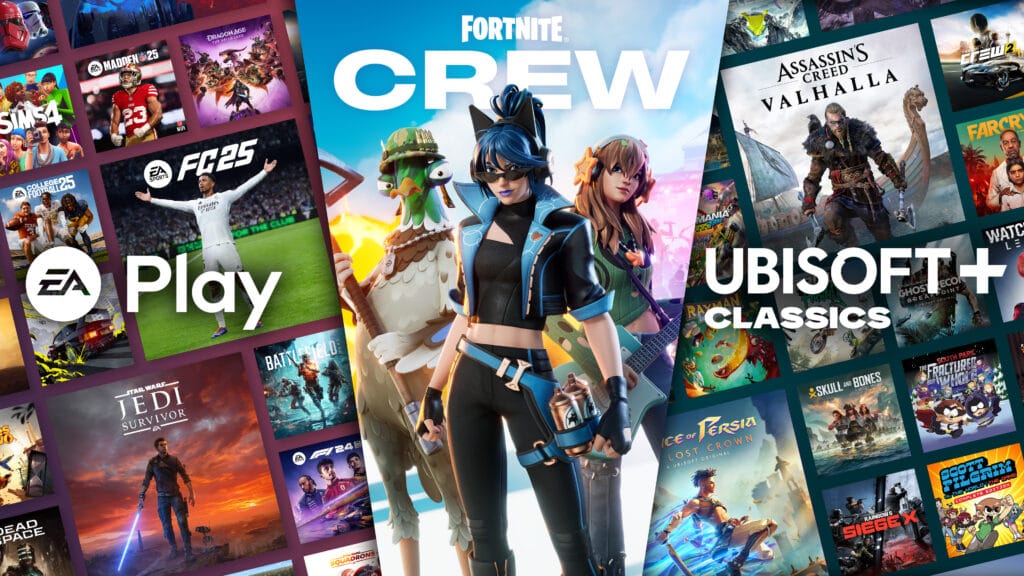
Xbox Game Pass Ultimate includes EA Play. EA’s own support page says Xbox Game Pass Ultimate includes EA Play for Xbox and EA Play for PC, while PC Game Pass includes EA Play for PC only.
EA Play adds a separate collection of EA titles, trials of select new games, rewards, and discounts. EA also notes that EA Play includes a 10% discount on games, DLC, and more, with Ultimate members able to use the discount in the Microsoft Store or EA app Store.
For players who enjoy sports games, racing games, Star Wars titles, Battlefield, or older EA franchises, this adds real value.
6. Ubisoft+ Classics and Other Partner Benefits
Xbox’s Game Pass pages list Ubisoft+ Classics as part of Ultimate benefits, along with partner benefits and in-game perks.
This does not mean you get the full Ubisoft+ Premium subscription. It means selected Ubisoft classics are included through the Game Pass ecosystem. For players who missed older Assassin’s Creed, Far Cry, or Ubisoft catalog titles, that can be a nice bonus.
7. Member Discounts and Perks
Game Pass members can get discounts on games and add-ons, plus in-game benefits. Xbox lists deals and discounts as a Game Pass benefit, along with in-game benefits for selected titles.
This matters most when a game is leaving the service. Xbox says games leaving the library can often be purchased with a member discount if you want to keep playing.
That is a smart middle ground. You can test a game through Game Pass, then buy it only if you actually care about owning it.
Is Xbox Game Pass Ultimate Worth It?
Xbox Game Pass Ultimate is worth it if you play multiple games per month, use both console and PC, care about online multiplayer, or want cloud gaming. It is less worth it if you only play one or two games all year.
The math is straightforward.
At $22.99 per month, Ultimate costs about $275.88 per year before tax. One full-price new game often costs around $69.99. If you play four full-price-quality games through Game Pass in a year, you are close to breaking even. If you play more than that, Ultimate can become a strong deal.
But the real value is not only price. It is discovery.
Game Pass makes it easier to try games you would never buy at full price. That is where the service shines. You can test a smaller indie game, a long RPG, a racing game, a simulator, or a co-op title without feeling like you wasted $40 to $70.
For busy adults, families, and casual players, that can be more valuable than owning a giant backlog of purchased games.
Who Should Get Xbox Game Pass Ultimate?
Get Ultimate if you own an Xbox console
If you play on Xbox Series X|S or Xbox One and you use online multiplayer, Ultimate is the cleanest option. You get multiplayer, a large game library, cloud gaming, and console access in one plan.
It makes the most sense for players who jump between genres. Shooters one week, racing the next, RPGs later, maybe a family game on the weekend.
Get Ultimate if you play on both Xbox and PC
This is one of the strongest use cases. PC Game Pass is cheaper, but Ultimate gives you both console and PC access. It also includes cloud gaming and broader benefits.
If you have a gaming PC and an Xbox in the living room, Ultimate is the plan that ties everything together.
Get Ultimate if you like trying new releases
Day-one access is still a major reason to subscribe. Xbox confirms that day-one games are included with Ultimate and PC Game Pass.
Just remember the Call of Duty exception. Future Call of Duty titles are not launching into Ultimate on day one under Microsoft’s 2026 update.
Get Ultimate if you use cloud gaming
Cloud gaming is easy to underestimate until you need it. Maybe your console storage is full. Maybe you want to test a game before downloading 100GB. Maybe someone else is using the TV. Maybe you want to play on a tablet.
Ultimate gives you that option.
Who Should Skip Xbox Game Pass Ultimate?
Skip it if you only play free-to-play games
If you mostly play Fortnite, Warzone, Apex Legends, Roblox, or other free-to-play games, Ultimate may be overkill. You might enjoy the perks, but you may not use enough paid library content to justify the monthly cost.
Skip it if you only play on PC
PC Game Pass is cheaper. Microsoft’s April 2026 update lists PC Game Pass at $13.99 per month in the US.
If you never use an Xbox console, never use cloud gaming, and only care about PC downloads, PC Game Pass may be the smarter choice.
Skip it if you prefer owning games
Some players simply like owning their games. That is valid. Game Pass is access, not permanent ownership. If a game leaves the catalog, you lose access unless you buy it. Xbox clearly states subscribers have access until the subscription ends or the game leaves the library.
If you replay the same few games for years, buying them outright may be better.
Xbox Game Pass Ultimate vs PC Game Pass
PC Game Pass is the better value for PC-only players. Ultimate is better for players who want everything.
Here is the simple breakdown:
| Feature | Xbox Game Pass Ultimate | PC Game Pass |
|---|---|---|
| US price | $22.99/month | $13.99/month |
| Console games | Yes | No |
| PC games | Yes | Yes |
| Day-one games | Yes | Yes |
| EA Play | Yes | Yes, PC only |
| Cloud gaming | Yes | Not the main benefit |
| Online console multiplayer | Yes | No |
| Best for | Console + PC + cloud users | PC-only players |
If you own an Xbox, Ultimate makes more sense. If you are strictly a Windows PC player, PC Game Pass is usually enough.
Xbox Game Pass Ultimate vs Buying Games
Buying games is still better when you know exactly what you want and you plan to play it for years. Game Pass is better when you like variety.
Think about it this way:
Buy the game if:
- You only care about one specific title
- You replay games often
- You want permanent access
- You play slowly and do not want catalog pressure
- You wait for sales
Subscribe to Ultimate if:
- You play several games per month
- You like discovering new titles
- You have both Xbox and PC
- You want online console multiplayer
- You want cloud gaming
- You care about day-one releases
The best strategy for many US gamers is a mix: subscribe when the library looks strong, cancel when you are not playing, and buy favorites when they go on sale.
Best Types of Games to Play With Game Pass Ultimate
Game Pass Ultimate works especially well for games you are curious about but not fully committed to buying.
Good categories include:
- Story-driven single-player games
- Racing games
- Indie games
- Co-op games
- Simulation games
- Sports games through EA Play
- Family games
- Strategy and tactics games
- Older franchises you missed
- Big RPGs you want to test before buying
It is also useful for “weekend games.” These are games you may finish quickly or only play once. Without Game Pass, you might never buy them. With Game Pass, you can try them with almost no risk.
Tips to Get More Value From Xbox Game Pass Ultimate
Check the “Leaving Soon” section
Do this first. If a game is leaving soon, decide whether to finish it, skip it, or buy it with a discount. Xbox’s library page includes a leaving-soon section and notes that members can buy leaving games and save up to 20%.
Use cloud gaming before downloading
Large games take time and storage. Cloud gaming lets you test some titles before committing to a full download.
Do not ignore PC games
Even if you mostly play on Xbox, the PC library can surprise you. Some games feel better with keyboard and mouse, especially strategy, management, and simulation games.
Set a monthly “play list”
Game Pass can become overwhelming. Pick two or three games each month instead of scrolling forever. One big game, one short game, one casual game. That habit makes the subscription feel more useful.
Cancel when you are not playing
There is no shame in canceling. If you are busy for a month or two, pause the subscription and come back when the library has games you want.
Common Complaints About Xbox Game Pass Ultimate
Game Pass Ultimate is good, but it is not perfect.
The biggest complaint is that games leave the library. That can be frustrating if you are halfway through a long RPG. Another issue is choice overload. A large library sounds great until you spend 30 minutes browsing and play nothing.
Cloud gaming can also be inconsistent. It works well for some players and poorly for others. Your home network matters. Your distance from servers matters. The device matters.
Finally, not every major release comes day one. Microsoft’s 2026 Call of Duty change is a clear reminder that Game Pass benefits can evolve.
Final Verdict: Should You Subscribe?
Xbox Game Pass Ultimate is worth it for most active Xbox players in the US, especially if they play online multiplayer, enjoy trying new games, or use both console and PC.
At $22.99 per month, it is not cheap. But it can still be a strong value if you actually use the library. The subscription is strongest for players who want flexibility: download on Xbox, play on PC, stream through cloud gaming, test new releases, and explore games they would not normally buy.
It is not the right plan for everyone. PC-only players should look closely at PC Game Pass. Players who only stick to one or two games may be better off buying those games directly.
For everyone else, Xbox Game Pass Ultimate remains one of the most complete gaming subscriptions available in the US. The best move is simple: subscribe when the library matches your taste, play actively, and cancel when it does not.
FAQ
How much is Xbox Game Pass Ultimate in the US?
Xbox Game Pass Ultimate costs $22.99 per month in the US as of Microsoft’s April 21, 2026 price update.
Does Xbox Game Pass Ultimate include EA Play?
Yes. EA says Xbox Game Pass Ultimate includes EA Play for Xbox and EA Play for PC.
Does Xbox Game Pass Ultimate include online multiplayer?
Yes. Xbox lists online console multiplayer as an Ultimate benefit.
Does Game Pass Ultimate include day-one games?
Yes. Xbox says day-one games are included with Xbox Game Pass Ultimate and PC Game Pass. Premium and Essential do not include day-one games.
Are new Call of Duty games included on day one?
No. Microsoft stated in April 2026 that future Call of Duty titles will not join Game Pass Ultimate or PC Game Pass at launch. They are expected to be added during the following holiday season, about a year later.
Can I keep games forever with Xbox Game Pass Ultimate?
No. You have access while your subscription is active and while the game remains in the Game Pass library. If a game leaves the library, you need to buy it to keep playing.
🔥 Related Posts

Subnautica 2 Release Date: Everything You Need to Know About the Early Access Launch

Video Game Music Composition: How to Write Music That Actually Works in a Game

Minecraft Story Mode: An Epic Adventure in the Blocky World
Xbox Game Pass New Games February 2026: Indika, Final Fantasy II, MENACE & Full Lineup Guide

The Ultimate Guide to Pokemon Showdown Team Builder (U.S. Edition)