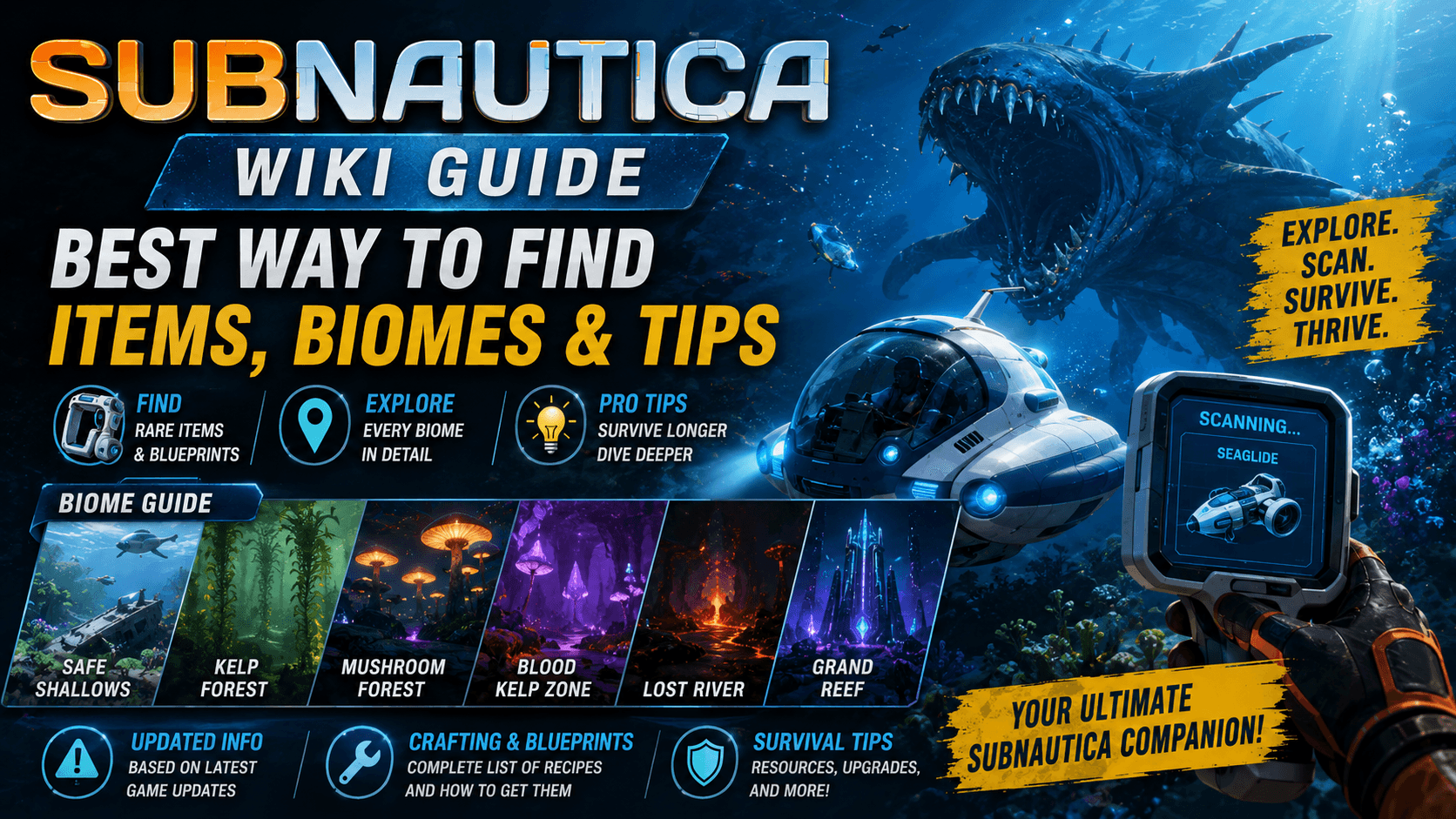
The Subnautica Wiki is one of the most useful resources for players who want help surviving, crafting, exploring, and understanding the world of Subnautica. The game drops you into a huge alien ocean with very little hand-holding. You wake up after a crash, look out at open water, and slowly realize that almost everything you need must be found, scanned, built, or figured out.
That is where the Subnautica Wiki becomes helpful. It works like a detailed player-made encyclopedia for the game. You can use it to look up crafting ingredients, vehicle parts, biome information, creatures, tools, base-building items, story locations, PDA entries, and survival tips. For new players, it can stop confusion. For returning players, it can save time. For completionists, it can help track down the things they missed.
Subnautica is not a normal survival game where every answer is obvious. A lot of progress depends on exploration. You may need to scan fragments before unlocking a blueprint. You may need better depth upgrades before reaching a deeper biome. You may need one specific resource but have no idea where it spawns. The wiki gives you the missing information without forcing you to waste hours swimming in the wrong direction.
Still, the best way to use the Subnautica Wiki is carefully. The game is built around mystery, fear, discovery, and exploration. If you read too much too early, you can spoil some of the best moments. The smartest approach is to explore naturally first, then use the wiki when you are stuck.
Quick Overview of the Subnautica Wiki
| Feature | Why It Helps |
|---|---|
| Item pages | Shows what an item is used for and where it may be found |
| Crafting information | Helps players understand recipes and required materials |
| Biome pages | Explains different areas, dangers, resources, and points of interest |
| Creature pages | Helps identify passive, defensive, and dangerous lifeforms |
| Vehicle pages | Explains tools like the Seamoth, Cyclops, and Prawn Suit |
| Base-building pages | Helps with habitat parts, power, storage, and upgrades |
| Story pages | Gives information about lore, locations, and major plot clues |
| Below Zero coverage | Helps players who move from Subnautica to Subnautica: Below Zero |
| Spoiler-heavy pages | Useful later, but risky for first-time players |
Why So Many Players Search for “Subnautica Wiki”
Players usually search for “Subnautica Wiki” when they hit a wall. Maybe they need magnetite. Maybe they cannot find Moonpool fragments. Maybe they keep dying in a dangerous biome. Maybe they found a strange alien structure and want to know whether they should enter it. Maybe they are trying to build the Cyclops and are missing one last blueprint.
That search intent is very practical. People are not only looking for general information about the game. They want answers that help them continue playing. A good Subnautica Wiki guide should help players understand how to use the wiki without ruining the experience.
The reason the wiki is so popular is simple: Subnautica rewards curiosity, but it does not always explain everything clearly. It gives you hints, radio messages, PDA entries, environmental clues, and fragments. But if you miss one clue, you can feel lost. The wiki fills that gap.
For USA players discovering the game in 2026, this is especially useful because the Subnautica series has grown. Many players are starting with the original game, moving into Below Zero, or checking the series again because of Subnautica 2. The wiki helps connect all of that information in one place.
Best Things to Use the Subnautica Wiki For
The Subnautica Wiki is useful for many things, but some pages are more helpful than others. Beginners should not read every page right away. Start with basic survival, crafting, resources, and vehicles. Save deep story pages for later.
| What You Need Help With | Best Wiki Pages to Check |
| Finding materials | Resource and raw material pages |
| Building equipment | Tool, equipment, and crafting pages |
| Unlocking vehicles | Seamoth, Cyclops, Prawn Suit, and fragment pages |
| Surviving dangerous areas | Biome and creature pages |
| Understanding progression | Walkthrough and blueprint pages |
| Building a base | Habitat builder, power, storage, and room pages |
| Finding story locations | PDA, alien facility, and location pages |
| Playing Below Zero | Below Zero item, biome, and story pages |
The best use of the wiki is not to read it like a book. Use it like a search tool. Look up exactly what you need, solve the problem, then return to the game.
How to Use the Subnautica Wiki Without Spoilers
Subnautica is one of those games where spoilers can seriously change the experience. The first time you discover a deep biome, hear a strange sound in the distance, or see a huge creature moving through the dark, the moment matters. If you already read everything on the wiki, that fear and surprise can disappear.
That does not mean you should avoid the wiki completely. It means you should use it with limits. If you need to know where to find silver ore, search for silver ore. If you need to know how to build a Mobile Vehicle Bay, search for that item. Do not click through every related story page unless you are ready for spoilers.
A good rule is this: use the wiki for mechanics first and story later. Mechanics include crafting, resources, tools, vehicles, depth modules, power systems, and base parts. Story pages include major locations, alien structures, disease information, ending details, and lore explanations. Those are better saved until you are deeper into the game.
| Safe to Search Early | Be Careful With |
| Basic resources | Major story locations |
| Crafting recipes | Ending pages |
| Early tools | Alien facility pages |
| Vehicle fragments | Disease and cure pages |
| Base power | Full walkthrough pages |
| Creature safety tips | Late-game biome pages |
Subnautica Wiki for Beginners
If you are new to Subnautica, the wiki can make the early game much easier. The first few hours are about staying alive, finding food and water, crafting basic tools, repairing equipment, scanning fragments, and learning which areas are safe.
The early game can feel confusing because the ocean looks open, but your character is limited by oxygen, depth, food, water, and equipment. You cannot just dive forever. You need better tanks, fins, tools, and vehicles before you can explore deeper areas. The wiki can help you understand what to build next without spoiling everything.
For beginners, the most helpful pages are usually about basic materials, the scanner, survival knife, repair tool, habitat builder, Seamoth fragments, and early biomes. These pages help you get stable. Once you have a small base, a vehicle, and a better understanding of the map, the game becomes much easier to manage.
Beginner Wiki Checklist
| Beginner Question | What to Search on the Wiki |
| How do I get water? | Water, bladderfish, filtered water |
| How do I repair the Lifepod? | Repair Tool |
| How do I scan fragments? | Scanner, fragments, blueprints |
| How do I build a base? | Habitat Builder |
| How do I get a vehicle? | Mobile Vehicle Bay, Seamoth |
| Where do I find copper? | Copper Ore, limestone outcrop |
| Where do I find silver? | Silver Ore |
| How do I go deeper? | High Capacity Tank, depth modules |
| What creatures are dangerous? | Creature pages and biome pages |
Subnautica Wiki for Crafting Recipes
Crafting is one of the biggest reasons players use the Subnautica Wiki. The game has many materials, and some recipes are not obvious until you unlock the blueprint. Even after you unlock something, you may not know where to find the required ingredients.
The wiki is useful because it connects items to their uses. If you find a resource and do not know whether it matters, the wiki can show what it is used for. If you want to build a tool, the wiki can show which materials you need. If you are missing one ingredient, the wiki can point you toward the right biome or outcrop type.
This is especially helpful for players who do not want to spend their whole session searching randomly. Subnautica is fun when you are exploring, but it can become frustrating when you need one material and have no idea where to look.
Common Crafting Searches
| Search Term | Why Players Search It |
| Scanner | Needed to unlock blueprints and scan lifeforms |
| Repair Tool | Important for early Lifepod progress |
| Habitat Builder | Required for base building |
| Mobile Vehicle Bay | Needed to build vehicles |
| Seamoth | First major personal vehicle for many players |
| Cyclops | Large submarine used for deeper exploration |
| Prawn Suit | Useful for deep and dangerous areas |
| Power Cell | Needed for vehicles and energy systems |
| Depth Module | Helps vehicles go deeper |
| Modification Station | Used for important equipment upgrades |
Subnautica Wiki for Resources and Materials
Resource hunting is one of the most common reasons players open the wiki. Subnautica has many materials, and different resources appear in different areas. Some are found in outcrops. Some are picked from plants. Some require special tools. Some are found only in deeper or more dangerous biomes.
The wiki helps because it usually tells you where a resource can be found and what it is used for. This matters because inventory space is limited. New players often pick up everything, then run out of storage. Once you understand which resources are useful, you can collect smarter.
A good habit is to search a material before throwing it away. Some items that seem useless early become important later. The wiki helps you avoid wasting rare materials or ignoring something you will need for upgrades.
Useful Resource Categories
| Resource Type | Examples of What Players Look For |
| Basic ores | Copper, titanium, silver, gold |
| Advanced materials | Magnetite, lithium, nickel, kyanite |
| Plant materials | Creepvine samples, seed clusters, gel sacks |
| Fauna-related items | Eggs, teeth, organic samples |
| Crafted materials | Glass, lubricant, wiring kit, computer chip |
| Late-game materials | Rare deep biome resources |
Subnautica Wiki for Biomes
Biome pages are some of the most valuable pages on the Subnautica Wiki. Subnautica is not just one big ocean. It is made of different areas with different depths, creatures, resources, sounds, colors, and danger levels. Knowing which biome you are in can completely change how you play.
Early biomes are usually safer and easier to explore. Deeper biomes often have better resources but more danger. Some biomes are important for story progression. Some are useful for specific materials. Some are places you should not enter until you have better equipment.
The wiki can help you understand a biome before going there. It may tell you what resources are available, what creatures live there, how deep it is, and what important locations can be found. This is useful when you are planning a trip and do not want to lose your vehicle or die far from your base.
Biome Research Table
| What to Check Before Entering a Biome | Why It Matters |
| Depth range | Helps you know if your vehicle can survive |
| Hostile creatures | Helps you prepare or avoid danger |
| Resources | Tells you if the trip is worth it |
| Points of interest | Helps with story and blueprint progress |
| Entrances and exits | Important for caves and deep zones |
| Recommended equipment | Helps avoid getting trapped or underprepared |
Subnautica Wiki for Creatures
The creatures in Subnautica are a huge part of the game’s identity. Some are harmless. Some are useful. Some are annoying. Some are terrifying. The wiki helps players identify what they are dealing with.
This is especially helpful because Subnautica does not always explain a creature immediately. You may hear a roar before you see anything. You may get attacked without knowing what hit you. You may avoid a creature that is not actually dangerous. A creature page can help you understand behavior, danger level, habitat, and possible uses.
For new players, it is better to search creatures after you encounter them, not before. That keeps the surprise alive. If something attacks you and you want to know what happened, then check the wiki.
Creature Page Uses
| Creature Information | Why It Helps |
| Aggression level | Helps you know whether to avoid or ignore it |
| Habitat | Helps identify where you found it |
| Behavior | Explains how it reacts to the player |
| Damage risk | Helps with survival planning |
| Scan information | Adds lore and biological detail |
| Related resources | Some creatures connect to useful materials |
Subnautica Wiki for Vehicles
Vehicles are a major part of Subnautica progression. Once you unlock vehicles, the game opens up. You can travel farther, dive deeper, carry more items, and survive in areas that were previously too risky.
The wiki is very helpful here because vehicle progress can be confusing. You may need to scan multiple fragments before unlocking a blueprint. You may also need a Mobile Vehicle Bay, power cells, upgrade modules, and specific materials. If you are missing one piece, the wiki can help you find the path forward.
The Seamoth is often the first vehicle players focus on. The Cyclops is larger and more complex. The Prawn Suit is useful for deep and dangerous areas. Each vehicle has different strengths, upgrades, and limitations.
Vehicle Comparison Table
| Vehicle | Best For | Why the Wiki Helps |
| Seaglide | Early movement and faster swimming | Helps find crafting materials and battery needs |
| Seamoth | Mid-game exploration and safer travel | Helps with fragments, upgrades, and depth modules |
| Cyclops | Long-distance travel and mobile storage | Helps with parts, power management, and upgrades |
| Prawn Suit | Deep exploration and resource gathering | Helps with arms, upgrades, and deep biome use |
Subnautica Wiki for Base Building
Base building can be simple or advanced, depending on how you play. Some players build one small base near the Lifepod. Others build several bases across the map. Some players build large underwater homes with storage rooms, power systems, moonpools, farms, and vehicle docks.
The wiki helps because base building has many connected systems. You need power. You need oxygen. You need structure strength. You need the right rooms and modules. You may also need specific blueprints before you can build certain parts.
For beginners, the most important base-building topics are the Habitat Builder, multipurpose room, solar panels, storage, fabricator, battery charger, power cell charger, scanner room, and moonpool. Once you understand those, your base becomes more useful than just a safe place to stand.
Base-Building Wiki Topics
| Topic | Why It Matters |
| Habitat Builder | Needed to create base pieces |
| Solar Panel | Simple early power source |
| Multipurpose Room | Useful central room for storage and crafting |
| Reinforcement | Helps with hull strength |
| Scanner Room | Helps locate nearby resources |
| Moonpool | Useful for docking and upgrading vehicles |
| Battery Charger | Helps manage tool power |
| Power Cell Charger | Helps manage vehicle power |
| Alien Containment | Useful for creature eggs and farming |
Subnautica Wiki for Story Progression
The story in Subnautica is not told like a normal linear game. You do not simply follow a mission marker from one chapter to the next. You explore, receive signals, scan alien technology, read PDA entries, find abandoned locations, and slowly understand what happened.
The wiki can help if you are truly stuck, but this is also where spoilers become dangerous. Story pages can reveal major discoveries, late-game locations, and the ending. If you are playing for the first time, avoid reading full story summaries too early.
A better option is to search only the location or clue you are currently dealing with. If a radio message sends you somewhere, search that location only if you cannot figure out what to do. If you find a strange alien structure, explore it first before reading the wiki page.
Spoiler-Safe Story Method
| Situation | Best Way to Use the Wiki |
| You received a radio signal | Search the location name only if needed |
| You found an alien structure | Explore first, read later |
| You are missing a blueprint | Search the blueprint, not the full story |
| You are stuck for hours | Use a walkthrough section carefully |
| You finished the game | Read lore pages freely |
Subnautica Wiki vs Walkthroughs
The Subnautica Wiki and a full walkthrough are not the same thing. The wiki is better for looking up specific information. A walkthrough is better when you want step-by-step direction.
If you are a first-time player, the wiki is usually better than a full walkthrough because it gives you answers without controlling your whole playthrough. A walkthrough can be useful if you are completely lost, but it can also remove the sense of discovery.
For most players, the best method is to use the wiki first. Search the item, biome, or tool you need. If that does not solve the problem, then check a walkthrough.
| Resource Type | Best For | Main Risk |
| Subnautica Wiki | Specific items, resources, creatures, and biomes | Some pages contain spoilers |
| Full walkthrough | Step-by-step progression help | Can spoil discovery |
| YouTube guide | Visual help for locations and puzzles | Can reveal too much |
| Reddit/community posts | Player advice and troubleshooting | Information may be outdated or opinion-based |
Subnautica Wiki for Below Zero
Subnautica: Below Zero has its own items, creatures, biomes, vehicles, characters, and story details. Players who move from the original game to Below Zero should not assume everything works exactly the same. The world is colder, the tone is different, and the game has more direct story elements.
The wiki is useful because it helps players compare the two games. If you are used to the original Subnautica, you may search for familiar tools or vehicles and discover that Below Zero handles some things differently. You may also need help with temperature, surface areas, new biomes, and new resources.
Below Zero pages are especially helpful for players who return to the series after finishing the original game years ago. You can quickly understand what changed without reading a full beginner guide from scratch.
Original Subnautica vs Below Zero Wiki Use
| Game | What Players Usually Search |
| Subnautica | Seamoth, Cyclops, Aurora, Lost River, Lava Zone, alien facilities |
| Below Zero | Seatruck, temperature, Sector Zero, new biomes, new creatures, story locations |
| Both games | Resources, crafting, base building, upgrades, survival tools |
Is the Subnautica Wiki Official?
The Subnautica Wiki is best understood as a community wiki, not the same thing as an official developer manual. It is maintained by contributors and fans, which makes it very detailed, but players should still use judgment.
For most gameplay questions, the wiki is helpful. But when you need the latest official news about release dates, updates, platforms, patches, or Subnautica 2 development, it is better to check official Unknown Worlds pages, Steam pages, or official announcements.
This matters because wiki pages can sometimes lag behind new updates. Community pages are usually strong for established information, but official sources are better for current release details.
When to Use the Wiki vs Official Sources
| Need | Best Source |
| Crafting recipes | Subnautica Wiki |
| Resource locations | Subnautica Wiki |
| Creature details | Subnautica Wiki |
| Biome information | Subnautica Wiki |
| Patch notes | Official developer posts |
| Release dates | Official game pages or storefronts |
| Platform availability | Steam, console stores, official pages |
| Subnautica 2 Early Access updates | Official Unknown Worlds or storefront pages |
Common Subnautica Wiki Searches
Many players search the same topics because Subnautica has a few natural points where people get stuck. These are good keyword opportunities for content writers because they match real player problems.
| Common Search | Search Intent |
| Subnautica Wiki map | Player wants location help |
| Subnautica Wiki biomes | Player wants area information |
| Subnautica Wiki resources | Player wants materials and farming help |
| Subnautica Wiki vehicles | Player wants Seamoth, Cyclops, or Prawn Suit help |
| Subnautica Wiki fragments | Player wants blueprint unlock locations |
| Subnautica Wiki creatures | Player wants danger and behavior details |
| Subnautica Wiki walkthrough | Player is stuck in progression |
| Subnautica Below Zero Wiki | Player wants help with the sequel |
| Subnautica Wiki console commands | Player wants commands or bug help |
| Subnautica Wiki crafting | Player wants recipes and ingredients |
Best Way to Search the Subnautica Wiki
The fastest way to use the wiki is to search by the exact item or problem. Do not search broad terms first unless you are exploring. Search “magnetite,” “Moonpool,” “Seamoth depth module,” “Scanner Room,” or “Lost River” instead of just “Subnautica help.”
Specific searches save time and reduce spoilers. A broad search may take you to pages that reveal late-game information. A specific search gives you the answer you need.
You can also use the wiki’s related pages, but be careful. Related links can pull you deeper into spoilers quickly. If you are early in the game, only click what you actually need.
Search Tips Table
| Bad Search | Better Search |
| Subnautica help | Subnautica silver ore location |
| Subnautica vehicle | Subnautica Seamoth fragments |
| Subnautica base | Subnautica Habitat Builder guide |
| Subnautica scary monster | Subnautica Reaper Leviathan behavior |
| Subnautica story | Subnautica radio signal location |
| Subnautica upgrade | Subnautica depth module materials |
Why the Subnautica Wiki Is Still Useful in 2026
The Subnautica Wiki is still useful in 2026 because the series keeps attracting new players. The original Subnautica remains one of the best survival games for players who like exploration, tension, crafting, and underwater mystery. Below Zero adds another full adventure, and Subnautica 2 has brought even more attention back to the franchise.
That means many players are discovering the first game now, years after its original release. For them, the wiki is not old news. It is a survival tool. It helps them understand a game that can otherwise feel mysterious and overwhelming.
The wiki also helps returning players. If you played Subnautica years ago and forgot where to find certain resources or how to unlock a vehicle, the wiki saves time. You do not need to replay blindly. You can refresh your memory and get back into the ocean.
Subnautica Wiki Tips for Content Writers
If you are writing a blog post around “Subnautica Wiki,” remember that the keyword is broad. People searching it may want different things. Some want the wiki link. Some want a beginner explanation. Some want crafting help. Some want a map. Some want Below Zero information. Some want spoiler-safe guidance.
A strong article should cover all of those angles without becoming messy. Start with what the wiki is. Then explain how to use it. Then cover crafting, resources, biomes, creatures, vehicles, base building, story spoilers, and Below Zero. Tables help because readers often scan gaming guides quickly.
You should also use natural internal links. A “Subnautica Wiki” article can link to separate guides about resources, vehicles, beginner tips, console commands, Below Zero, and Subnautica 2. That creates a strong topical cluster.
Suggested Content Cluster
| Main Article | Supporting Articles |
| Subnautica Wiki guide | Subnautica beginner guide |
| Subnautica crafting guide | Best resources to collect early |
| Subnautica vehicle guide | Seamoth, Cyclops, and Prawn Suit guide |
| Subnautica biome guide | Safest and most dangerous biomes |
| Subnautica Below Zero guide | Below Zero beginner tips |
| Subnautica 2 guide | Early Access beginner guide |
Final Verdict: Is the Subnautica Wiki Worth Using?
Yes, the Subnautica Wiki is absolutely worth using, especially if you are new, stuck, or returning after a long break. It can help you find resources, understand crafting, unlock vehicles, prepare for dangerous biomes, identify creatures, build better bases, and avoid wasting time.
The only warning is spoilers. Subnautica is at its best when you feel lost, nervous, curious, and surprised. If you read every major story page before playing, you may lose some of that magic. Use the wiki as a tool, not as a replacement for exploration.
The best strategy is simple. Explore first. Search only when stuck. Use item and resource pages freely. Be careful with story pages. Mark important information for later. If you use it that way, the Subnautica Wiki can make the game smoother without ruining what makes it special.
For new players in 2026, the wiki is still one of the best companions you can have before diving deeper into Planet 4546B.
🔥 Related Posts

Riot Games — The Complete Story: History, Culture, Games & Impact

Helldivers Wiki — The Complete USA Guide to Missions, Weapons, Factions & Gameplay

Minecraft Bedrock Edition: The Complete USA Guide for New & Returning Players

League of Legends Guide: How to Play, Download, Roles and Beginner Tips

AION 2 on Steam: Release, Download, Classes, System Requirements and What to Know