Amazon Prime Gaming is one of the most underrated benefits included with an Amazon Prime membership. Most people sign up for Prime because they want fast shipping, Prime Video, Prime Day deals, or grocery savings. But if you play games on PC, console, mobile, Twitch, or Amazon Luna, Prime Gaming can quietly add real value every month.
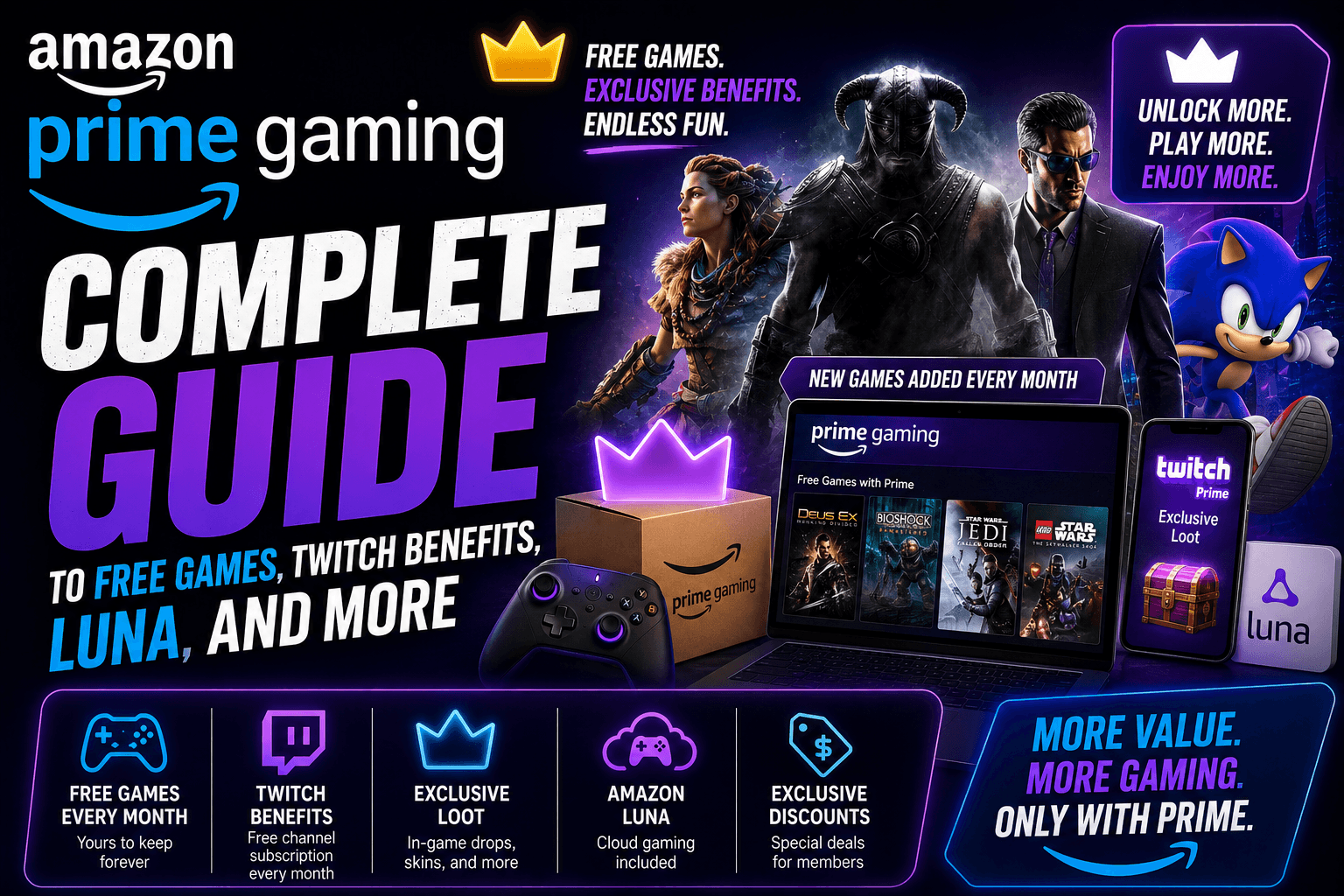
The idea is simple: Amazon gives Prime members gaming perks at no extra cost. These perks can include free PC games, in-game rewards, a monthly Twitch channel subscription, and access to selected cloud games through Amazon Luna.
For casual gamers, Twitch viewers, families, and PC players who like building a free game library over time, Prime Gaming is worth checking every month. It is not a full replacement for Xbox Game Pass, PlayStation Plus, or Steam. But as a bonus inside Prime, it can be a strong deal.
Quick Answer: What Is Amazon Prime Gaming?
Amazon Prime Gaming is a gaming benefit included with Amazon Prime. It gives eligible Prime members access to free games, in-game content, Twitch perks, and selected Amazon Luna cloud gaming benefits.
In simple words:
Prime Gaming is Amazon’s gaming reward system for Prime members.
You sign in with your Amazon account, claim available offers, connect your game accounts when needed, and use the rewards inside supported games or game stores.
Some offers are downloadable PC games. Some are game codes. Some unlock skins, currency, boosts, cosmetics, or packs inside popular games. Twitch users also get one monthly channel subscription that can be used to support a streamer.
Prime Gaming Overview Table
| Feature | What It Means |
|---|---|
| Main Benefit | Free games and in-game rewards for Prime members |
| Cost | Included with Amazon Prime |
| Best For | PC gamers, Twitch viewers, casual gamers, families, Amazon Prime users |
| Free Games | Rotating selection of claimable PC games |
| In-Game Content | Skins, packs, currency, boosts, cosmetics, and other rewards |
| Twitch Benefit | One monthly Twitch channel subscription |
| Luna Benefit | Selected cloud games included with Prime through Amazon Luna |
| Game Ownership | Claimed games may be kept depending on the platform and offer terms |
| Main Weakness | Offers change monthly and must be claimed before they expire |
How Amazon Prime Gaming Works
Prime Gaming works like a monthly reward hub. You visit the Prime Gaming page, sign in with your Amazon Prime account, and browse the current offers.
Some offers can be claimed instantly. Others require you to link an external account, such as a game publisher account, Twitch account, Epic Games account, GOG account, or Amazon Games app account.
The process usually looks like this:
- Sign in with your Amazon Prime account.
- Open the Prime Gaming rewards page.
- Browse available games and in-game content.
- Click “Claim” on the offer you want.
- Link your game account if required.
- Follow the instructions to redeem the reward.
- Download the game or open the supported game to use your content.
The important thing is that Prime Gaming rewards are not automatic. You usually have to claim them before the deadline.
What Do You Get With Amazon Prime Gaming?
Amazon Prime Gaming includes several types of gaming benefits.
| Prime Gaming Benefit | What You Get | Best For |
| Free PC Games | Downloadable games or game codes | PC players building a game library |
| In-Game Content | Skins, currency, packs, boosts, cosmetics | Players of live-service games |
| Twitch Channel Subscription | One monthly subscription to a Twitch channel | Twitch viewers and streamer supporters |
| Amazon Luna Games | Selected cloud games included with Prime | Casual players and Fire TV users |
| GameNight Titles | Easy multiplayer games through Luna | Families and party gaming |
| Limited-Time Promotions | Special gaming offers during events | Deal hunters and active Prime members |
Prime Gaming is not just one thing. It is a mix of free games, digital bonuses, Twitch support, and cloud gaming access.
Is Amazon Prime Gaming Free?
Amazon Prime Gaming is not completely free by itself. It is included with Amazon Prime.
That means you do not pay a separate Prime Gaming bill, but you do need an active Prime membership to access most benefits.
For U.S. users, Amazon Prime is commonly available as a monthly or annual subscription. Students, young adults, and eligible government assistance recipients may have discounted options depending on current Amazon terms.
So the better answer is:
Prime Gaming is included at no extra cost with Amazon Prime, but Amazon Prime itself is a paid membership.
If you already pay for Prime, Prime Gaming is a benefit you should use. If you are thinking about joining Prime only for gaming, compare the game list first.
Amazon Prime Gaming Free Games Explained
One of the biggest reasons people search for Amazon Prime Gaming is free games.
Every month, Amazon offers a rotating selection of games that Prime members can claim. These games are usually PC-focused, and the redemption method can vary.
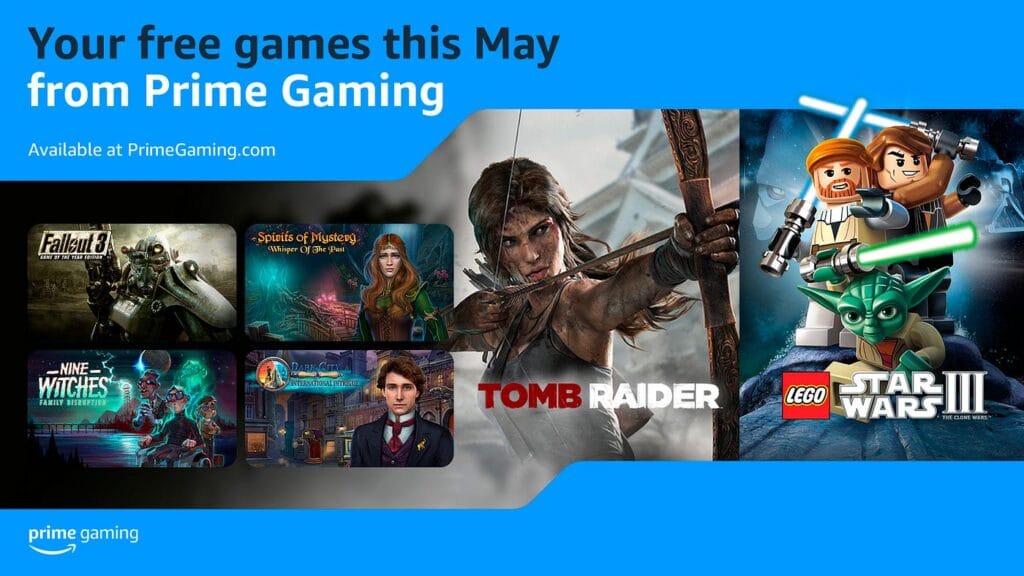
Some games may be claimed through:
- Amazon Games app
- GOG codes
- Epic Games Store
- Legacy Games
- Other supported platforms
Once claimed correctly, many PC games can remain in your game library, even after the monthly offer expires. However, the exact terms depend on the game and platform, so always read the offer instructions before claiming.
Why Free Games With Prime Are Easy to Miss
Prime Gaming free games often come in waves. Some games are available at the beginning of the month, while others may unlock later.
That means a user who checks only once may miss part of the monthly lineup.
A smart habit is to check Prime Gaming once a week. It takes a few minutes and can help you collect games over time without spending extra money.
What Kind of Games Are Usually Included?
The Prime Gaming free games library changes often, but the selection usually includes a mix of older premium titles, indie games, classic games, puzzle games, adventure games, strategy games, and occasional bigger-name releases.
Common categories include:
- Action games
- Adventure games
- Puzzle games
- Strategy games
- Retro games
- Indie games
- Hidden object games
- Racing games
- RPGs
- Family-friendly titles
Do not expect every month to include a brand-new AAA release. Prime Gaming is better viewed as a steady bonus library, not a premium day-one release service.
Prime Gaming In-Game Rewards
Free games are only one part of Prime Gaming. Many players use it mainly for in-game content.
Prime Gaming rewards may include:
- Character skins
- Weapon skins
- Currency packs
- XP boosts
- Starter packs
- Bonus items
- Emotes
- Loot boxes or reward bundles
- Seasonal cosmetics
- Mobile game rewards
These rewards can be useful if you already play the supported game. For example, a player who spends time in a popular multiplayer, mobile, or live-service game may get more value from in-game rewards than from the monthly free PC games.
The catch is simple: you usually need to link the correct game account before the reward appears.
Prime Gaming and Twitch: How the Free Monthly Sub Works
Prime Gaming also includes a monthly Twitch channel subscription. This is one of the most valuable benefits for Twitch viewers.
A regular Twitch subscription costs money, but Prime members can use one Prime subscription each month on an eligible Twitch channel.
This lets you support a streamer without paying an extra subscription fee.
What You May Get With a Twitch Prime Sub
Benefits can vary by channel, but Twitch subscribers often get:
- Subscriber badge
- Custom emotes
- Subscriber-only chat access
- Channel-specific perks
- Ad-free viewing on that subscribed channel when offered by the channel
- A way to support a creator financially
The important detail is that the Prime Twitch subscription does not usually auto-renew. You need to manually use it again each month.
That is good if you want flexibility. You can support the same streamer every month or switch to a different channel.
Prime Gaming and Amazon Luna
Amazon Luna is Amazon’s cloud gaming service. It lets users stream games on supported devices without buying a console or downloading large files.
Prime members can access selected Luna games as part of their Prime benefits. This makes Prime Gaming more interesting for people who do not own a gaming PC or console.
With Luna, you can play selected games on devices such as:
- Fire TV
- Supported smart TVs
- PC browser
- Mac browser
- Tablets
- Smartphones
- Other compatible devices
Luna is especially useful for casual players and families because some games are designed for easy living room play.
Prime Gaming vs Amazon Luna
| Feature | Prime Gaming | Amazon Luna |
| Main Purpose | Claim games, rewards, and Twitch perks | Stream games through the cloud |
| Best For | PC gamers, Twitch viewers, reward collectors | Casual players, Fire TV users, families |
| Download Needed? | Sometimes, for PC games | No for cloud games |
| Included With Prime? | Yes | Selected Luna games are included with Prime |
| Game Type | Free games, codes, in-game rewards | Cloud-streamed games |
| Best Device | PC and browser | Fire TV, smart TV, browser, mobile |
Prime Gaming is the benefit hub. Luna is the cloud gaming platform. The two now overlap because Prime members can access selected Luna gaming content.
Amazon Prime Gaming vs Xbox Game Pass
Many users compare Prime Gaming with Xbox Game Pass, but they are not the same type of service.
| Feature | Amazon Prime Gaming | Xbox Game Pass |
| Main Value | Bonus gaming perks inside Prime | Full game subscription service |
| Best For | Prime members and casual gamers | Regular gamers who want a large library |
| Free Games | Rotating claimable games | Playable while subscribed |
| Cloud Gaming | Through Luna benefits | Through Xbox Cloud Gaming on eligible plans |
| Twitch Perks | Yes, monthly channel subscription | No direct Twitch Prime-style benefit |
| Price Structure | Included with Prime | Separate gaming subscription |
| Best Use Case | Extra value if you already use Prime | Main gaming subscription |
If you already pay for Prime, Prime Gaming is a nice bonus. If gaming is your main hobby, Xbox Game Pass may offer a deeper gaming library.
Amazon Prime Gaming vs PlayStation Plus
| Feature | Prime Gaming | PlayStation Plus |
| Best Platform | PC, Twitch, Luna, mobile rewards | PlayStation consoles |
| Free Monthly Games | Yes, rotating PC-focused offers | Yes, console-focused monthly games |
| Online Multiplayer | Not the main purpose | Required for many PlayStation online games |
| Cloud Gaming | Through Luna | Available in higher PlayStation Plus tiers |
| Twitch Channel Sub | Yes | No |
| Best For | Prime users and PC reward hunters | PlayStation owners |
PlayStation Plus is better for PlayStation users. Prime Gaming is better for people who already use Amazon Prime and want extra game value without buying another console service.
Amazon Prime Gaming vs Steam
Prime Gaming and Steam are also different.
Steam is a full PC gaming store and launcher. Prime Gaming is a benefits program that gives you claimable games and rewards.
| Feature | Prime Gaming | Steam |
| Type | Prime membership benefit | PC game store |
| Game Buying | Limited to claimable offers | Huge store library |
| Free Games | Monthly offers | Free-to-play games and sales |
| Ownership | Depends on claimed platform | Purchased games stay in Steam library |
| Best For | Collecting bonus games and rewards | Buying and managing PC games |
A smart PC gamer can use both. Steam can be your main game library. Prime Gaming can be your monthly bonus source.
Who Should Use Amazon Prime Gaming?
Amazon Prime Gaming is best for users who already have Prime and play games at least occasionally.
You should use Prime Gaming if:
- You already pay for Amazon Prime
- You play PC games
- You watch Twitch
- You play mobile or online games with reward offers
- You like collecting free games
- You own a Fire TV or use Amazon Luna
- You want gaming value without another subscription
- You enjoy checking monthly offers
For these users, Prime Gaming is almost a no-brainer. The biggest mistake is paying for Prime and never claiming the gaming benefits.
Who May Not Need Prime Gaming?
Prime Gaming may not matter much if:
- You do not play video games
- You do not watch Twitch
- You only play on Nintendo Switch
- You never use PC game stores
- You dislike making extra accounts
- You forget to claim monthly offers
- You want brand-new AAA games on release day
Prime Gaming has value, but only if you actually use it.
Is Amazon Prime Gaming Worth It?
Amazon Prime Gaming is worth it if you already have Prime. It adds free games, in-game rewards, Twitch support, and Luna gaming access without a separate monthly fee.
It is less convincing if you are considering Prime only for gaming. In that case, you should check the current monthly games, Twitch benefits, and Luna lineup before subscribing.
Simple Verdict
| User Type | Is Prime Gaming Worth It? |
| Existing Prime member | Yes, definitely use it |
| PC gamer | Yes, especially for free games |
| Twitch viewer | Yes, because of the monthly channel subscription |
| Console-only gamer | Maybe, depending on rewards |
| Mobile gamer | Maybe, if your games have Prime rewards |
| Fire TV user | Yes, because Luna adds extra value |
| Hardcore gamer | Good as a bonus, not a main platform |
| Non-gamer | Probably not useful |
Prime Gaming is strongest when you treat it as a bonus benefit, not a complete gaming subscription.
How to Claim Amazon Prime Gaming Rewards
Here is a simple step-by-step guide:
- Go to the Prime Gaming page.
- Sign in with your Amazon Prime account.
- Browse the available games and rewards.
- Choose the offer you want.
- Click “Claim.”
- Link any required game or launcher account.
- Follow the redemption instructions.
- Download the game or open the supported game.
- Check your account inventory or game library.
- Repeat each month for new offers.
Helpful Tip
Do not claim blindly. Some rewards are tied to specific game accounts, platforms, or regions. Read the offer terms before connecting accounts.
Common Prime Gaming Problems and Fixes
| Problem | Possible Reason | Fix |
| Reward not showing | Wrong game account linked | Check account connection |
| Twitch sub not available | Amazon and Twitch not linked | Link accounts again |
| Game code not working | Code already used or expired | Check claim history and expiry date |
| Cannot download game | Missing launcher | Install required app or store launcher |
| Offer disappeared | Claim window ended | Check Prime Gaming weekly |
| Luna game not available | Region or device issue | Check supported devices and location |
| In-game item missing | Game server delay | Wait, restart game, or check inventory |
Most Prime Gaming issues come from account linking. Make sure the Amazon account, Twitch account, game account, and store account all match.
Tips to Get More Value From Prime Gaming
If you want to make Prime Gaming more useful, build a simple monthly routine.
1. Check Offers Every Week
Some games and rewards unlock later in the month. A weekly check keeps you from missing limited-time drops.
2. Claim Games Even If You Do Not Play Immediately
If the game looks interesting, claim it before it expires. You may want to play it later.
3. Link Accounts Carefully
Use the correct Epic, GOG, Twitch, Amazon Games, or publisher account. Linking the wrong account can make rewards harder to recover.
4. Use Your Twitch Sub Every Month
Your Prime Twitch subscription is valuable, but it usually needs to be used manually each month.
5. Try Luna if You Have Fire TV
If you already own a Fire TV device, Luna can make Prime Gaming feel more useful in the living room.
6. Check Expiry Dates
Many rewards do not last forever. Claim windows and redemption windows can be different.
7. Keep a Simple Game Library List
If you claim PC games across Amazon Games, GOG, Epic, and other platforms, keep track of where each game was redeemed.
Pros and Cons of Amazon Prime Gaming
| Pros | Cons |
| Included with Prime | Not useful if you do not game |
| Free PC games every month | Offers expire |
| Good Twitch benefit | Twitch sub must be used manually |
| In-game rewards for popular titles | Rewards depend on game partnerships |
| Luna adds cloud gaming value | Luna availability depends on device and region |
| Good for casual gamers | Not a full Game Pass replacement |
| Helps build a game library over time | Game quality varies month to month |
Best Features of Amazon Prime Gaming
The best feature depends on what kind of user you are.
| User | Best Prime Gaming Feature |
| PC gamer | Free claimable games |
| Twitch viewer | Monthly Twitch channel subscription |
| Mobile gamer | In-game rewards |
| Fire TV user | Luna cloud games |
| Parent or family user | Luna GameNight-style games |
| Deal hunter | Monthly digital freebies |
| Casual gamer | Easy access without extra payment |
This is why Prime Gaming is hard to judge with one simple score. It has different value for different users.
Is Prime Gaming Good for PC Gamers?
Yes, Prime Gaming is especially useful for PC gamers. Over time, the free claimable games can build a surprisingly large library.
The main thing to remember is that games may be spread across different platforms. One month you might claim a GOG code. Another month you might get an Epic Games Store title. Another offer may require the Amazon Games app.
That can feel messy, but it also means you can collect games across multiple PC libraries.
For PC players who already use Steam, Epic, GOG, or Amazon Games, Prime Gaming is a nice monthly habit.
Is Prime Gaming Good for Twitch Users?
Yes. If you watch Twitch regularly, the monthly channel subscription is one of Prime Gaming’s strongest benefits.
You can use it to support a streamer you enjoy without paying an extra subscription fee. For many viewers, this one benefit alone makes Prime Gaming worth using.
Just remember that it does not always renew automatically. Add a reminder to use it each month.
Is Prime Gaming Good for Families?
Prime Gaming can be useful for families, especially because of Amazon Luna and casual games.
A family does not always need a console to enjoy games together. With Luna, supported devices, and easy-to-play titles, Prime can become a simple living room gaming option.
This is not the same as owning a Nintendo Switch, Xbox, or PlayStation. But for occasional family game nights, it can be enough.
What to Know Before Using Prime Gaming
Before using Prime Gaming, keep these points in mind:
- Offers change often.
- Some rewards require account linking.
- Some games require specific launchers.
- Free games may come as codes.
- Twitch Prime subscriptions must usually be renewed manually.
- Luna games depend on cloud gaming availability.
- Not every reward works on every platform.
- You should claim offers before they expire.
Prime Gaming is easy once you understand the system. The biggest problem is simply forgetting to claim rewards.
Amazon Prime Gaming Monthly Checklist
Use this quick checklist every month:
| Task | Done? |
| Check new free games | ☐ |
| Claim any interesting PC games | ☐ |
| Review in-game content offers | ☐ |
| Link required accounts carefully | ☐ |
| Use monthly Twitch channel subscription | ☐ |
| Check Luna games included with Prime | ☐ |
| Save game codes or redemption details | ☐ |
| Check expiry dates | ☐ |
This checklist can help you get more value from Prime without spending extra money.
Final Verdict: Prime Gaming Is an Easy Win for Prime Members
Amazon Prime Gaming is one of those benefits many people forget they already have.
It gives Prime members free games, in-game rewards, Twitch perks, and selected Luna cloud gaming access. It is not perfect, and it is not meant to replace every gaming subscription. But for existing Prime members, it is absolutely worth using.
The best approach is simple: check Prime Gaming every week, claim the games you might play, use your Twitch subscription monthly, and explore Luna if you have a supported device.
If you already pay for Amazon Prime and you enjoy gaming even a little, ignoring Prime Gaming means leaving free value on the table.
Frequently Asked Questions About Amazon Prime Gaming
What is Amazon Prime Gaming?
Amazon Prime Gaming is a gaming benefit included with Amazon Prime. It gives members free games, in-game rewards, Twitch benefits, and selected Amazon Luna gaming access.
Is Amazon Prime Gaming free?
Prime Gaming is included with Amazon Prime at no extra cost. However, Amazon Prime itself is a paid membership.
Do I keep Prime Gaming free games forever?
Many claimed PC games can be kept after you claim them, depending on the game and platform. Always check the offer terms before claiming.
How often does Prime Gaming add new games?
Prime Gaming adds new games and rewards regularly, often monthly or weekly depending on the offer schedule.
Does Prime Gaming include Twitch?
Yes. Prime Gaming includes one monthly Twitch channel subscription that can be used on an eligible Twitch channel.
Does the Twitch Prime sub renew automatically?
Usually, the Prime Twitch subscription must be used manually each month. You can support the same channel again or choose a different one.
Do I need a gaming PC for Prime Gaming?
Not always. Some rewards are for console or mobile games, and Amazon Luna lets you stream selected games on supported devices. However, many free claimable games are PC-focused.
Is Prime Gaming the same as Amazon Luna?
No. Prime Gaming is the overall gaming benefit for Prime members. Amazon Luna is Amazon’s cloud gaming service. Some Luna games are included with Prime.
Can I use Prime Gaming on Xbox or PlayStation?
Some in-game rewards may work on console versions of supported games, but many free PC games require PC launchers or game stores.
Is Amazon Prime Gaming worth it?
Yes, if you already have Amazon Prime and play games or watch Twitch. It is best as a bonus benefit, not as a complete replacement for a dedicated gaming subscription.
🔥 Related Posts
Virtual Reality Gaming Experience: The Complete Guide to Playing Games That Feel Real
League of Legends Worlds Quiz: Test Your Knowledge of LoL Esports History
The Most Downloaded Mobile Games of All Time: A Deep Dive into the Global Phenomenon
Xbox Cloud Gaming: The Future of Play Without a Console
Which U.S. Celebrities Are Obsessed with Mobile Gaming? Inside Hollywood’s Digital Addiction