
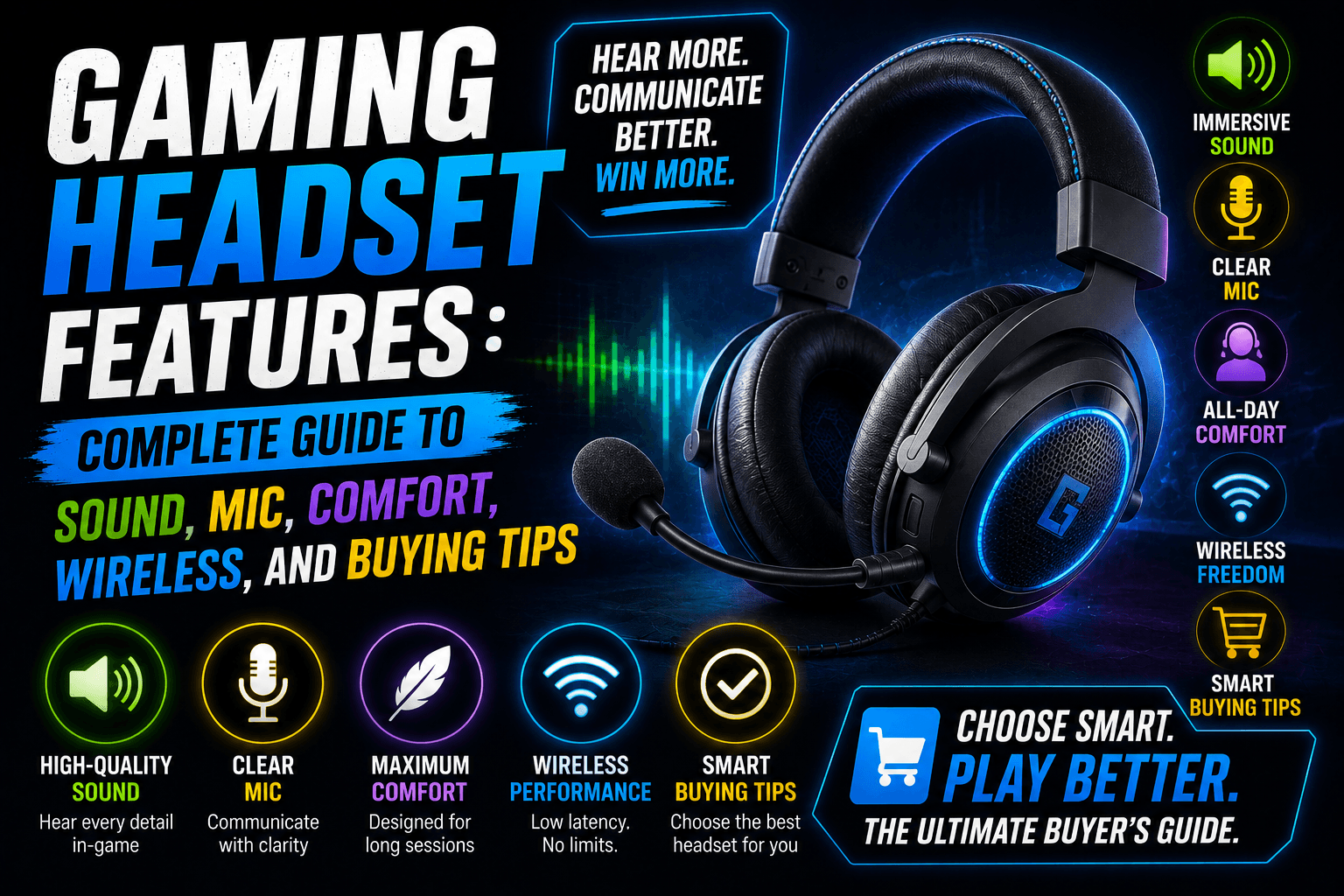
A good gaming headset is not just about loud sound. The right headset can help you hear footsteps, understand voice chat clearly, stay comfortable during long sessions, and enjoy games without disturbing people around you.
But the problem is simple: gaming headset boxes are full of marketing words.
You will see phrases like 7.1 surround sound, 50mm drivers, noise-canceling mic, ultra-low latency, memory foam earcups, spatial audio, detachable boom mic, RGB lighting, dual wireless, and pro-tuned EQ. Some of these features matter. Some are useful only for certain gamers. Some are mostly marketing.
This guide explains the gaming headset features that actually matter, what they mean in real life, and how to choose the right headset for PC, PS5, Xbox, Nintendo Switch, mobile, and cloud gaming.
Quick Answer: What Are the Most Important Gaming Headset Features?
The most important gaming headset features are sound quality, microphone clarity, comfort, low latency, platform compatibility, build quality, and easy controls. If you are buying a headset for competitive gaming, prioritize imaging, low latency, and a clear mic. If you are buying for casual gaming, prioritize comfort, compatibility, and balanced sound.
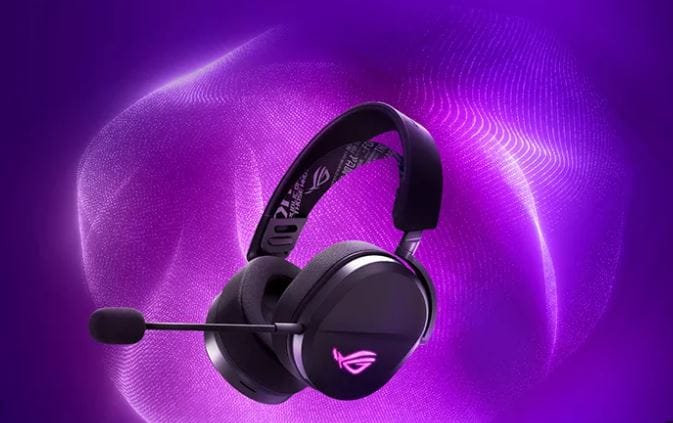
A great gaming headset should do three things well:
- Help you hear the game clearly.
- Help your teammates hear you clearly.
- Stay comfortable for the full gaming session.
Everything else is extra.
Gaming Headset Features Comparison Table
| Feature | Why It Matters | Best For |
|---|---|---|
| Sound Quality | Makes games more immersive and easier to understand | All gamers |
| Imaging | Helps you locate footsteps, shots, and movement | Competitive FPS players |
| Soundstage | Makes the game world feel wider and more natural | Open-world and story gamers |
| Microphone Quality | Keeps voice chat clear | Multiplayer and streaming |
| Low Latency | Keeps audio synced with gameplay | Wireless gamers |
| Comfort | Prevents ear and head fatigue | Long sessions |
| Platform Compatibility | Makes sure the headset works with your device | PC, Xbox, PS5, Switch, mobile |
| Battery Life | Keeps wireless headsets usable longer | Wireless players |
| Wired Option | Gives reliable audio without charging | Competitive and budget users |
| Noise Isolation | Blocks background noise | Shared rooms and noisy homes |
| Software EQ | Lets you adjust sound | PC users |
| Durability | Helps the headset last longer | Daily users |
1. Sound Quality: The Feature Everyone Notices First
Sound quality is the heart of any gaming headset. A headset can look amazing, have RGB lighting, and come from a famous brand, but if the sound is muddy, sharp, or weak, it will not feel good in real gameplay.
Good gaming headset sound should be clear, balanced, and detailed. You should be able to hear dialogue, music, gunfire, footsteps, environmental sounds, and teammate callouts without everything blending into one messy noise.
For gaming, sound quality is not only about bass. Too much bass can make explosions feel powerful, but it can also cover up footsteps and small details. A better headset gives you controlled bass, clear mids, and clean highs.
What Good Gaming Sound Feels Like
| Sound Area | What It Does | Good Result |
| Bass | Adds impact to explosions, engines, and action | Powerful but not muddy |
| Mids | Handles voices, dialogue, and many game effects | Clear and natural |
| Treble | Adds detail to footsteps, reloads, and small sounds | Crisp but not painful |
| Balance | Keeps all sounds under control | Nothing feels buried |
| Detail | Helps separate different sounds | Easier to understand the game |
A headset with balanced sound will usually be better than one that only sounds loud.
2. Driver Size: Does Bigger Mean Better?
Many gaming headsets advertise 40mm, 50mm, or even larger drivers. The driver is the part inside the earcup that creates sound.
A common mistake is thinking bigger drivers always mean better sound. That is not always true. A well-tuned 40mm driver can sound better than a poorly tuned 50mm driver.
Driver size can affect volume, bass response, and sound character, but tuning matters more. The material, earcup design, software processing, and overall acoustic design all affect how the headset sounds.
Driver Size Guide
| Driver Size | Common Use | What to Know |
| 40mm | Lightweight gaming headsets | Can sound clear and balanced |
| 50mm | Many gaming headsets | Often stronger bass and louder sound |
| Planar Magnetic | Premium models | Can offer fast, detailed sound |
| Dual Driver Designs | Some specialized headsets | May separate bass and detail better |
Do not buy a headset only because it has 50mm drivers. Look at sound tuning, comfort, microphone quality, and real-world reviews too.
3. Imaging: The Secret Feature Competitive Gamers Care About
Imaging is one of the most important gaming headset features for competitive players.
Imaging means how accurately a headset places sound around you. In a shooter, good imaging helps you tell whether footsteps are coming from the left, right, behind, above, or below. In battle royale games, it can help you understand where enemies are moving before you see them.
This matters more than big bass.
A headset with strong imaging can give you better awareness in games like:
- Call of Duty
- Valorant
- Counter-Strike
- Fortnite
- Apex Legends
- Rainbow Six Siege
- Escape from Tarkov
- Warzone
Good imaging does not magically make you better, but it can help you react faster and make smarter decisions.
4. Soundstage: Making the Game World Feel Bigger
Soundstage is different from imaging. Imaging is about accurate direction. Soundstage is about space and width.
A headset with a wider soundstage can make a game feel more open and natural. You may feel like sounds are happening around you instead of inside your head.
Soundstage is especially useful for:
- Open-world games
- RPGs
- Racing games
- Horror games
- Cinematic story games
- Adventure games
- Simulation games
Open-back headsets usually have a wider soundstage, but they leak sound and do not block outside noise well. Closed-back headsets usually isolate better, but they can feel more narrow.
Open-Back vs Closed-Back Gaming Headsets
| Type | Pros | Cons | Best For |
| Open-Back | Wider soundstage, more natural sound | Leaks sound, weak noise isolation | Quiet rooms, immersive gaming |
| Closed-Back | Better isolation, stronger bass, less sound leakage | Can feel less spacious | Noisy rooms, shared spaces, streaming |
| Semi-Open | Balanced feel | Less common | Users who want middle ground |
Most mainstream gaming headsets are closed-back because they work better in normal homes, dorms, and shared rooms.
5. Surround Sound and Spatial Audio
Surround sound is one of the most advertised gaming headset features. You may see terms like:
- 7.1 surround sound
- Virtual surround
- Spatial audio
- 3D audio
- Dolby Atmos
- DTS Headphone
- Windows Sonic
- Tempest 3D AudioTech
The goal is to make audio feel more directional and immersive. Instead of simple left and right sound, spatial audio tries to place sounds around you in a 3D space.
This can help in some games, especially when the game is built with good positional audio. But virtual surround is not always better. In some competitive games, stereo can feel cleaner and more accurate.
Stereo vs Surround vs Spatial Audio
| Audio Type | What It Means | Best For |
| Stereo | Left and right audio channels | Competitive clarity, simple setup |
| Virtual 7.1 | Software-created surround effect | Casual immersion |
| Spatial Audio | More advanced 3D positioning | Modern games, cinematic gameplay |
| Dolby Atmos / DTS | Licensed spatial audio systems | Supported platforms and games |
| Windows Sonic | Built-in Windows/Xbox spatial option | Easy setup without extra hardware |
A smart approach is to test both stereo and surround modes. Use whichever helps you hear the game better.
6. Microphone Quality: Clear Chat Matters More Than RGB
A gaming headset microphone should make your voice clear, not robotic, muffled, or harsh. This matters if you play multiplayer games, join Discord calls, stream, record gameplay, or talk with friends.
A good gaming headset mic should reduce background noise, focus on your voice, and avoid distortion when you speak loudly.
Important Microphone Features
| Mic Feature | What It Does |
| Boom Mic | Places the microphone closer to your mouth |
| Detachable Mic | Lets you remove the mic when not needed |
| Flip-to-Mute | Mutes when you lift the mic |
| Noise Reduction | Helps reduce keyboard, fan, and room noise |
| Sidetone | Lets you hear your own voice while talking |
| Mic Monitoring | Another name for hearing your own voice |
| Cardioid Pickup | Focuses more on your voice direction |
| Broadcast Mic Quality | Better clarity for streaming and content |
For team games, a clear mic is not optional. If your teammates cannot understand you, your headset is failing one of its main jobs.
7. Noise-Canceling Mic vs Noise-Isolating Ear Cups
These two features sound similar, but they are different.
A noise-canceling microphone tries to reduce background noise from your voice chat. A noise-isolating earcup tries to block outside noise from reaching your ears.
Difference Table
| Feature | Affects | Example |
| Noise-Canceling Mic | What your teammates hear | Reduces keyboard clicks or fan noise |
| Noise Isolation | What you hear | Blocks room noise, TV sound, or people talking |
| Active Noise Cancellation | What you hear | Uses electronics to reduce background noise |
For most gamers, a good noise-reducing boom mic is more important than active noise cancellation. But if you play in a noisy house, ANC or strong passive isolation can be useful.
8. Wired vs Wireless Gaming Headsets
One of the biggest buying decisions is wired or wireless.
Wired gaming headsets are simple, reliable, and usually cheaper. Wireless gaming headsets are cleaner, more flexible, and more comfortable for couch gaming, but they need charging and can cost more.
Wired vs Wireless Comparison
| Feature | Wired Headset | Wireless Headset |
| Latency | Usually very low | Depends on wireless type |
| Battery | No battery needed | Needs charging |
| Price | Often cheaper | Usually more expensive |
| Setup | Plug and play | Dongle, pairing, charging |
| Reliability | Very stable | Can face interference |
| Freedom | Cable can get in the way | Easier movement |
| Best For | Competitive, budget, PC desk setup | Console, couch, clean desk setup |
If you play at a desk, wired can be the best value. If you play on a couch or hate cable clutter, wireless is easier to live with.
9. Wireless Latency: Why Bluetooth Is Not Always Best for Gaming
Latency means delay. In gaming, audio delay can be annoying because the sound does not match what is happening on screen.
For music, small delay is not a big problem. For gaming, it can matter. If you hear a gunshot or footstep late, the experience feels wrong.
Many wireless gaming headsets use a 2.4GHz USB dongle because it usually gives lower latency than standard Bluetooth. Bluetooth is convenient for phones and casual use, but it is not always the best choice for serious gaming.
Wireless Connection Types
| Connection Type | Best Use | Gaming Notes |
| 3.5mm Wired | Controller, PC, handhelds | Simple and reliable |
| USB Wired | PC and consoles | Good quality and low delay |
| 2.4GHz Wireless Dongle | Gaming headset wireless | Usually best wireless choice for gaming |
| Bluetooth | Phones, tablets, casual gaming | Convenient but may have more delay |
| Dual Wireless | Dongle + Bluetooth | Great for gaming and phone calls |
The best wireless gaming headsets often support both 2.4GHz wireless and Bluetooth. That lets you use the dongle for gaming and Bluetooth for your phone.
10. Dual Wireless and Multi-Device Support
Dual wireless is becoming one of the most useful gaming headset features. It lets a headset connect to two sources, often a gaming device and a phone.
For example, you may connect the headset to your PC or console with a 2.4GHz dongle while also connecting to your phone with Bluetooth.
This is useful when you want to:
- Play on PC while taking phone calls
- Use Discord on your phone while gaming on console
- Listen to mobile audio between matches
- Switch between work and gaming
- Use one headset for multiple devices
If you play across PC, console, and mobile, dual wireless can be more useful than RGB lighting or oversized drivers.
11. Platform Compatibility: PC, PS5, Xbox, Switch, Mobile
Not every gaming headset works fully on every platform. This is one of the easiest mistakes buyers make.
A headset may work on PC and PS5 but not Xbox wireless. Another headset may work on Xbox but lose certain software features on PlayStation. Some USB headsets work on consoles, but their companion software works only on PC.
Platform Compatibility Table
| Platform | What to Check |
| PC | USB, 3.5mm, software, surround sound, mic support |
| PS5 | USB dongle, 3.5mm controller support, 3D audio support |
| Xbox Series X/S | Xbox wireless compatibility or 3.5mm controller support |
| Nintendo Switch | USB-C, docked mode, Bluetooth limitations, 3.5mm |
| Mobile | Bluetooth, USB-C, app support |
| Steam Deck | USB-C, Bluetooth, 3.5mm, dongle compatibility |
| Cloud Gaming | Bluetooth or wired support, low latency, comfort |
Xbox compatibility deserves special attention. Many wireless USB headsets that work on PC and PlayStation do not work wirelessly on Xbox unless they are designed for Xbox.
12. Comfort: The Feature You Feel After One Hour
A headset can sound great and still be a bad purchase if it hurts your head.
Comfort matters because gaming sessions are often long. A heavy headset with strong clamping force can feel fine for 10 minutes and terrible after two hours.
Comfort Features to Check
| Comfort Feature | Why It Matters |
| Weight | Lighter headsets cause less fatigue |
| Clamping Force | Too much pressure hurts the head |
| Ear Cushion Material | Affects heat, comfort, and isolation |
| Headband Padding | Reduces pressure on the top of the head |
| Ear Cup Size | Important for larger ears |
| Swivel Ear Cups | Helps fit different head shapes |
| Breathable Fabric | Reduces heat buildup |
| Memory Foam | Improves long-session comfort |
If possible, choose a headset that weighs less, has soft pads, and fits your head shape. Comfort is personal, so reviews can help, but your own fit matters most.
13. Ear Cushion Material: Leatherette vs Fabric vs Hybrid
Ear pads change the sound, comfort, heat, and isolation of a headset.
Ear Pad Comparison
| Material | Pros | Cons |
| Leatherette | Better isolation, stronger bass, premium feel | Can get hot and peel over time |
| Fabric/Mesh | Cooler and more breathable | Less noise isolation |
| Velour | Soft and comfortable | Can leak sound |
| Hybrid Pads | Balance of comfort and isolation | Usually found on better models |
If you live in a warm area or play long sessions, breathable fabric can be more comfortable. If you need stronger noise isolation, leatherette may work better.
14. Weight and Clamping Force
Weight is easy to ignore until your neck and head start feeling tired.
A lighter headset is usually more comfortable, but it still needs to feel stable. A very loose headset may slide around. A very tight headset may hurt your jaw or temples.
Simple Comfort Rule
- Under 250g: usually very light
- 250g to 330g: normal gaming headset range
- 330g to 400g: can feel heavy for long sessions
- Over 400g: comfort depends heavily on design
Weight is not everything. A well-balanced heavier headset can feel better than a poorly designed lighter one. But for most people, lighter is safer.
15. Build Quality and Durability
Gaming headsets take a lot of daily abuse. They get stretched, dropped, thrown on desks, packed in bags, and sometimes pulled by the cable.
A durable headset should have:
- Strong headband
- Reinforced hinges
- Flexible frame
- Replaceable ear pads
- Detachable cable if wired
- Detachable or retractable mic
- Solid volume wheel
- Clean button feel
- Good warranty support
Metal parts can improve durability, but plastic is not always bad. High-quality plastic can be lighter and more flexible. The real problem is weak hinges and cheap cable connections.
16. Battery Life for Wireless Gaming Headsets
Battery life matters if you buy wireless. A headset that sounds great but dies mid-match can become annoying fast.
For casual use, 20 to 30 hours is usually enough. For heavy users, 40+ hours is more comfortable. Some headsets go much higher, but battery life is only one part of the buying decision.
Battery Life Guide
| Battery Life | Best For |
| Under 15 hours | Light users only |
| 15–25 hours | Casual gaming |
| 25–40 hours | Most gamers |
| 40–80 hours | Heavy weekly use |
| 100+ hours | Users who hate charging |
Also check whether the headset can be used while charging. That one feature can save you during a long session.
17. Controls: Volume, Mute, Chat Mix, and Game Mix
Good controls make a headset easier to use without opening menus.
Useful headset controls include:
- Volume wheel
- Mic mute button
- Flip-to-mute microphone
- Game/chat mix dial
- Bluetooth button
- EQ preset button
- Power button
- ANC/transparency button
- Sidetone control
The game/chat mix control is especially useful for multiplayer. It lets you balance game sound and voice chat quickly.
On Xbox and PC, some headsets support deeper chat mix controls. On PS5, controls may depend on the headset and console settings.
18. Software, EQ, and Custom Sound Profiles
Many gaming headsets include software for PC or mobile. This software may let you adjust sound, microphone settings, surround sound, lighting, sidetone, and firmware updates.
Useful software features include:
- Equalizer presets
- Custom EQ
- Mic noise gate
- Mic monitoring
- Surround sound toggle
- Firmware updates
- Battery status
- Button remapping
- Game-specific profiles
Software is useful, but it should not be required for basic headset performance. A good headset should still work well out of the box.
19. EQ Presets: FPS, RPG, Music, and Movie Modes
EQ means equalizer. It adjusts different sound frequencies.
Many gaming headsets include presets like:
- FPS mode
- Bass boost
- Music mode
- Movie mode
- Footstep mode
- Racing mode
- RPG mode
- Flat mode
FPS mode often reduces heavy bass and raises certain detail frequencies to make footsteps easier to hear. Bass boost makes explosions and music stronger but may reduce competitive clarity.
For most users, start with balanced or flat mode. Then adjust based on the game.
20. Active Noise Cancellation: Useful, But Not Always Needed
Active Noise Cancellation, or ANC, uses microphones and processing to reduce outside noise.
ANC can be useful if you game in a noisy home, near traffic, around fans, or in shared spaces. But it is not necessary for every gamer.
For many people, good passive isolation from closed-back earcups is enough.
ANC Pros and Cons
| Pros | Cons |
| Reduces background noise | Increases price |
| Helps in noisy rooms | Uses more battery |
| Makes games feel more focused | Can change sound slightly |
| Useful for travel | Not needed in quiet rooms |
If your room is quiet, spend your money on better sound, mic, and comfort before paying extra for ANC.
21. RGB Lighting: Nice Look, Low Practical Value
RGB lighting looks cool, especially for stream setups and gaming desks. But it does not improve sound, mic quality, comfort, or latency.
RGB can also reduce battery life on wireless headsets.
Buy RGB if you like the look. Do not treat it as a core feature.
Feature Priority Check
| Feature | Priority |
| Sound quality | High |
| Mic clarity | High |
| Comfort | High |
| Low latency | High |
| Compatibility | High |
| Battery life | Medium to high |
| Software EQ | Medium |
| ANC | Medium |
| RGB lighting | Low |
A plain headset with great sound is better than a flashy headset with bad comfort.
22. Detachable, Retractable, or Built-In Microphone
Gaming headsets handle microphones in different ways.
| Mic Type | Pros | Cons |
| Detachable Boom Mic | Clean look when removed, often better voice pickup | Easy to lose |
| Retractable Mic | Always attached, easy to hide | Can be less durable |
| Flip-to-Mute Mic | Fast and simple mute control | Not always detachable |
| Built-In Mic | Cleaner design | Usually weaker for voice chat |
| External USB Mic Combo | Best voice quality | More expensive and less portable |
For serious multiplayer, a boom mic is usually better than a hidden built-in mic.
23. Gaming Headset Features for Different Types of Gamers
Not every gamer needs the same headset. A competitive FPS player and a casual story-game player should not shop the same way.
Feature Priority by Gamer Type
| Gamer Type | Most Important Features |
| Competitive FPS Player | Imaging, low latency, clear mic, comfort |
| Casual Console Player | Compatibility, wireless comfort, simple controls |
| PC Gamer | Sound quality, software EQ, mic quality, USB support |
| Streamer | Mic clarity, comfort, monitoring, stable connection |
| Story Game Player | Soundstage, comfort, immersive audio |
| Mobile Gamer | Bluetooth, light weight, low latency mode |
| Cloud Gamer | Multi-device support, comfort, low delay |
| Family Gamer | Durability, simple setup, safe volume, comfort |
The best headset is the one that fits your actual games, not the one with the longest feature list.
24. Gaming Headset Buying Guide by Budget
You do not need to spend a fortune to get a good gaming headset. But different price ranges come with different expectations.
| Budget Range | What to Expect |
| Under $50 | Basic wired models, acceptable sound, simple mic |
| $50–$100 | Better comfort, stronger mic, some wireless options |
| $100–$200 | Better wireless, improved sound, software, stronger build |
| $200–$300 | Premium comfort, spatial audio, better mic, dual wireless |
| $300+ | High-end sound, premium build, advanced features |
For most gamers, the sweet spot is usually between $70 and $180. This range often gives you good sound, usable mic quality, and better comfort without paying only for luxury features.
25. Best Gaming Headset Features for PC
PC gamers usually get the most features because headset software is often made for Windows.
Look for:
- USB or 2.4GHz wireless support
- Good Windows compatibility
- Custom EQ software
- Firmware updates
- Clear boom mic
- Low-latency connection
- Discord-friendly voice clarity
- Comfortable long-session design
- Optional spatial audio support
PC users should also check whether the headset works well without software. Some headsets sound average until you install the app and change the EQ.
26. Best Gaming Headset Features for PS5
For PS5, focus on comfort, USB wireless support, 3D audio compatibility, and easy controls.
Look for:
- PS5 compatibility
- USB dongle support
- 3D audio support
- Comfortable earcups
- Clear mic
- Good battery life
- Simple mute control
- 3.5mm backup option if possible
A headset does not need to be expensive to work well with PS5, but make sure it supports the connection type you want.
27. Best Gaming Headset Features for Xbox
Xbox wireless compatibility is more specific than PC or PlayStation compatibility. Many USB wireless headsets do not work wirelessly on Xbox unless they are made for Xbox.
Look for:
- “Designed for Xbox” or Xbox wireless support
- 3.5mm controller compatibility
- Game/chat mix support
- Clear mic
- Low latency
- Comfortable fit
- Good Windows support if you also play on PC
If you play on Xbox, check compatibility carefully before buying.
28. Best Gaming Headset Features for Nintendo Switch and Steam Deck
For handheld gaming, portability matters more.
Look for:
- Lightweight design
- 3.5mm support
- Bluetooth support
- USB-C compatibility
- Foldable or compact build
- Comfortable earcups
- Good battery life
- Low-latency wireless mode if available
A huge over-ear headset may sound good, but it may not be practical for travel.
29. Gaming Headset Features Checklist Before Buying
Use this checklist before buying any gaming headset:
| Question | Yes/No |
| Does it work with my platform? | ☐ |
| Is it comfortable for long sessions? | ☐ |
| Is the mic clear enough for voice chat? | ☐ |
| Does it have low latency for gaming? | ☐ |
| Is the sound balanced, not just bass-heavy? | ☐ |
| Does it have good reviews for durability? | ☐ |
| Does wireless battery life fit my usage? | ☐ |
| Can I use it while charging? | ☐ |
| Are the controls easy to reach? | ☐ |
| Does it support the connection type I need? | ☐ |
| Are replacement ear pads available? | ☐ |
| Is the price fair for the features? | ☐ |
This simple checklist can save you from buying a headset that looks good but fails in daily use.
30. Common Gaming Headset Mistakes to Avoid
Many buyers make the same mistakes.
Avoid these:
- Buying only because of RGB lighting
- Assuming 7.1 surround is always better
- Ignoring platform compatibility
- Choosing Bluetooth-only for serious gaming
- Forgetting about mic quality
- Buying a heavy headset for long sessions
- Ignoring return policy
- Assuming bigger drivers always sound better
- Ignoring comfort reviews
- Buying a headset that needs software you cannot use
A gaming headset is something you wear, hear, and speak through. It should be practical, not just attractive.
Final Verdict: Which Gaming Headset Features Matter Most?
The best gaming headset features are the ones that improve real gameplay.
For most gamers, the top priorities should be:
- Clear and balanced sound
- Accurate imaging
- Comfortable fit
- Clear microphone
- Low latency
- Strong platform compatibility
- Reliable build quality
- Easy controls
- Good battery life for wireless models
- Useful software or EQ options
Extra features like RGB lighting, extreme bass, and flashy branding are fine, but they should come after the basics.
A good gaming headset does not need to be the most expensive one. It needs to fit your platform, your games, your head, your room, and your budget.
If you play competitive games, choose low latency, strong imaging, and a clear mic. If you play story games, choose comfort, soundstage, and immersive audio. If you play across multiple devices, choose dual wireless and broad compatibility.
The right headset should disappear while you play. You should not be thinking about pressure on your head, muffled teammates, charging problems, or delayed sound. You should simply hear the game, talk clearly, and stay focused.
That is what the best gaming headset features are really for.
Frequently Asked Questions About Gaming Headset Features
What are the most important gaming headset features?
The most important gaming headset features are sound quality, mic clarity, comfort, low latency, platform compatibility, and build quality. For wireless headsets, battery life and connection stability are also important.
Is 7.1 surround sound good for gaming?
7.1 virtual surround can be good for immersion, but it is not always better for competitive gaming. Some players prefer stereo because it can sound cleaner and more accurate.
Are wireless gaming headsets good?
Yes, wireless gaming headsets can be excellent if they use a low-latency 2.4GHz dongle. Bluetooth-only headsets are better for casual use but may have more delay.
Is Bluetooth bad for gaming headsets?
Bluetooth is convenient, but it can add noticeable latency depending on the headset, device, and codec. For serious gaming, 2.4GHz wireless or wired connections are usually better.
What is a good microphone feature for gaming?
A boom microphone with noise reduction, flip-to-mute, and sidetone is ideal for most gamers. Detachable microphones are also useful if you want a cleaner look outside gaming.
Do bigger drivers mean better sound?
Not always. Bigger drivers can help with loudness and bass, but tuning matters more. A well-tuned 40mm headset can sound better than a poorly tuned 50mm headset.
What is the best headset feature for FPS games?
Accurate imaging is one of the best features for FPS games. It helps you locate footsteps, gunfire, and enemy movement more clearly.
Is open-back or closed-back better for gaming?
Open-back headsets usually have a wider soundstage and more natural sound, but they leak sound. Closed-back headsets isolate better and are better for noisy rooms.
How much battery life should a wireless gaming headset have?
For most gamers, 25 to 40 hours is a good target. Heavy users may prefer 40 hours or more.
Do gaming headsets work on all consoles?
No. Always check compatibility. Some headsets work on PC and PS5 but not Xbox wireless. Xbox wireless support usually needs specific compatibility.
Is noise cancellation necessary for gaming?
Not always. Good passive noise isolation is enough for many users. Active noise cancellation is useful if you play in a noisy room.
Should I buy a gaming headset or regular headphones?
A gaming headset is better if you need a built-in mic and easy game chat. Regular headphones can offer better music sound, but you may need a separate microphone.
What is sidetone on a gaming headset?
Sidetone lets you hear your own voice in the headset while speaking. It helps you avoid shouting during voice chat.
What is game/chat mix?
Game/chat mix lets you adjust the balance between game audio and voice chat. It is very useful for multiplayer gaming.
What is the best gaming headset feature for comfort?
Lightweight design, soft ear pads, low clamping force, breathable materials, and good headband padding are the most important comfort features.